LIP-9071 iPKTS User Guide
94
1. Touch & hold a network in the list of Wi-Fi networks you’ve added.
2. Touch Modify network in the dialog that opens.
3. Select Show advanced options.
4. If the network has no proxy settings, touch none under Proxy settings, then touch Manual in the menu that
opens.
5. Enter the proxy settings supplied by your network administrator.
6. Touch Save.
The proxy settings apply only to the Wi-Fi network you modified. To change the proxy settings for other Wi-Fi
networks, modify them individually.
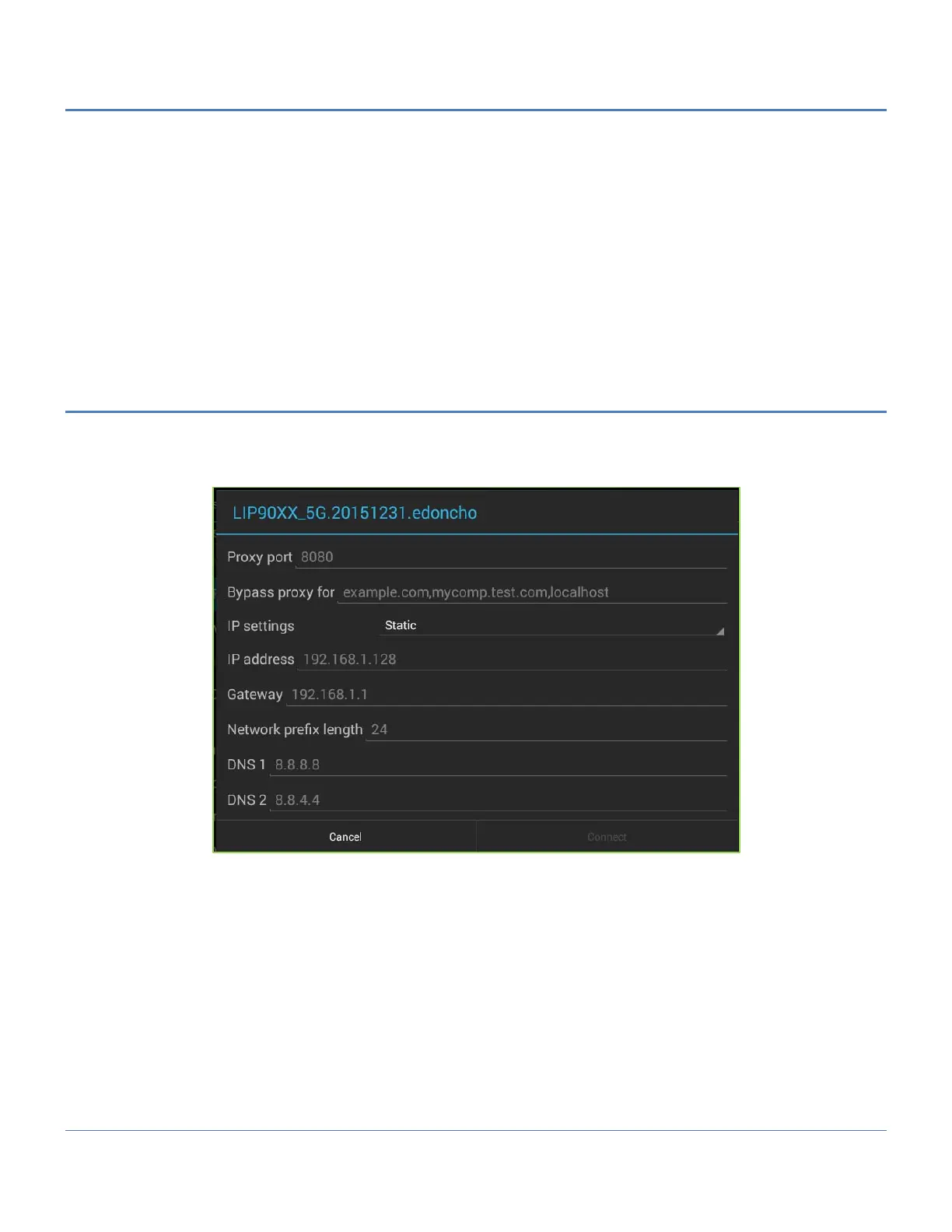
12.2.5 Wi-Fi static IP Settings
To work with advanced Wi-Fi settings:
1. Turn on Wi-Fi, if it's not already on.
2. In the Wi-Fi settings screen, touch: Menu -> Advanced -> Static
This screen also displays the following information:
• IP address. The Internet Protocol (IP) address assigned to the tablet by the Wi-Fi network you are connected
to (unless you used the IP settings to assign it a static IP address).



 To Next Page