LIP-9071 iPKTS User Guide
140
15.1.4 Call Server Setting
When LIP-9071 gets Call sever for iPKTS and Connection mode for iPKTS. After receiving those values, it will apply
that to system setting. If those setting are changed, the iPKTS call tries to connect to Call server with new values.
Condition
LLDP menu VLAN menu DHCP Option(156) Set VLAN with
Disable
N/A
N/A N/A
Set DHCP option(156)
Set Set
1)
VLAN menu
Enable
(VLAN policy : LLDP
set in web admin(default)
N/A
N/A Discovered LLDP
Set Discovered LLDP
Set
N/A Discovered LLDP
Set
1)
Discovered LLDP
Enable
(VLAN policy: Manual set in web admin)
N/A
N/A N/A
Set DHCP option(156)
Set
N/A VLAN menu
Set VLAN menu
1) vid & priority parameter is ignored and cs & cmod parameter is applied.
15.1.5 Web admin setting
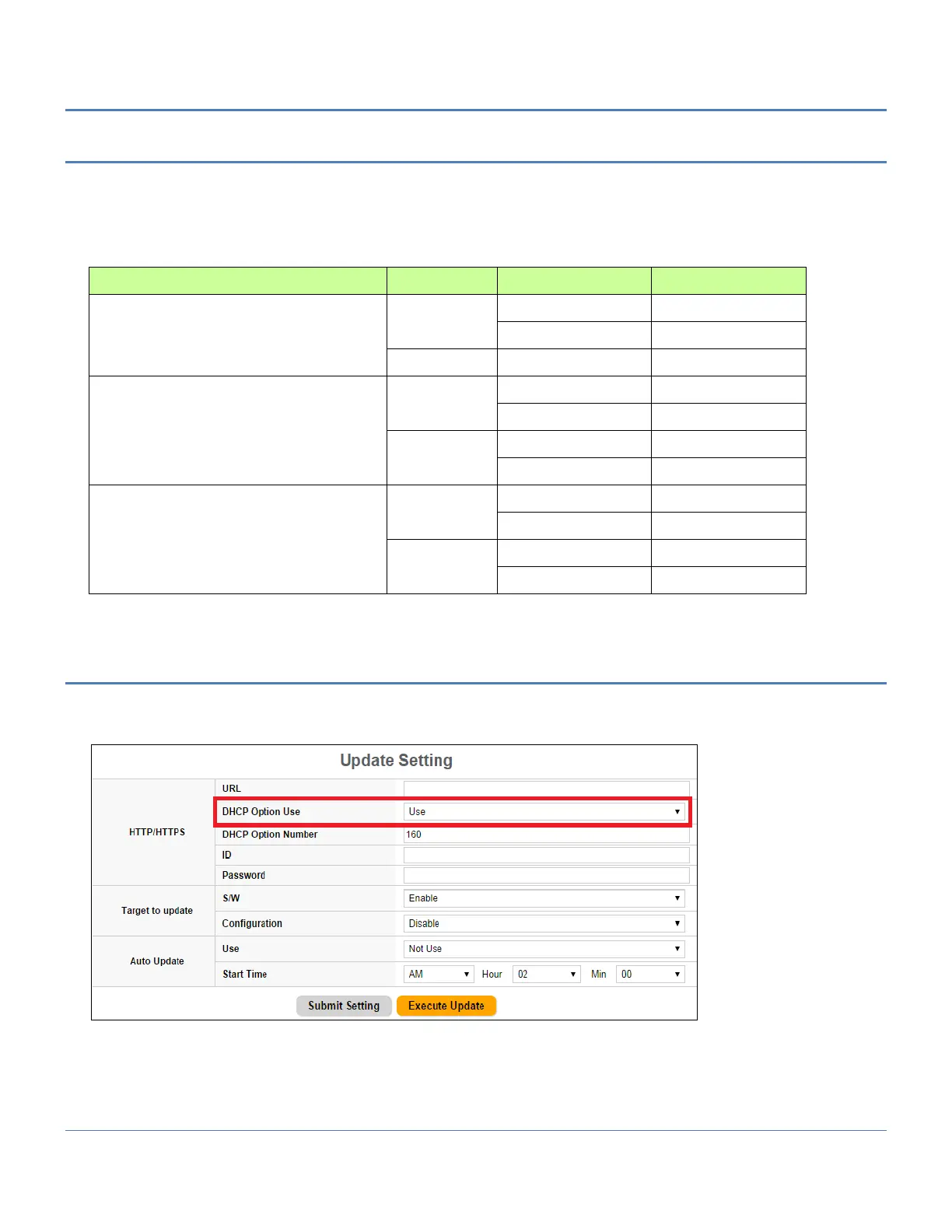
If you want to enable option 156, you must set DHCP option Use enable in Update Setting pages.



 To Next Page