LIP-9071 iPKTS User Guide
135
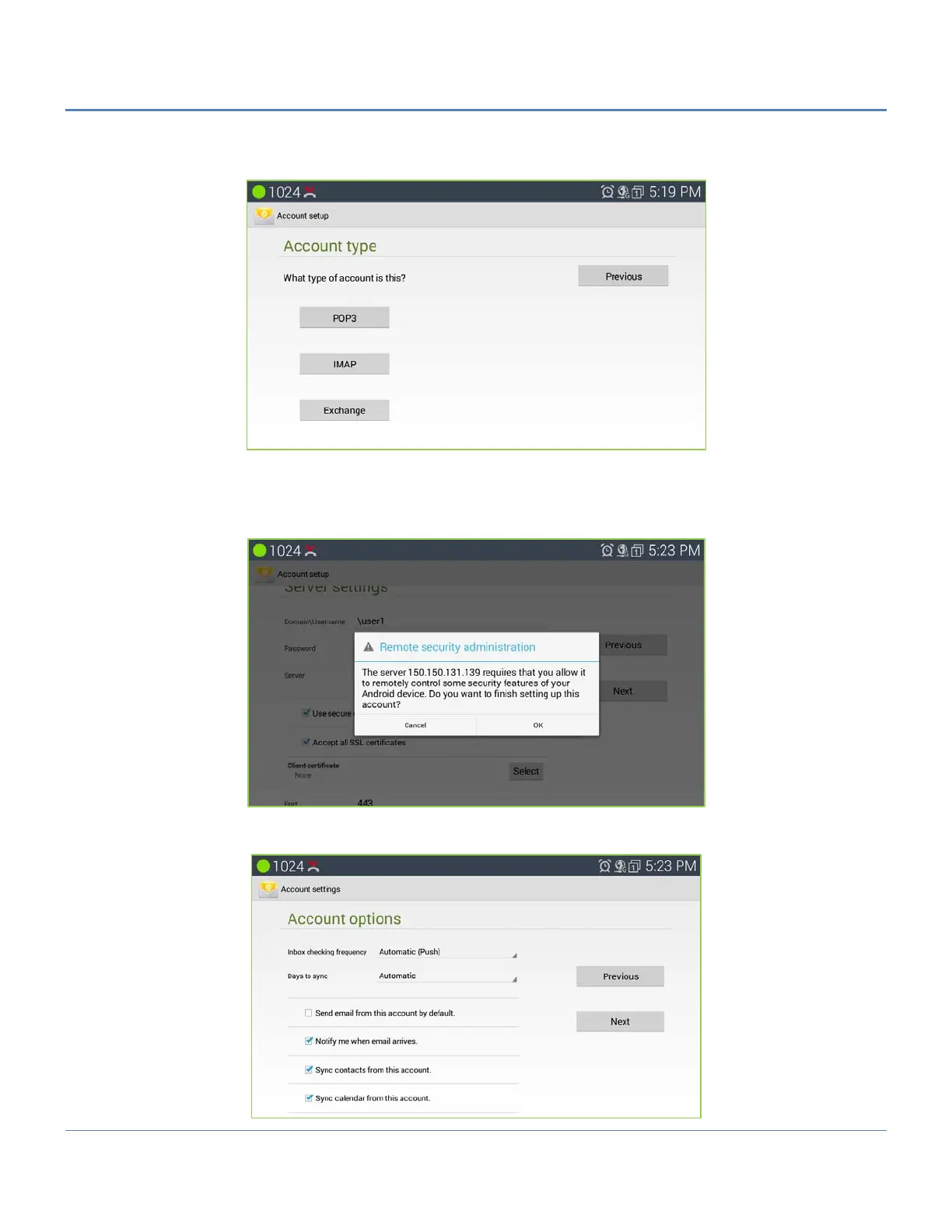
3. If "Manual setup" is selected in step 2, users will need to choose the account type "POP3" "IMAP" or
"EXCHANGE" depending on the type of your Email account.
EXCHANGE setup. When using EXCHANGE, all Emails are stored in the central Exchange mail server
and can be checked using capable mail client such as Microsoft Outlook. Please check with your network
administrators for the correct Email account settings for EXCHANGE.
After account complete communication with exchange server it will guide security warning.
4. After select ‘OK’ if "Next" is selected in step 2, users will see the following default account settings. Tap on
"Next" again.



 To Next Page