LIP-9071 iPKTS User Guide
49
7.5.7.1 NFC Call Forward
LIP-9071 can configure call forward of call settings by using an NFC Forum-compliant tag. Call forward is the same
feature as basic call forward.
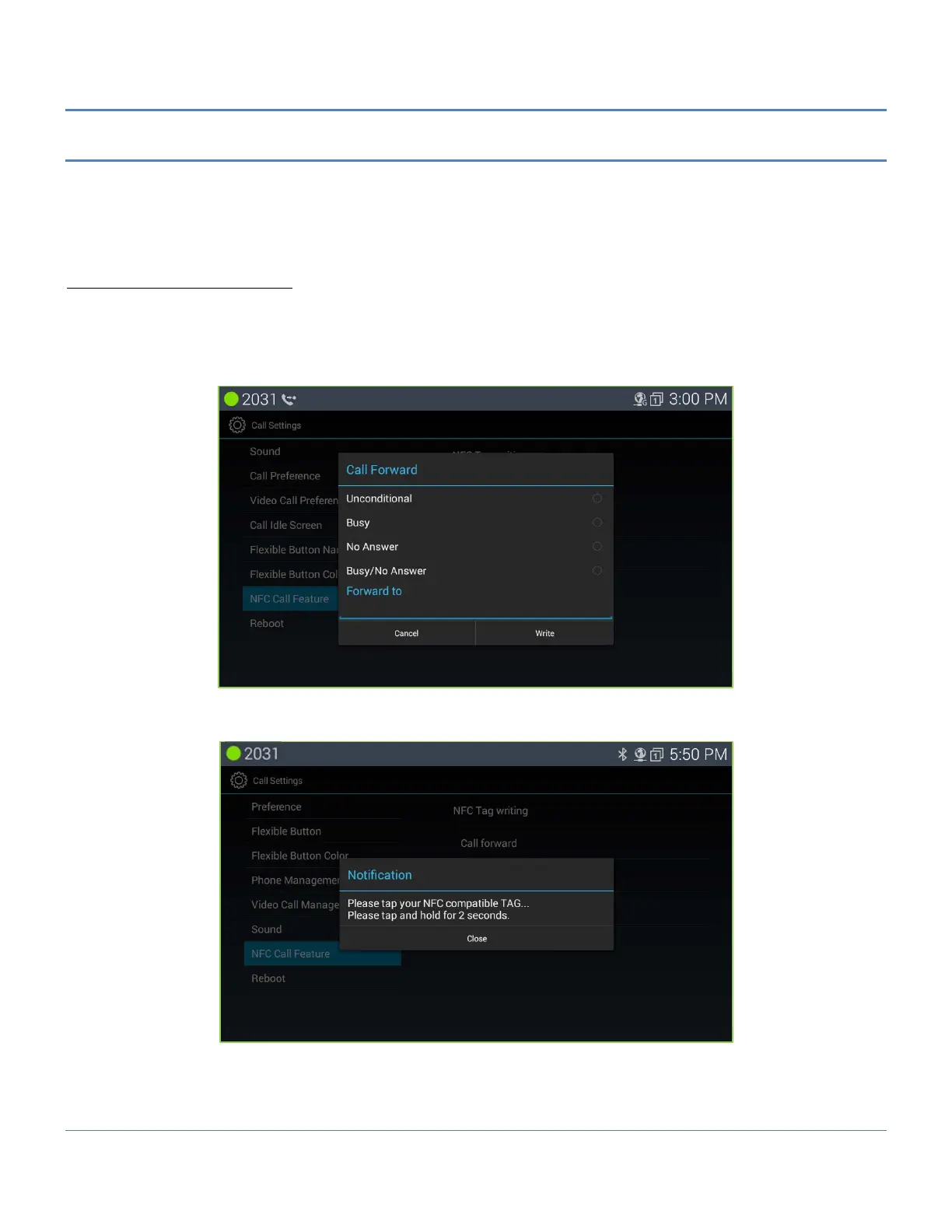
User first needs to write call forward information to an NFC tag. NFC tag write is provided at the “NFC Call Feature” of
“Call Settings” menu.
Making NFC Call Forward tag
In order to make an NFC call forward tag, User must enter the following information for call forward feature.
1. Forward Type : There are four types (Unconditional, Busy, No Answer, Busy/No Answer)
2. Forward Destination: There are four destinations (Station, Group, Speed, Tel Num.).
After entering right information for each item, touch “Write” button, otherwise touch “Cancel” for cancel.
After touching “Write” button, the following screen is shown.



 To Next Page