LIP-9071 iPKTS User Guide
75
Export to storage
1. Open the Contact application.
2. Touch the Option menu in the upper right.
3. Select Import/Export.
4. Select ‘Export to Storage’.
5. Touch Apply. The contacts are exported as a group VCard file with the vcf file extension. Files are named
with the year, month and date with the vcf extension.
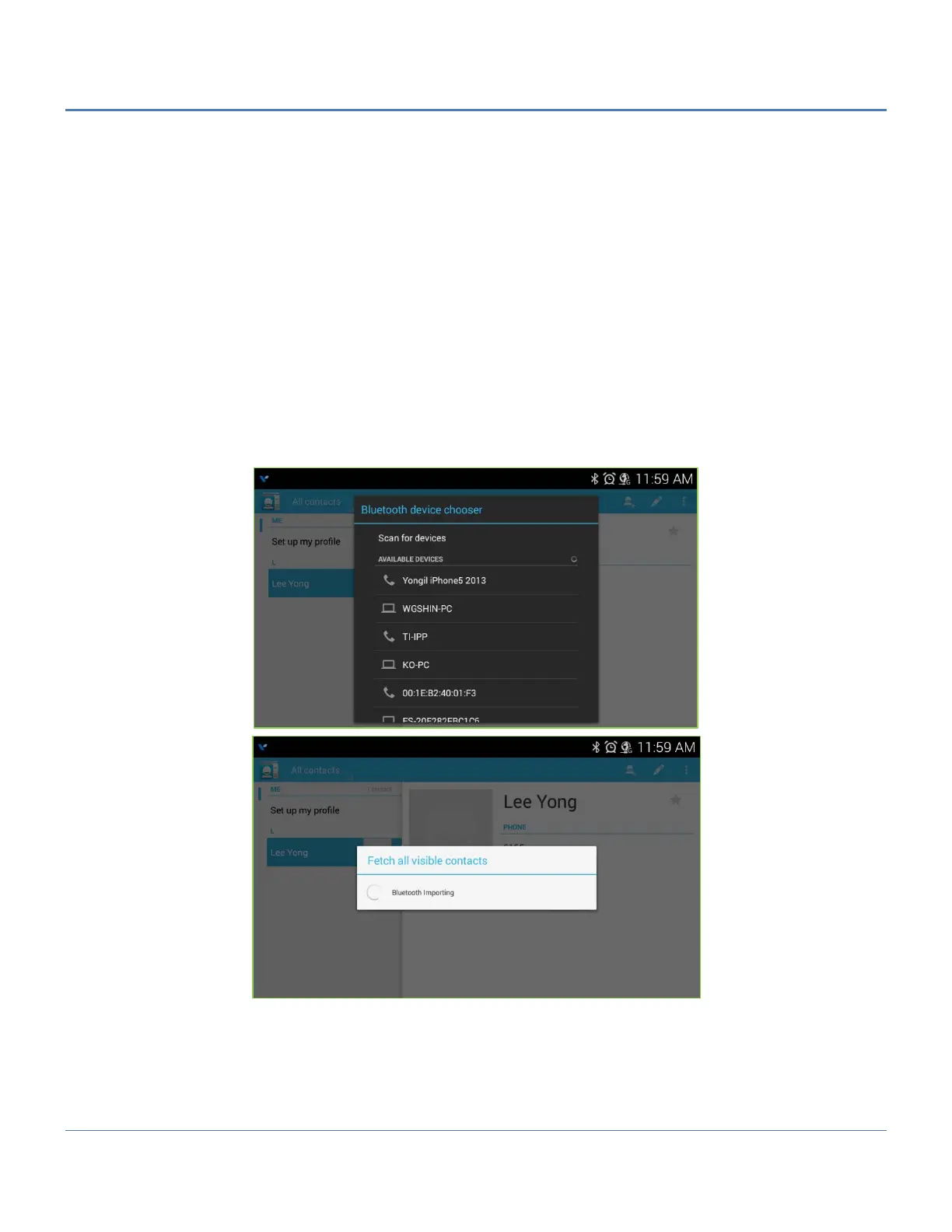
Import with Bluetooth - Fetch all visible contacts -
1. Open the Contact application.
2. Touch the Option menu in the upper right.
3. Select Import/Export.
4. Select ‘Fetch all visible contacts’.
5. In the popup, select ‘Import to Storage’ (the USB stick) or the Contacts database. The phone scans for and
displays a list of nearby Bluetooth devices.
6. Select the desired Bluetooth device for the import, the phone imports the V-card files.
Export with Bluetooth - Share all visible contacts -
1. Open the Contact application.
2. Touch the Option menu in the upper right.
3. Select Import/Export.
4. Select ‘Share all visible contacts’. The phone scans for and displays a list of nearby Bluetooth devices.
5. Select the desired Bluetooth device to receive the export, the phone exports the V-card files.



 To Next Page