Chapter 7 SETUP MODE
7.4 LABEL FORMAT SETTING
1.
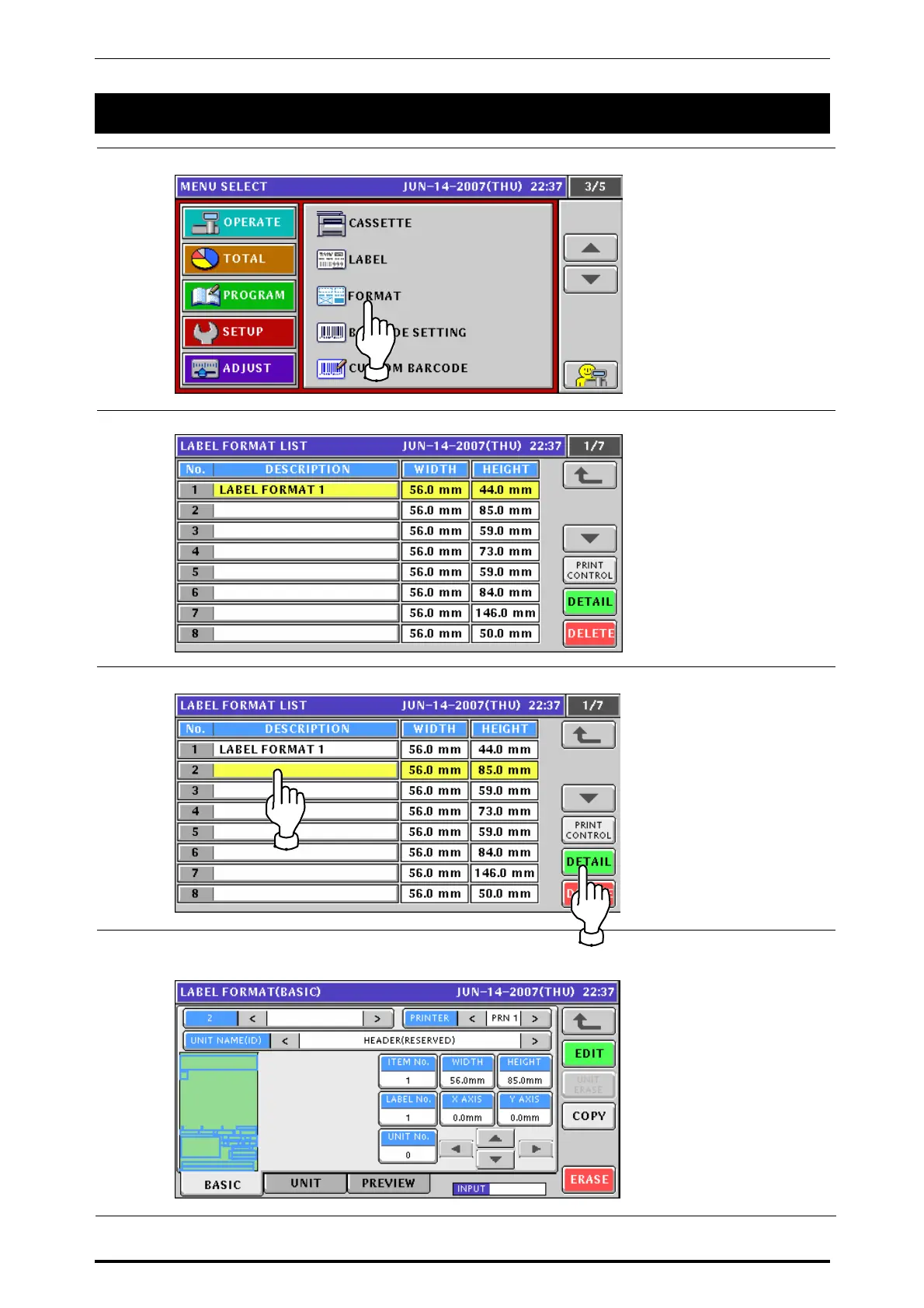
Press the “FORMAT” field on the setup menu screen.
2.
The Label Format List screen appears.
3.
Press to select a desired format field and press the [DETAIL] button.
4.
The Label Format (Basic) screen appears.
Refer to steps 6 through 16 in section 7.2 for further procedures.
UNI-7 Service Manual 7-11



 To Next Page