Chapter 5 MACHINE DISASSEMBLY
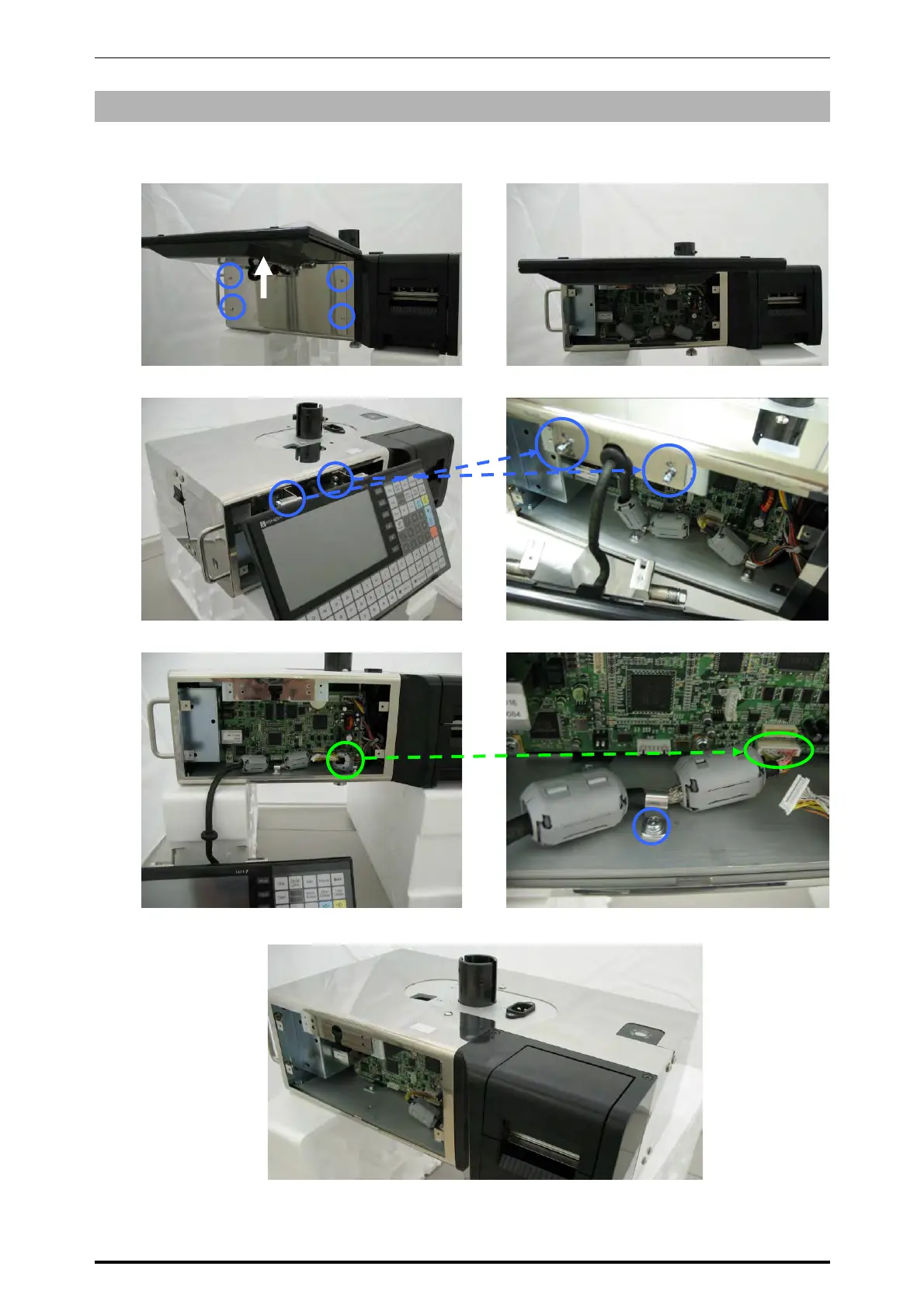
5.6.3 OPERATION PANEL
1.
Raise the operation panel and remove the
four fixing screws.
2.
Remove the front cover of the main unit.
3.
Raise the operation panel and remove the two upper screws and loosen the two lower screws.
4.
Unplug the keyboard harness from the main board and remove the screw for the cable clamp.
5.
Remove the operation panel from the main unit.
Front cover
Operation panel
* Reverse this procedure for assembly.
UNI-7 Service Manual 5-31



 To Next Page