Chapter 8 ADJUSTMENT MODE
8.7 DOWNLOADING
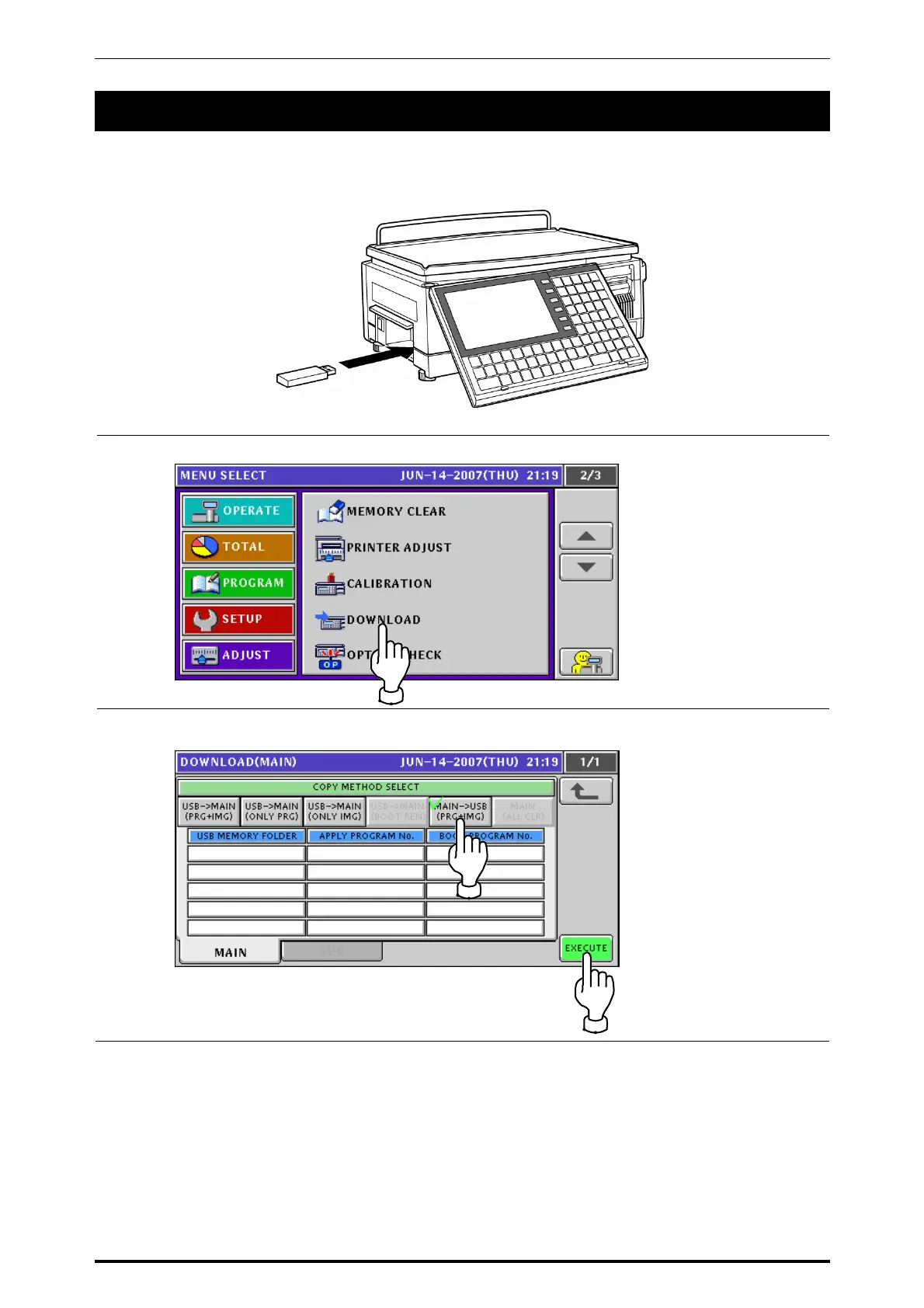
Before down-loading data from the USB memory, make sure that the USB memory is inserted into the
USB port located in the connector cover of he main body..
1.
Press the “DOWNLOAD” field on the screen to display the Download (Main) screen.
2-1.
When loading data from the main memory to the USB memory, press to select the
[MAINÆUSB] button and press the [EXECUTE] button
UNI-7 Service Manual 8-19



 To Next Page