Chapter 8 ADJUSTMENT MODE
8.6 CALIBRATION
1.
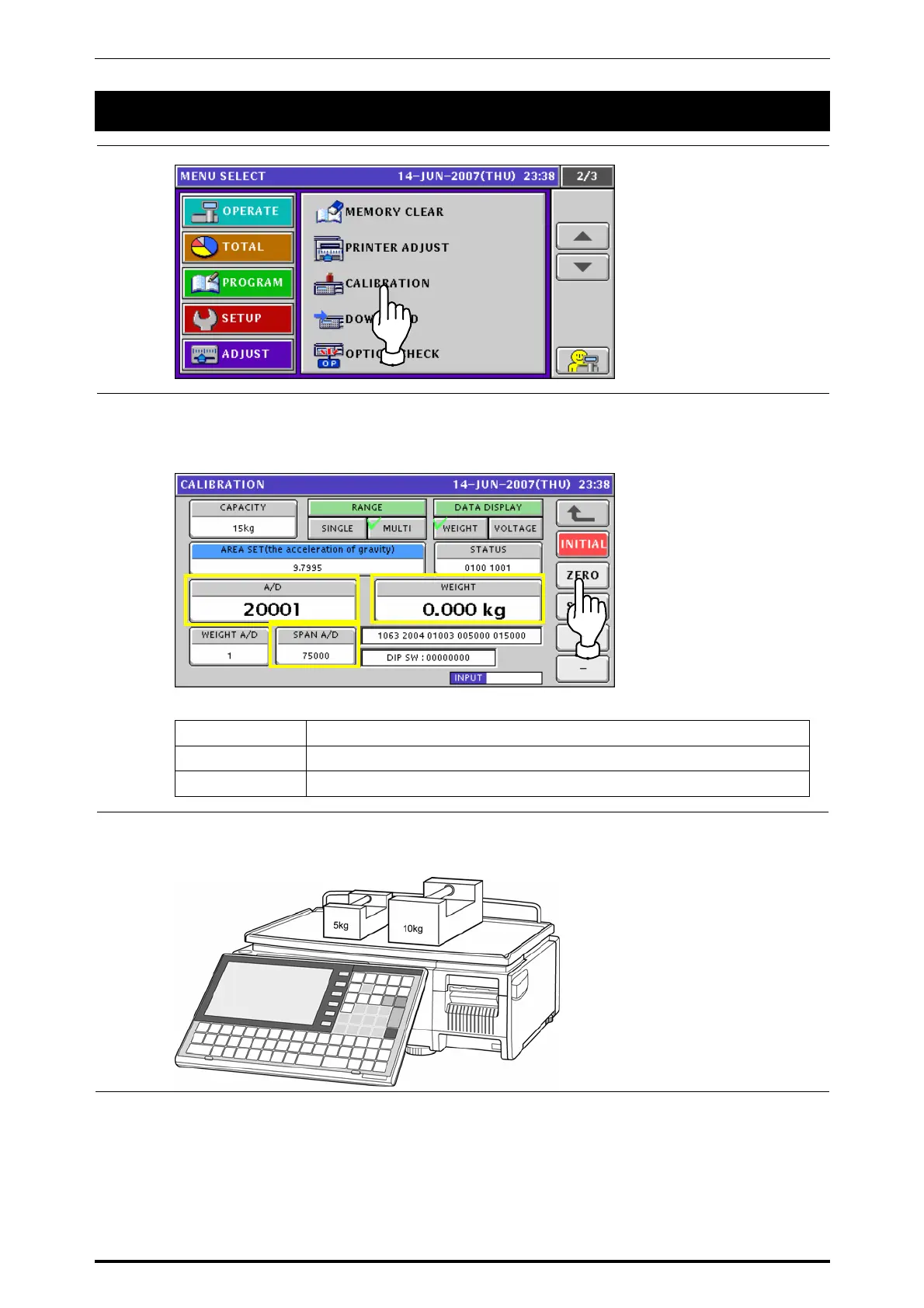
Press the “CALIBRATION” field on the screen to display the Calibration screen..
2.
Press the [ZERO] button to perform zero point adjustment.
Then, the WEIGHT displays field shows “0.000kg” or “0.00lb”.
Check that the value in the A/D display field is “20000” and the SPAN A/D display field
shows “75000” at this time.
RANGE Press to select either the “SINGLE” or “MULTI” field.
DATA DISPLAY Press to select either the “WEIGHT” or “VOLTAGE” field.
AREA SET Enter a desired numeric value and press this field.
3.
Place the weights of the same weight as the upper limit of the weighing capacity on the
weigh platter.
8-16 UNI-7 Service Manual



 To Next Page