Chapter 5 MACHINE DISASSEMBLY
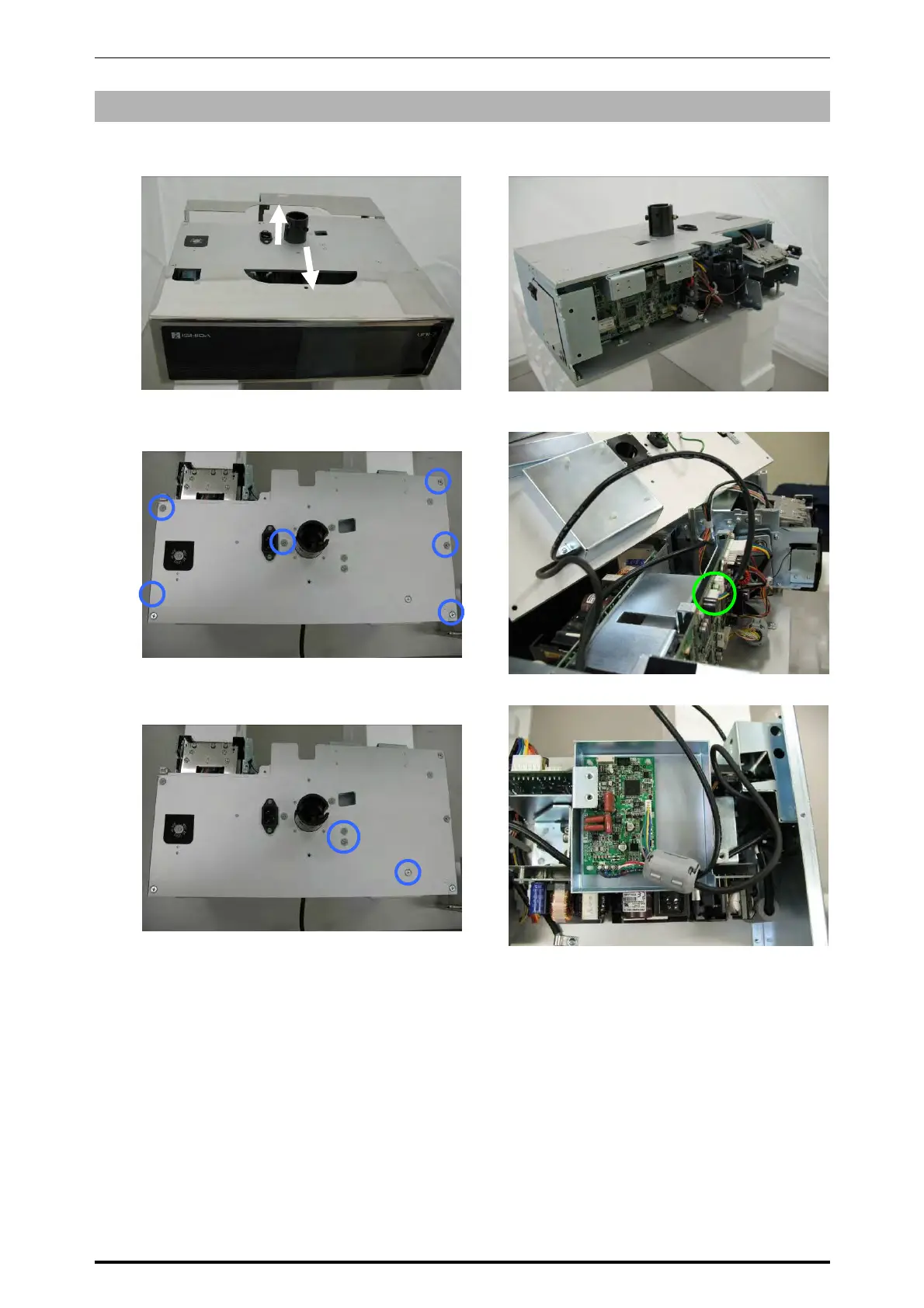
5.6.6 LOAD CELL BOARD
1.
Make sure that both front and rear stainless-steel cases are removed. (Refer to section 5.6.4)
2.
Remove the six screws fixing the upper
case.
3.
Detach the upper case and unplug the
harness.
4.
Remove the three screws fixing the load cell board housing.
Front case
Rear case
Load Cell board
housing
* Reverse this procedure for assembly.
5-36 UNI-7 Service Manual



 To Next Page