Chapter 8 ADJUSTMENT MODE
8.5 PRINTER ADJUSTMENT
1.
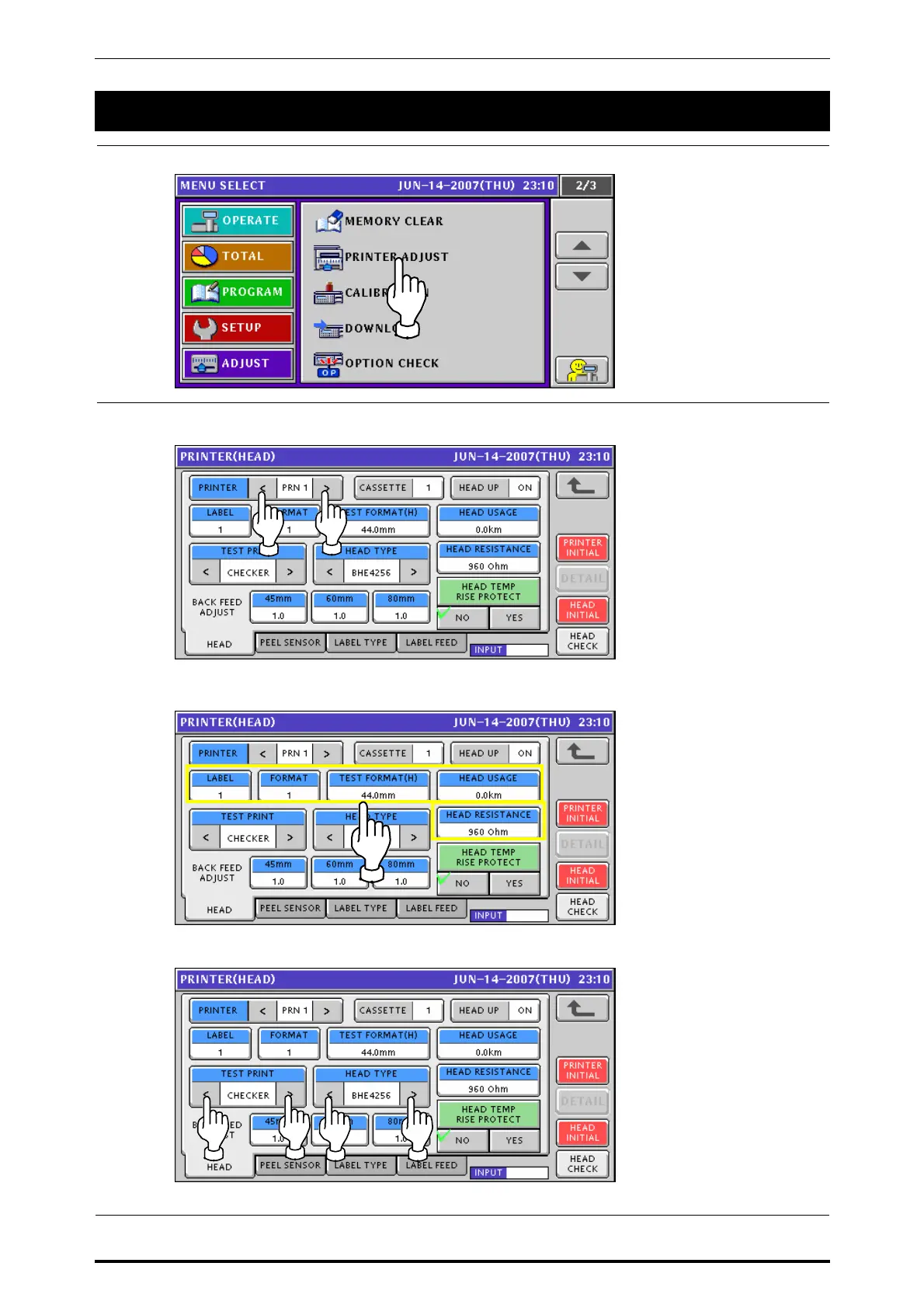
Press the “PRINTER ADJUST” field on the screen.
2.
The Printer (Head) screen appears.
Then, select a desired printer by using either [<] or [>] button.
Enter a desired numeric value for each item and press the corresponding field.
Select a desired test print type and head type by using either [<] or [>] button.
8-8 UNI-7 Service Manual



 To Next Page