Chapter 7 SETUP MODE
7.8 ERROR PROCESS SETTING
1.
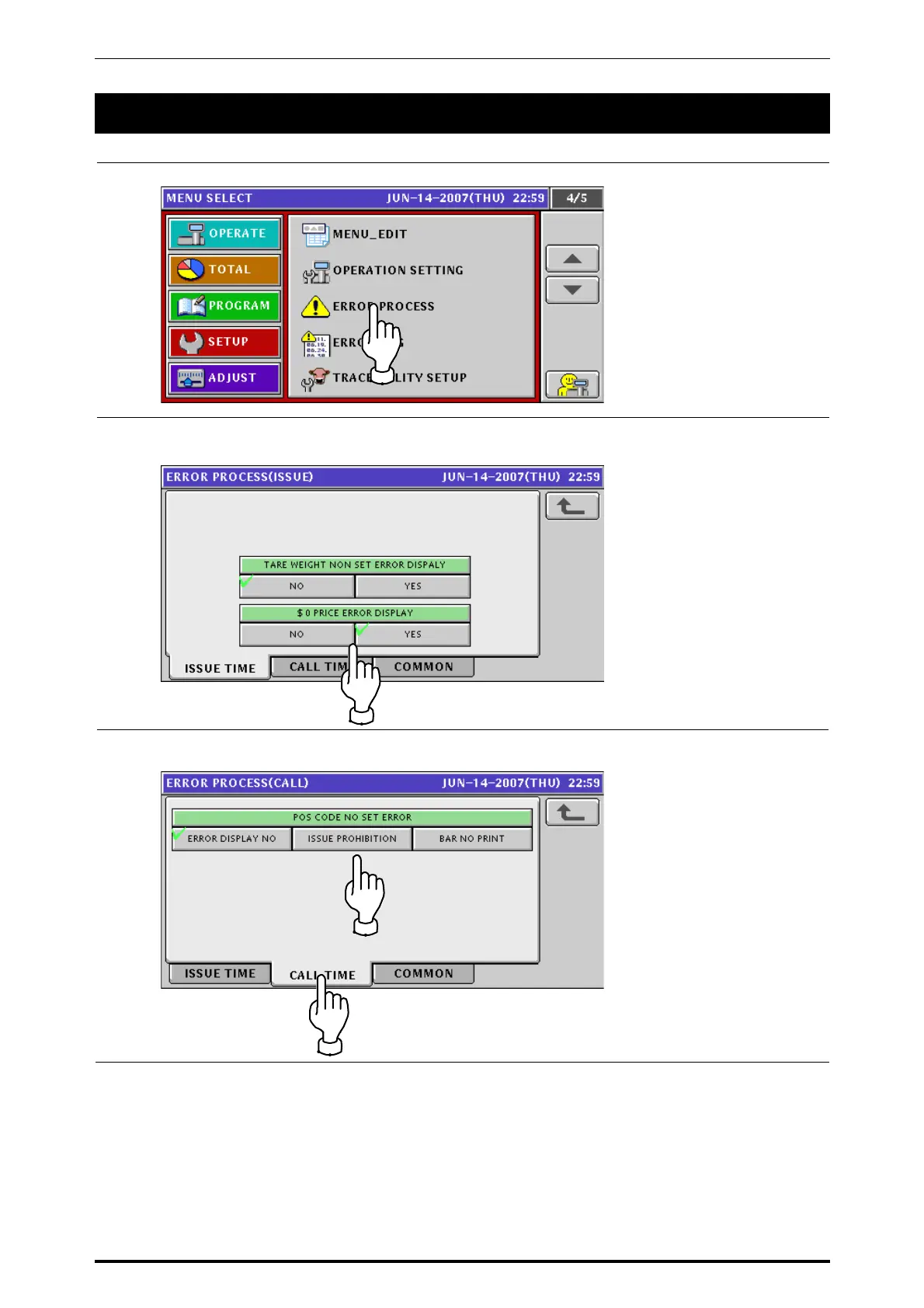
Press the “ERROR PROCESS” field on the screen.
2.
The Error Process (Issue) screen appears.
Press to select a desired field for each item.
3.
Press the “CALL TIME” tab to display the Error Process (Call) screen.
Then, press to select a desired field.
UNI-7 Service Manual 7-29



 To Next Page