Chapter 5 MACHINE DISASSEMBLY
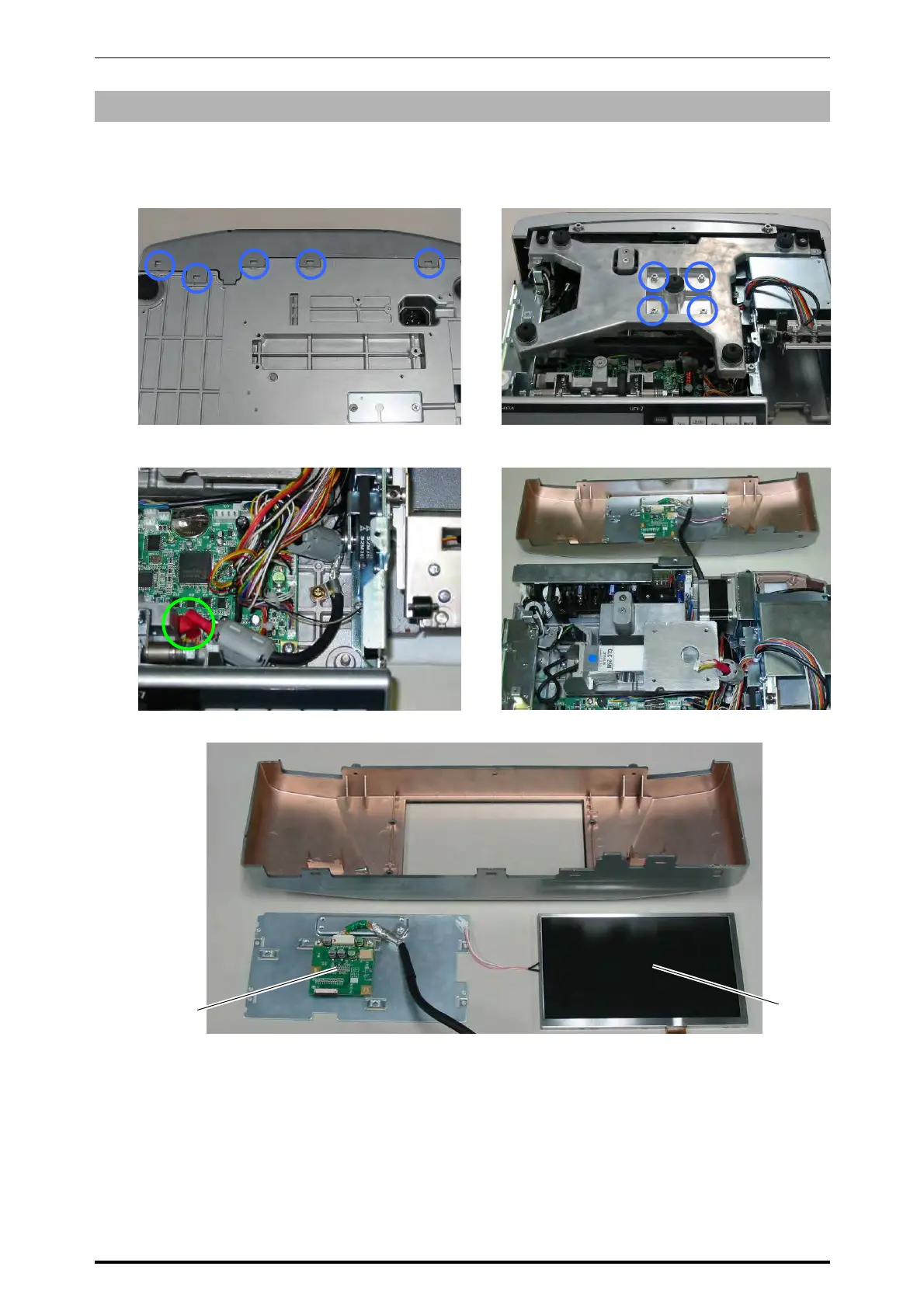
5.1.5 CUSTOMER DISPLAY
1.
Disengage the five hooks located on the
bottom of the machine using a slotted
screwdriver.
2.
Remove the four screws fixing the weigh
platter holder.
3.
Remove the weigh platter holder and unplug
the harness connected with the main board.
4.
Detach the customer display unit.
5.
Detach the display control board and TFT LCD.
Weigh platter holder
TFT LCD
AT070TN07
Display control board
PK-263
* Reverse this procedure for assembly.
5-6 UNI-7 Service Manual



 To Next Page