Appendix TEXT EDITING
TEXT EDITING
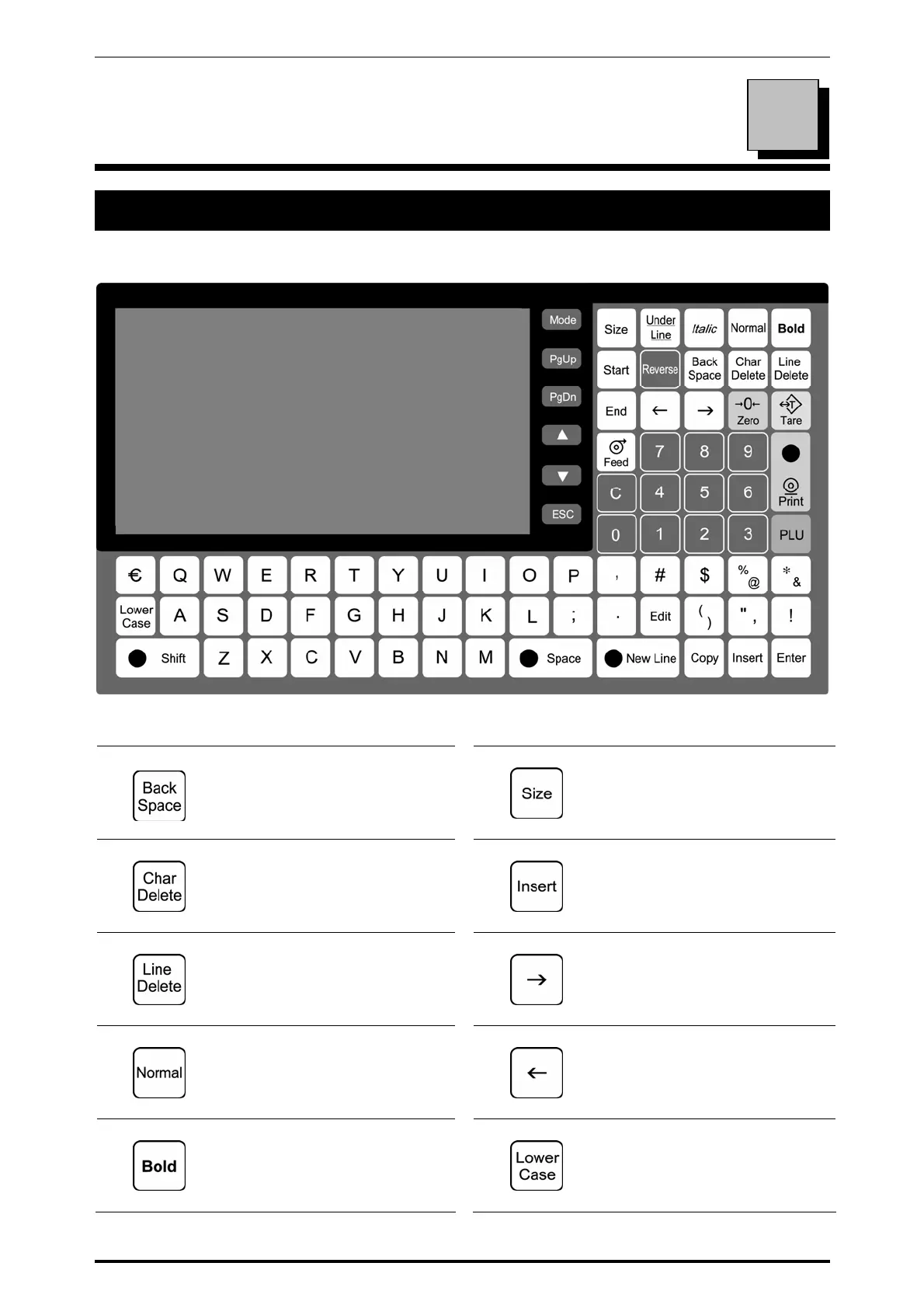
A.1 OPERATION PANEL AND KEY FUNCTIONS
Operation Panel
Keys for Text Editing
Used to delete a character by
moving the cursor back by
one character.
Used to select a font size for a
text displayed on the screen.
Used to delete a character at
the place where the cursor is
positioned.
Used to insert a character, or
select characters followed by
depressions of the [→] or [←]
key.
Used to delete a line text.
Used to move the cursor to
right. Also used to select
characters for changing the
style.
Used to specify a normal
character style.
Used to move the cursor to
left. Also used to select
characters for changing the
style.
Used to specify a bold
character style.
Used to select either
lower-case or upper-case
character mode for a text to be
entered.
A
Uni-7 User’s Manual A-1



 To Next Page