Chapter 5 MACHINE DISASSEMBLY
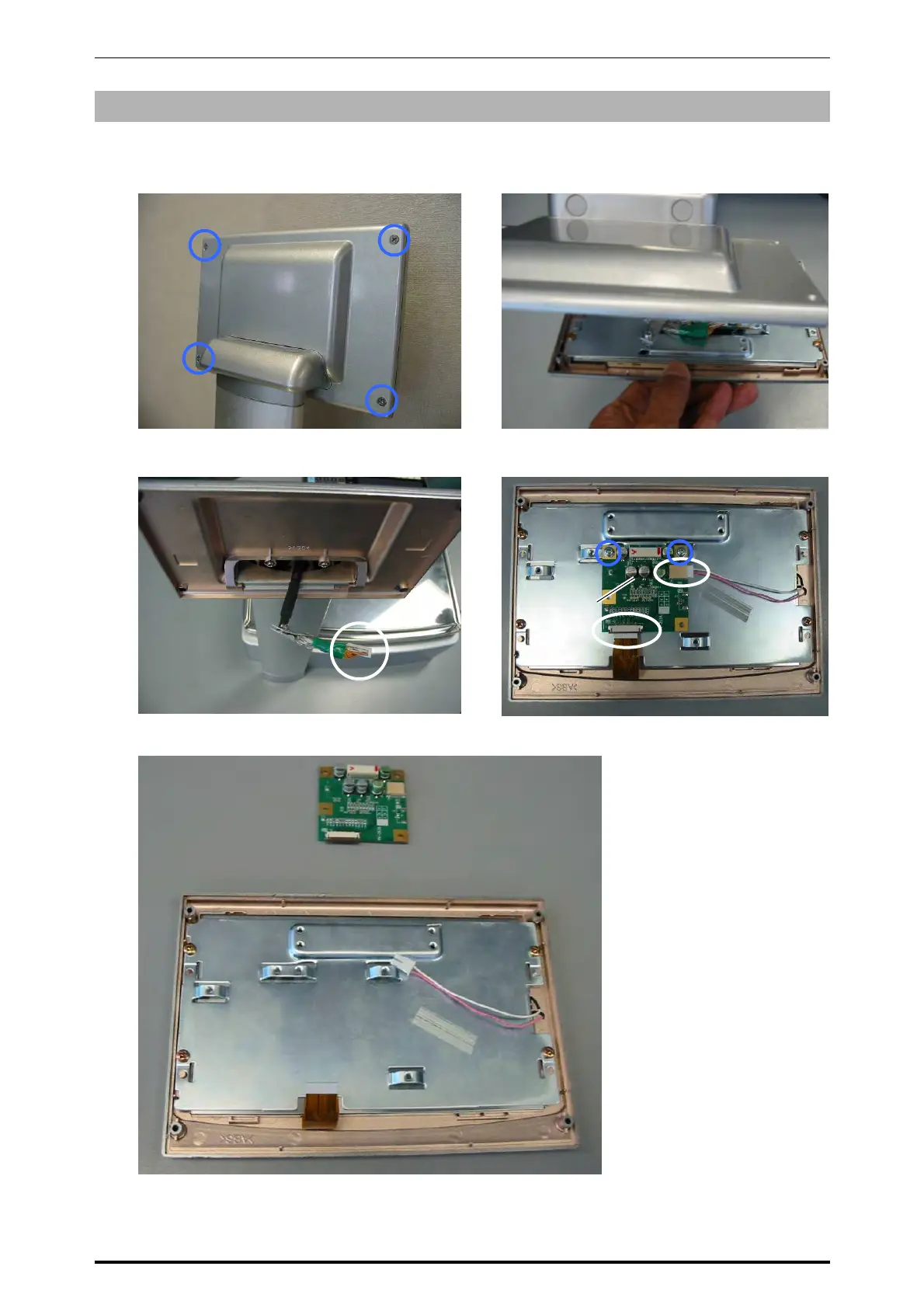
5.2.2 CUSTOMER DISPLAY UNIT
1.
Remove the four screws fixing the rear
case of the customer display unit.
2.
Detach the front panel of the customer
display unit.
3.
Unplug the connector.
4.
Remove the two screws and unplug the two
harnesses.
5.
Remove the display control board.
Display
control
board
PK-263
* Reverse this procedure for assembly.
5-16 UNI-7 Service Manual



 To Next Page