Chapter 5 OVERVIEW
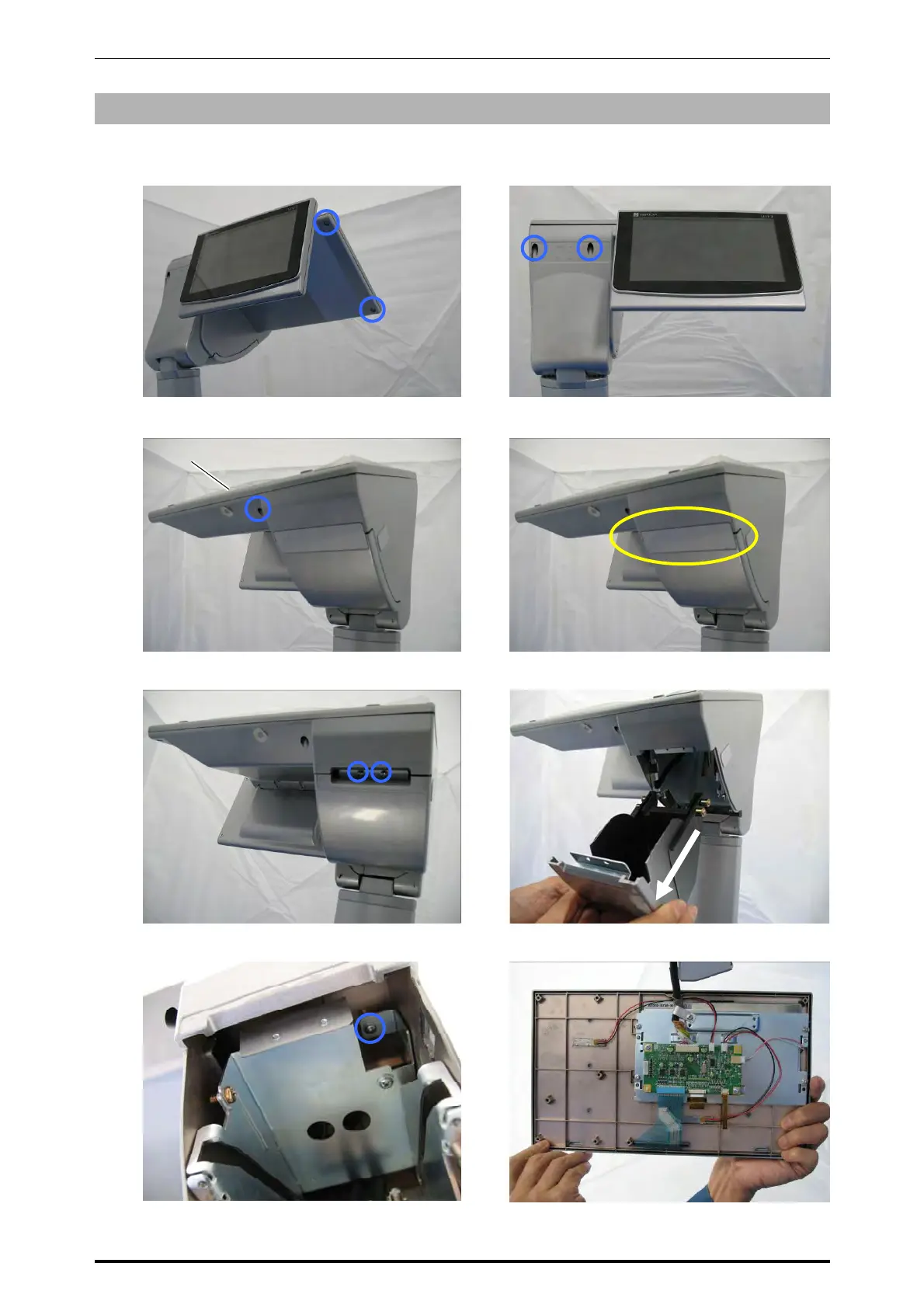
5.5.2 OPERATION PANEL UNIT (FOR SINGLE PRINTER)
1.
Remove the two screws located on the
bottom of the operation panel unit.
2.
Remove the two screws located at the
customer display side.
3.
Remove the screw located on the bottom of
the operation panel unit.
4.
, peel off the blind plate.
5.
Remove the two screws fixing the roll
holder.
6.
Pull out the holder.
7.
Remove the screw fixing the operation
panel.
8.
Detach the operation panel.
Operation panel
5-24 UNI-7 Service Manual



 To Next Page