Chapter 5 OVERVIEW
5.
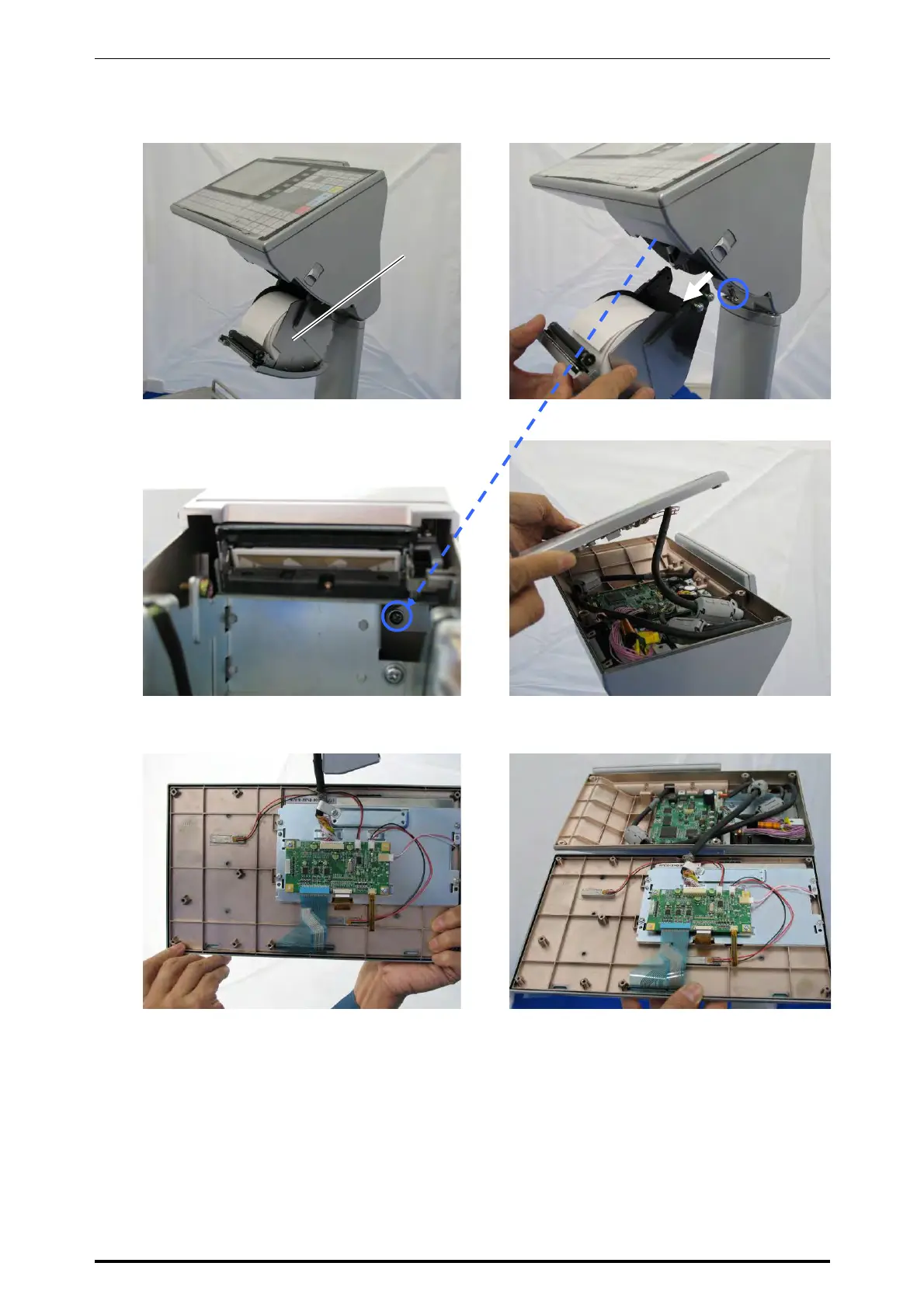
The roll holder comes down.
6.
Fully loosen the screw and pull to remove
the roll holder.
7.
Remove the screw located inside of the
operation panel unit.
8.
Detach the operation panel.
9.
This photo shows the rear side of the
operation panel.
10.
This photo shows the inside of the operation
panel unit and the rear side of the operation
panel.
Roll holder
UNI-7 Service Manual 5-23



 To Next Page