Chapter 7 SETUP MODE
7.5 BARCODE SETTING
1.
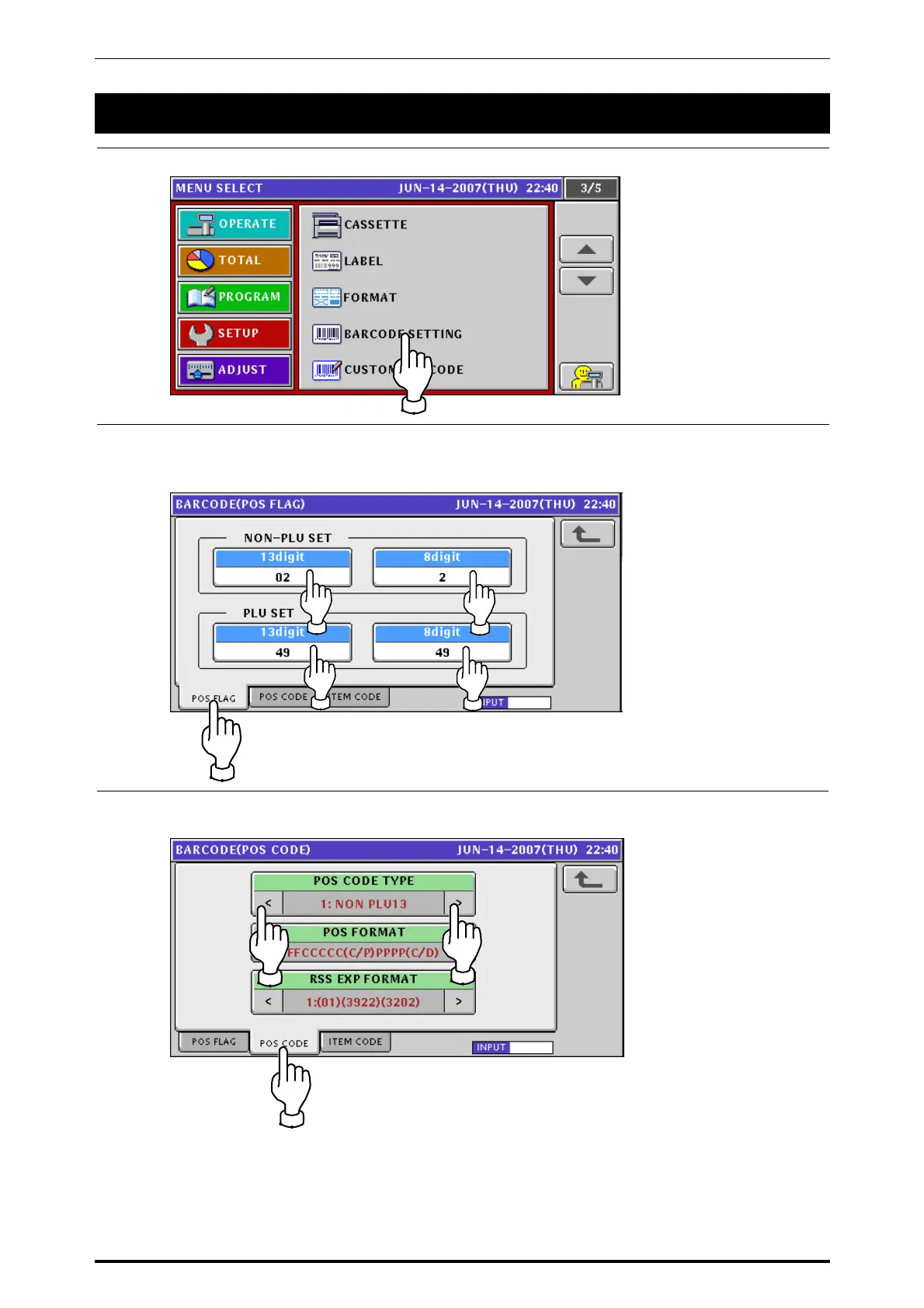
Press the “BARCODE SETTING” field on the setup menu screen.
2.
Ensure that the Barcode (POS Flag) screen is displayed.
If not displayed, press the [POS FLAG] tab.
Enter a desired numeric value for each item and press the corresponding field.
3.
Press the [POS CODE] tab to display the Barcode (POS Code) screen.
Then, select a desired POS code type by using the [>] and [<] buttons.
UNI-7 Service Manual 7-13



 To Next Page