Chapter 7 SETUP MODE
Select one of the following code types:
1: Non PLU13
2: Non PLU8
3: PLU13
4: PLU8
5: RSS-14
6: RSS-14ST
7: RSS14STO
8: RSS LIMITED
9: RSS EXPANDED
POS CODE TYPE
10: ITF
4.
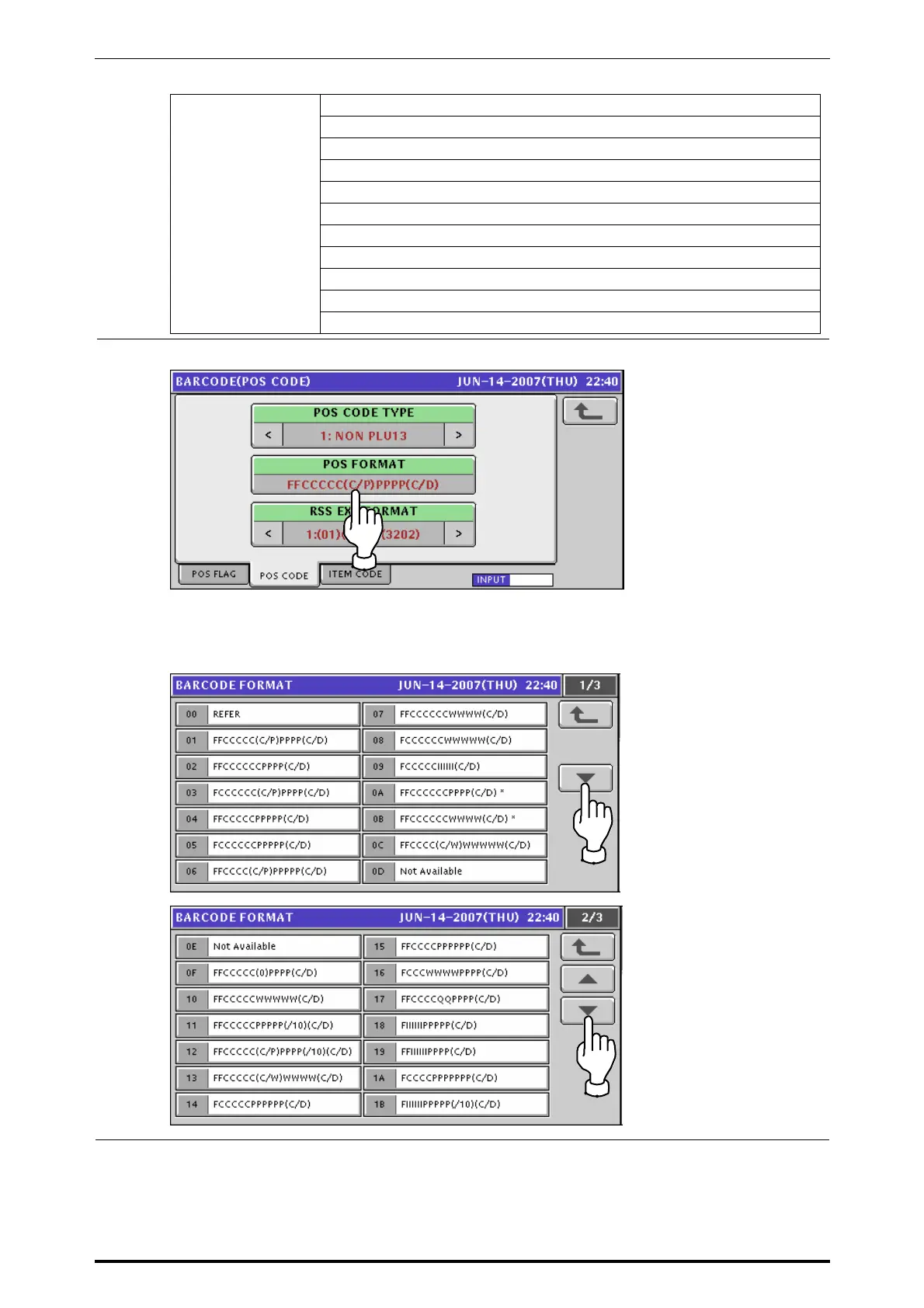
Press the [POS FORMAT] tab to display the Barcode Format selection screen.
The following Barcode Format list screen appears.
Press to select a desired field to determine the barcode format.
Press either [
b] or [
a
] button to change the pages.
7-14 UNI-7 Service Manual



 To Next Page