Chapter 7 SETUP MODE
5.
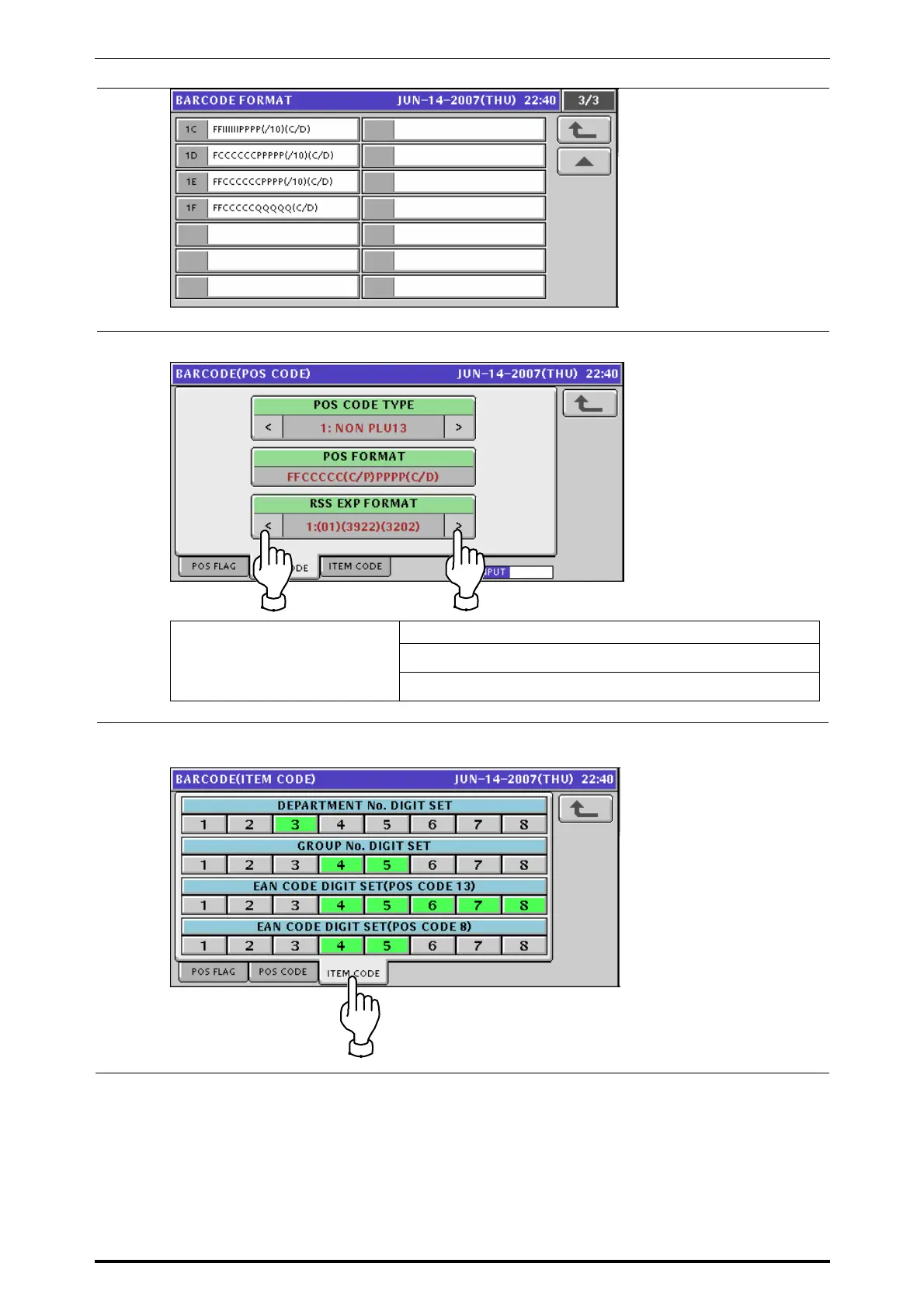
Select a desired RSS expanded format by using the [>] and [<] buttons.
Select one of the following RSS expanded formats:
1: (01) (3922) (3202)
RSS EXPANDED FORMAT
2: (01) (3922) (3202) (15)
6.
Press the [ITEM CODE] tab to display the Item Code screen.
Press to select the code digits for each digit set.
UNI-7 Service Manual 7-15



 To Next Page