Chapter 8 ADJUSTMENT MODE
2-2.
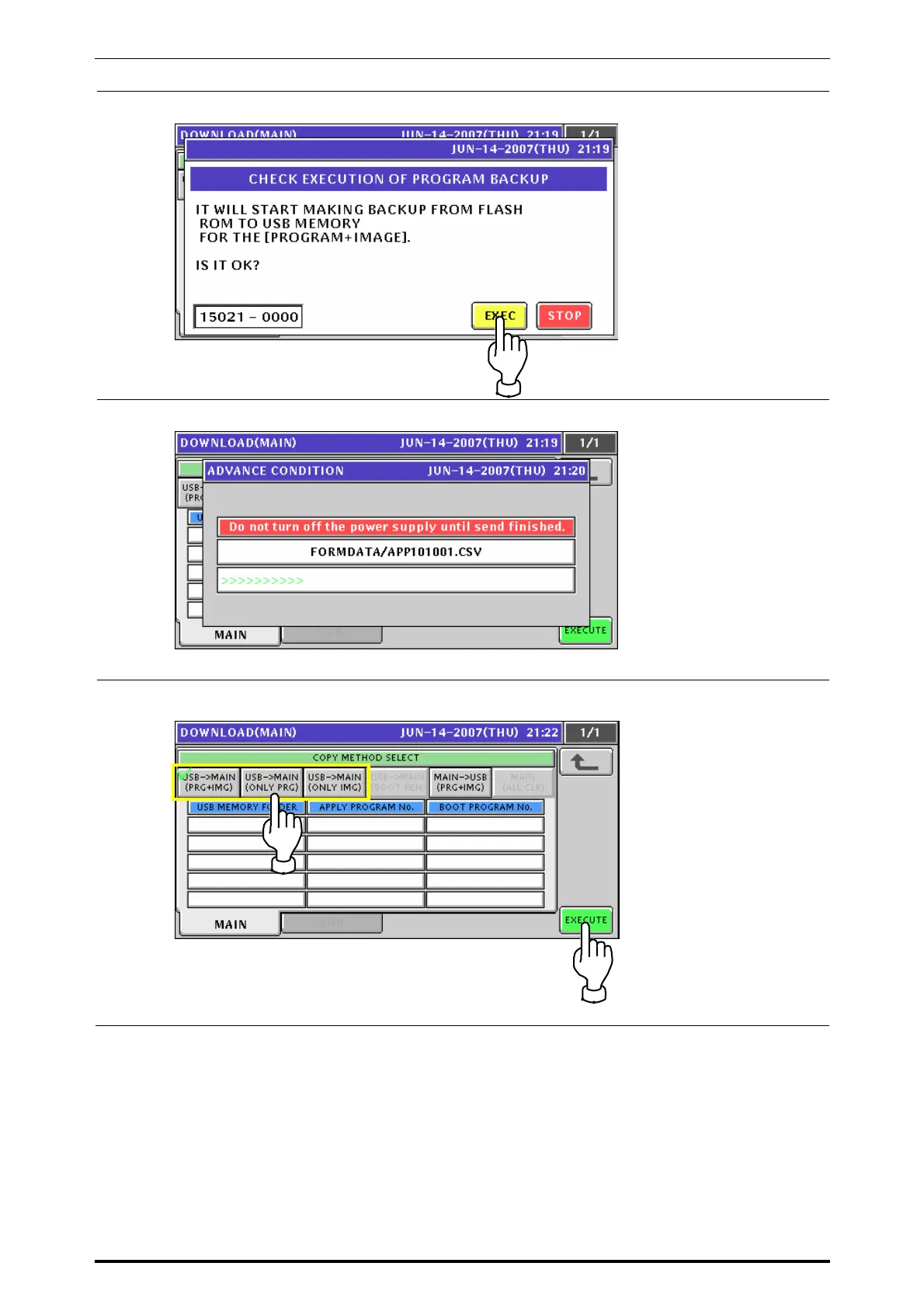
The following confirmation screen appears. Then, press the [EXEC] button for execution.
2-3.
The progress screen appears.
The beep sounds when completed.
3-1.
When loading data from the USB memory to the main memory, press to select one of the
[USBÆ MAIN] buttons and press the [EXECUTE] button
8-20 UNI-7 Service Manual



 To Next Page