Chapter 8 ADJUSTMENT MODE
3-2.
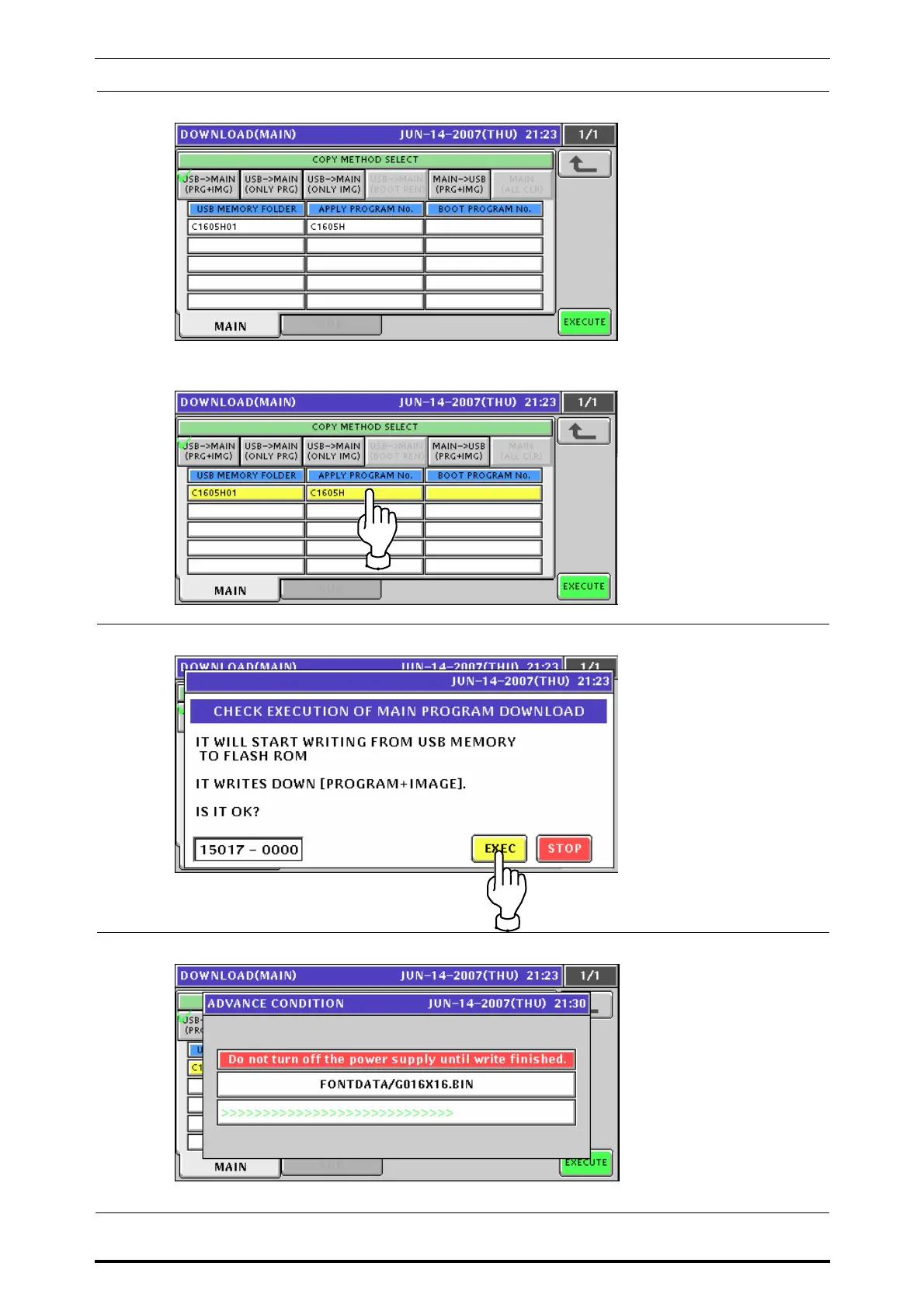
The Down Load (Main) screen appears.
Press to select desired folders.
3-3.
The following confirmation screen appears. Then, press the [EXEC] button for execution.
3-4.
The progress screen appears.
UNI-7 Service Manual 8-21


 To Next Page
 Loading...








