Chapter 7 SETUP MODE
7.
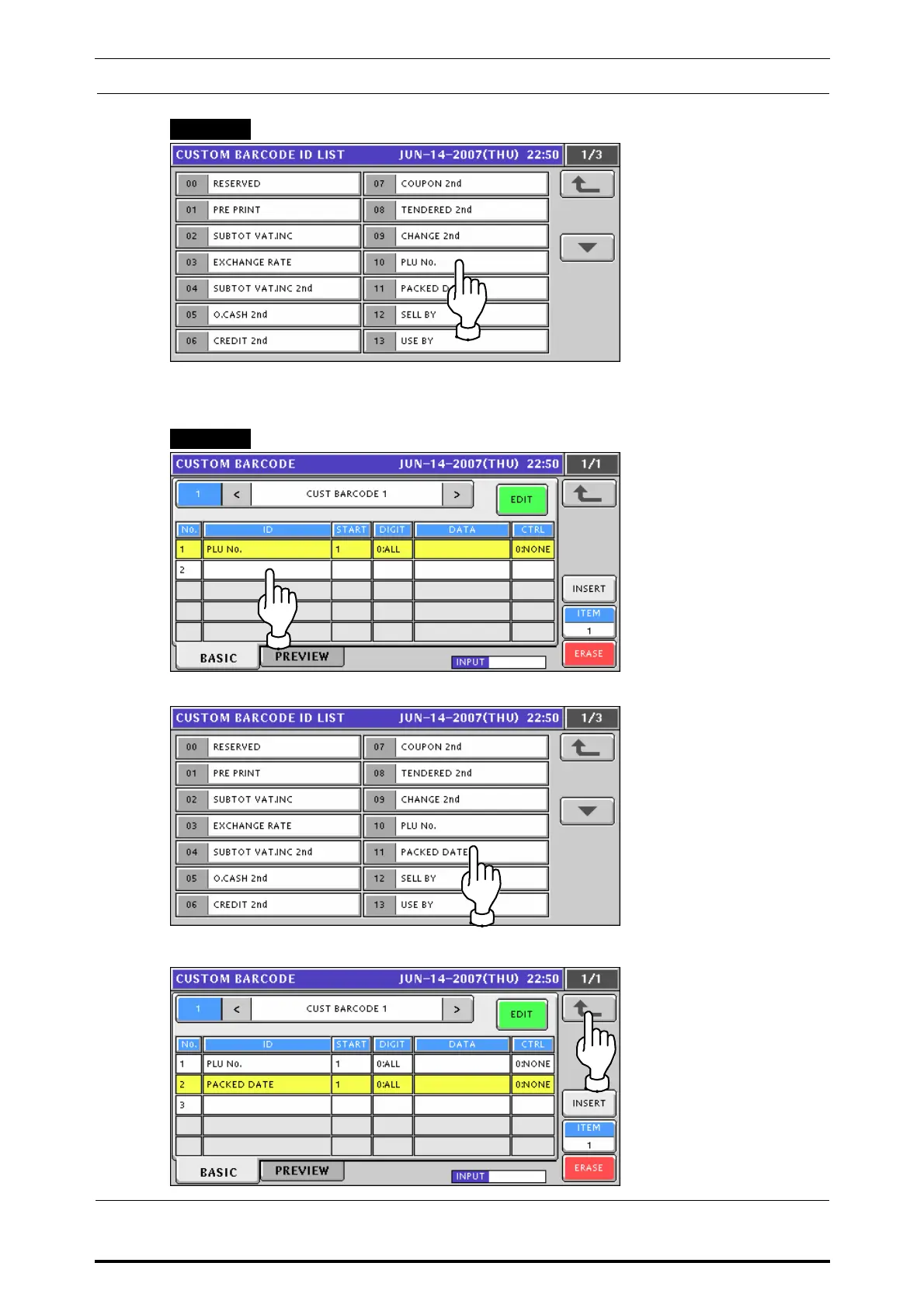
Press to select a desired item on the list.
EXAMPLE “PLU No.”
Then, the following screen appears.
To continue further registration, press to select a desired field on the screen.
EXAMPLE “2”
Press to select a next desired item on the list.
To end registration, press the Return key on the screen.
7-20 UNI-7 Service Manual



 To Next Page