Chapter 7 SETUP MODE
3.
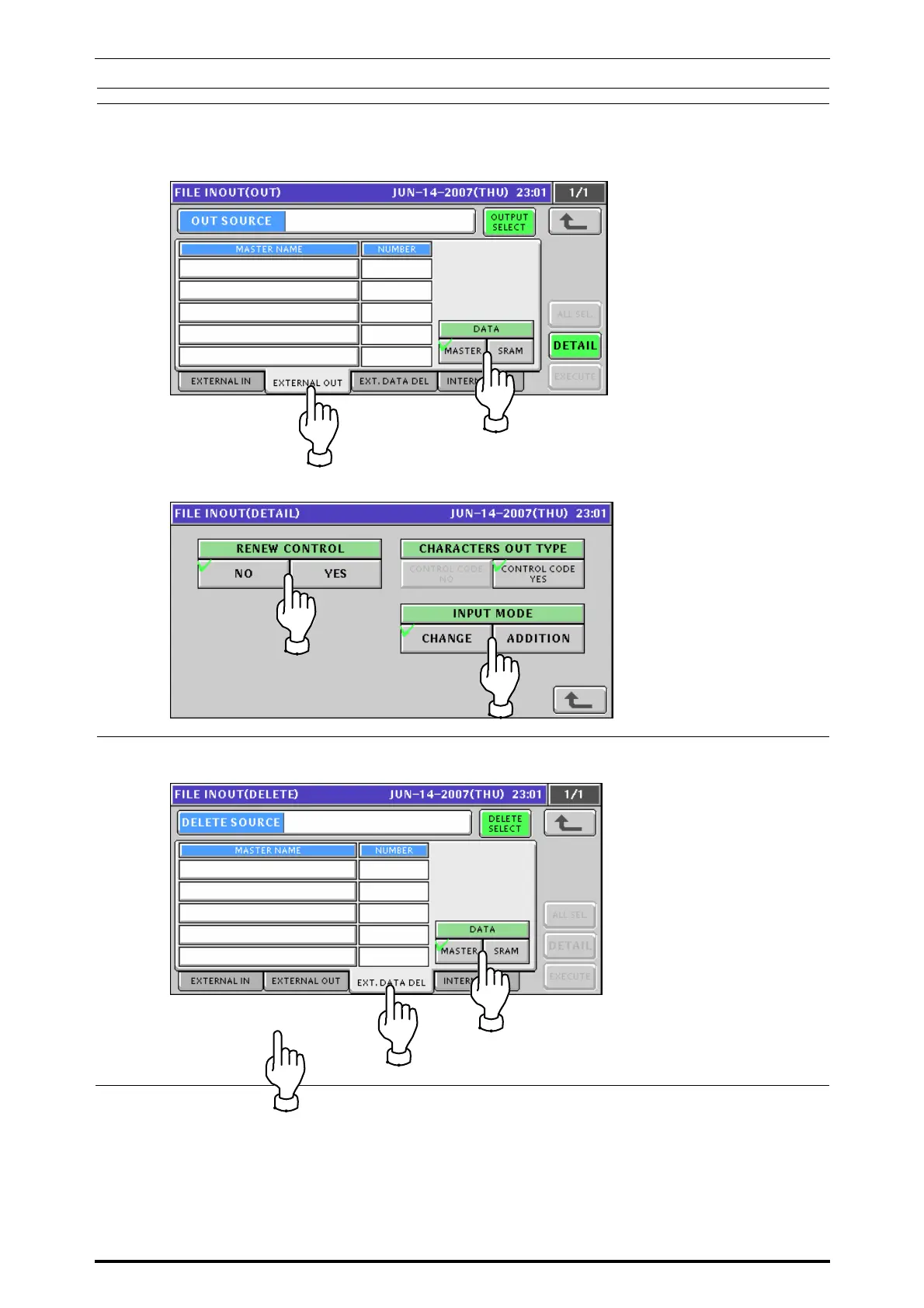
Press the “EXTERNAL OUT” tab to display the External File Output screen for loading the
main memory data to the USB memory.
Be sure to press to select a desired data type in the “DATA” field.
Press to select a desired field for each item.
4.
Press the “EXT. DATA DEL” tab to display the external data delete screen
Be sure to press to select a desired data type in the “DATA” field.
UNI-7 Service Manual 7-37


 To Next Page
 Loading...








