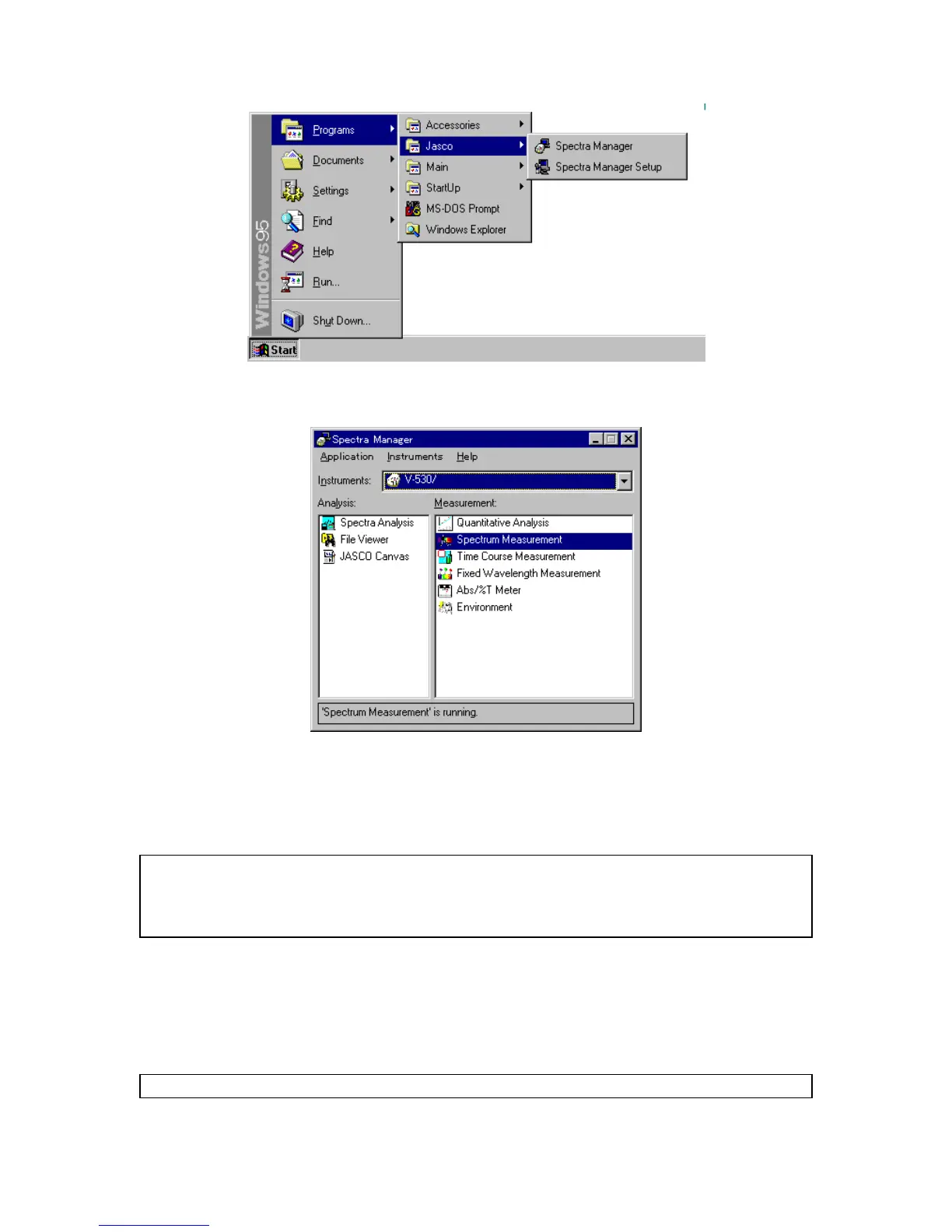
F igure 2.2 W indow s screen
F igure 2.3 [S pectra M anager] w indow
(2) In the [S pectra M anager] w indow , m ake sure the Instrum ent in the [Instrum ents:] box is the
spectrophotom eter you are using. If not, click the arrow at the right side of the box and select the
correct spectrophotom eter. T he w indow changes to the m enu for that spectrophotom eter.
N ote: T he [S pectra M anager] w indow displays the available program s for the spectrophotom eter. Fig. 2.3 show s
an exam ple of the standard program m enu. If an optional application program has been included, it
w ill also appear in the [S pectra M anager] w indow . S ee S ection 2.3, [S pectra M anager] M enu for a full
explanation.
(3) D ouble-click a program on the m enu. T he selected program starts and the program w indow appears.
T he spectrophotom eter also starts autom atically, but needs about tw o m inutes to w arm up.
M essages appear throughout the procedure. F or exam ple, w hen the [S pectrum M easurem ent]
program is started, the [S pectrum M easurem ent] display show n in Fig. 2.5 appears after the display
show n in F ig. 2.4 appears.
N ote: S ee S ection 3 Introduction for a full description of the M easurem ent program operation.



 To Next Page