4.2.3 [S ave A s...]
S aves quantitative analysis m ethod data, including calibration curve, and m easurem ent param eters.
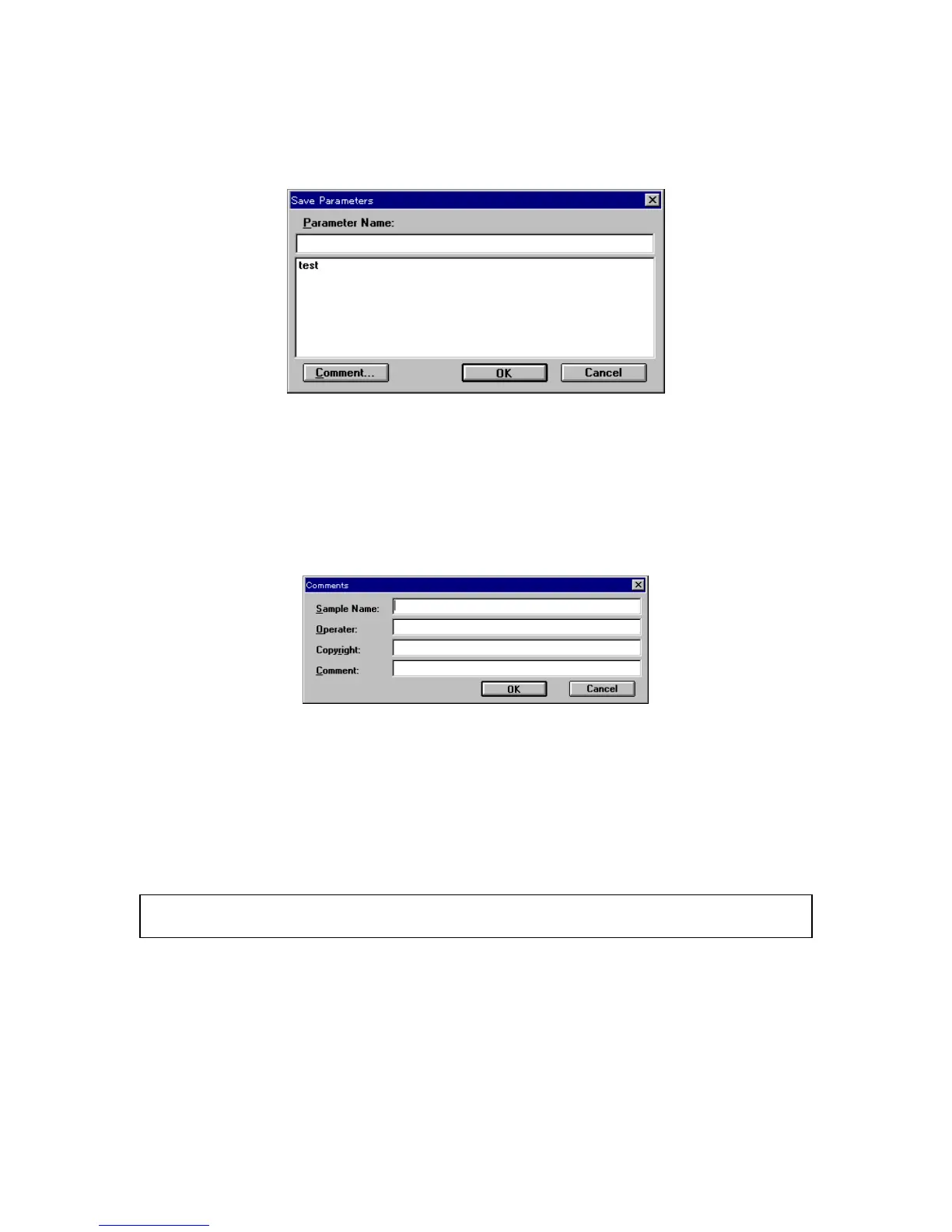
F igure 4.18 [S ave P aram eters] dialog box
[P aram eter N am e] T ext box for inputting the quantitative analysis m ethod filenam e. U p to 32
characters m ay be input. If an existing nam e from the quantitative analysis
m ethod nam e list is set, the previous file w ill be overw ritten.
<O K > S aves the quantitative analysis m ethod.
<C om m ents...> S am ple nam e, operator, copyright, and com m ent can be input or edited.
T he follow ing dialog box appears.
F igure 4.19 [C om m ents] dialog box
Input [S am ple N am e] (up to 62 characters), [O perator] (62 ch), [C opyright] (62 ch), and [C om m ent] (124
ch).
4.2.4 [M odify...]
E dits existing calibration curve data. W hen this function is started, the [C alibrate C urve P aram eters] dialog
box appears. S ee the [C alibrate C urve P aram eters] dialog box in S ection 4.2.1 N ew ...
N ote: If a calibration curve has not been saved, a m essage appears asking w hether it should be saved. P roceed
according to the m essage.



 To Next Page