4.1.5 [P age S etup...]
S ets print contents such as [D ata S heet], calibration curve, or m easurem ent param eters.
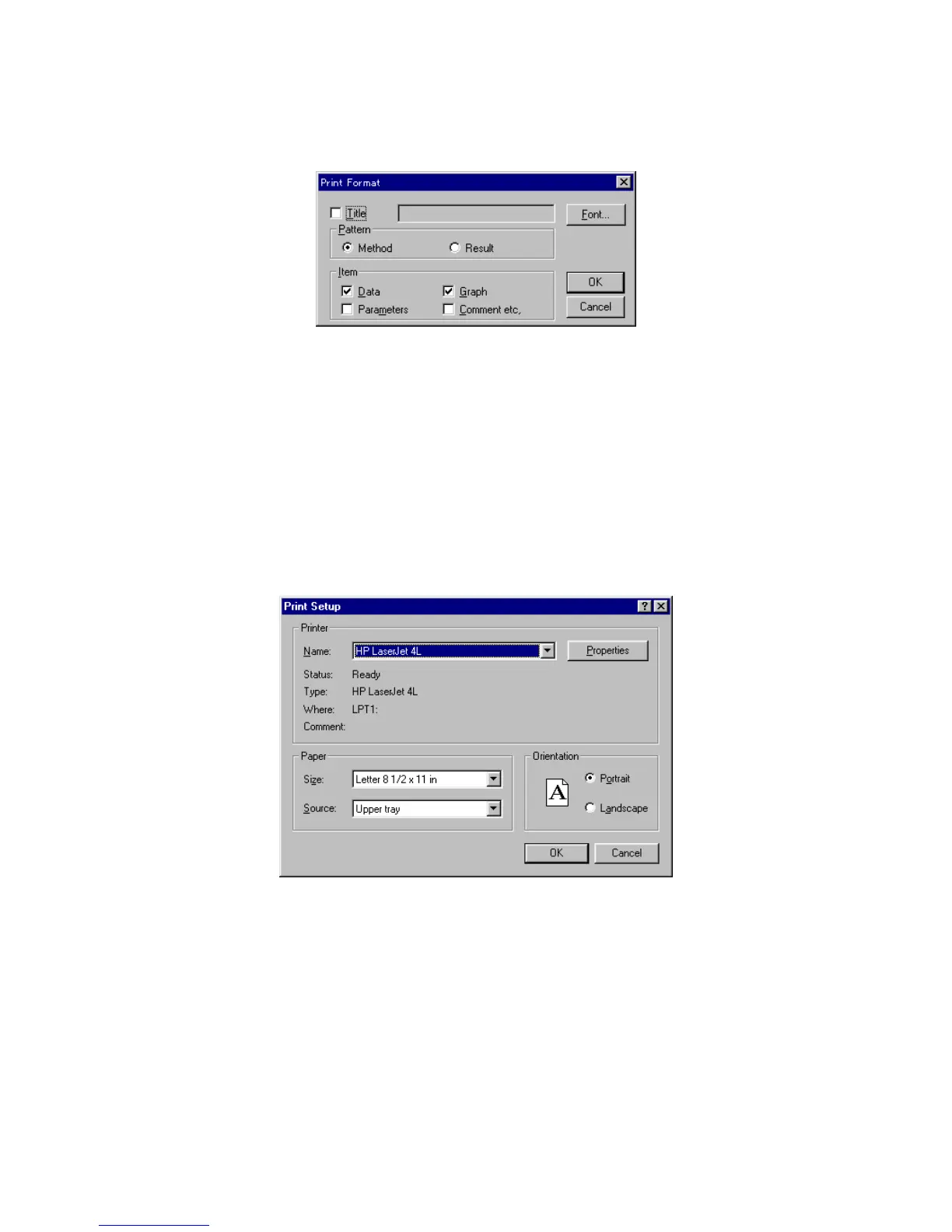
F igure 4.8 [P rint F orm at] dialog box
[T itle] Title input text box. U p to 62 characters m ay be input.
[P attern] group The quantitative analysis m ethod or results can be printed by selecting either
the [M ethod] or [R esult] option button.
[Item ] C heck box item s such as [P aram eters] and [G raph] can be selected for
printing from this group. A check m ark next to the item indicates that it w ill
be printed.
<F ont...> O pens the [F ont] dialog box.
4.1.6 [P rint S etup...]
S ets the target printer and the printing conditions.
F igure 4.9 [P rint S etup] dialog box
[S pecific P rinter] Lists available printers. (A dditional printers can be selected by adding
them from the [M ain] group control panel.)
<O ption> button S ets the printing conditions for the target printer. T he dialog box that
appears varies according to the printer.



 To Next Page