<C lose> C loses the [Q uantitative M easurem ent] dialog box.
<G oto W L...> M oves the w avelength of the spectrophotom eter to a set w avelength (see
F ig. 4.16).
<A uto Zero> S ets the absorbance value at the current w avelength to zero.
4.3.2 [P aram eters...]
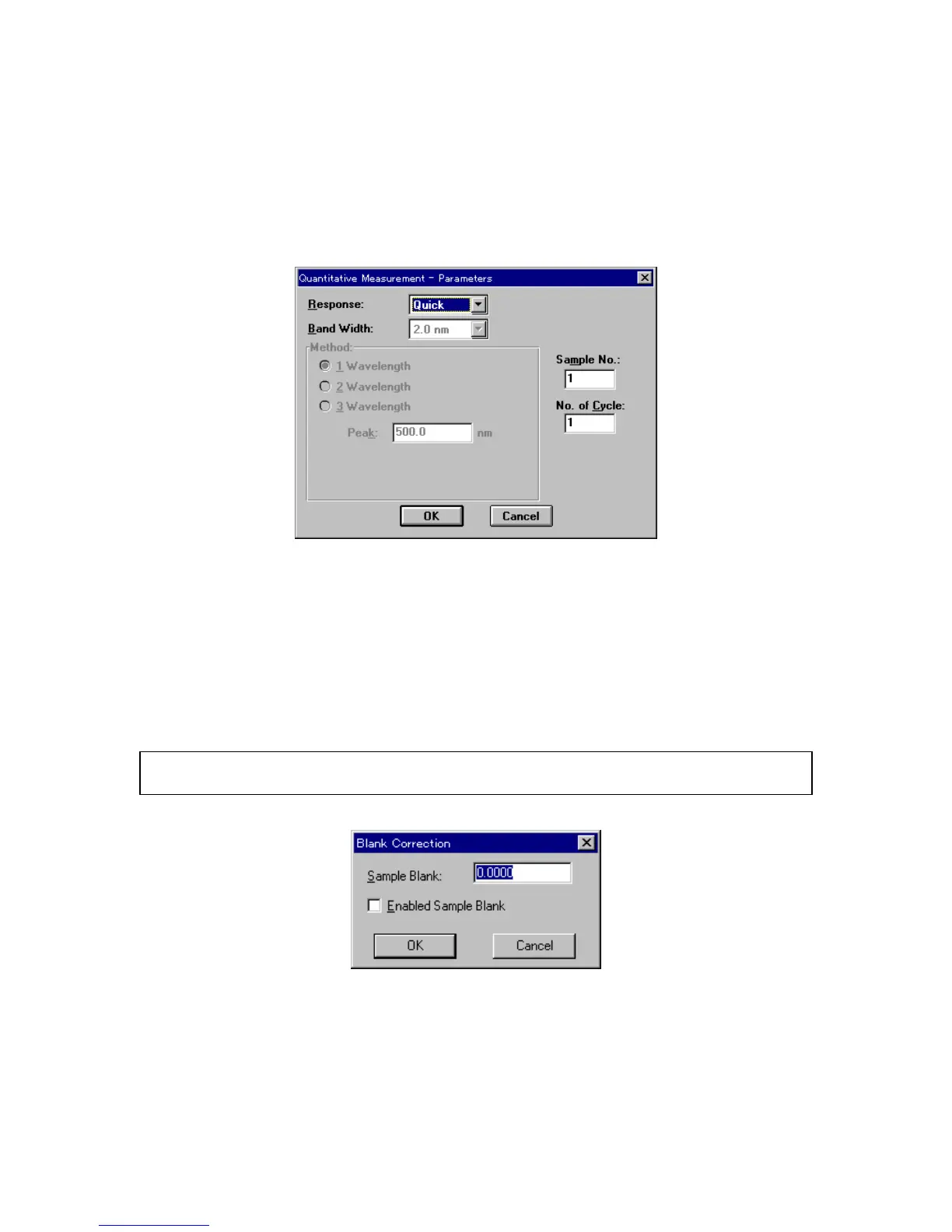
C lick [M easurem ent] - [P aram eters...] to set m easurem ent param eters.
F igure 4.22 [Q uantitative M easurem ent-P aram eters] dialog box
T he [Q uantitative M easurem ent-P aram eters] dialog box show s the m easurem ent param eters from the
quantitative analysis m ethod file. [R esponse], [B and W idth], [S am ple N o.] and [N o. of C ycle] can all be
changed. S ee S ection 4.2.1 [N ew ...] to see the [Q uantitative M easurem ent-P aram eters] dialog box.
4.3.3 [B lank C orrection...]
C lick [M easurem ent] - [B lank C orrection...] to set w hether to input the sam ple blank value and w hether
blank correction should be done.
N ote: T he [B lank C orrection] dialog box can be used to confirm w hether the sam ple blank value and blank have
been corrected.
F igure 4.23 [B lank C orrection] dialog box
[S am ple B lank] T ext box for inputting the sam ple blank value. If the sam ple blank value is
know n, input the value, then select the [E nabled S am ple B lank] checkbox.
If the sam ple blank is m easured, the value is w ritten autom atically.
[E nabled S am ple B lank] S ets w hether to correct the sam ple blank.



 To Next Page