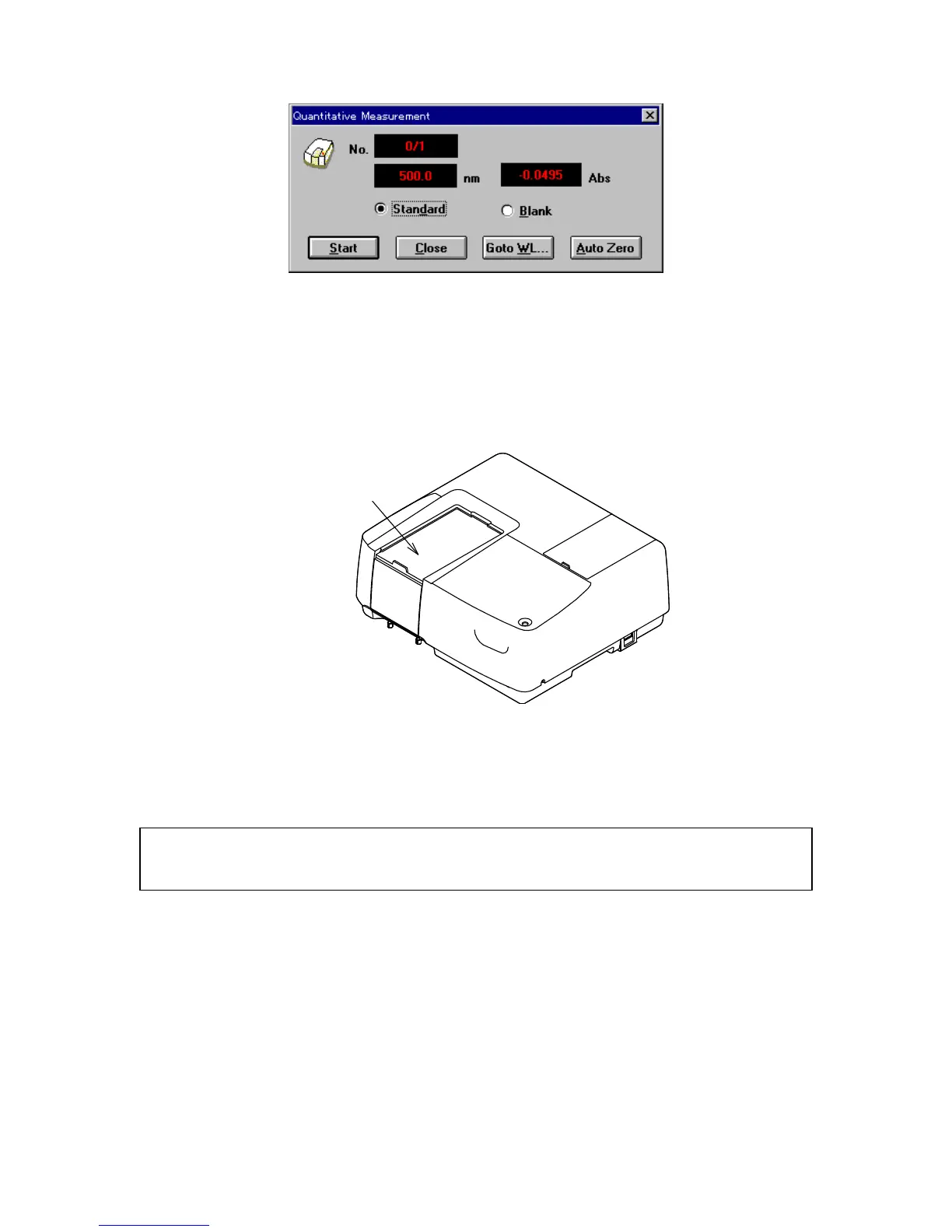
F igure 3.7 [Q uantitative M easurem ent] dialog box
(8) M easuring the standard blank
1) S elect the [B lank] option button.
2) P lace the standard blank in the cell holder of the sam ple cham ber. T he cell holder is on the
near-side.
Sample Chamber
F igure 3.8 S am ple cham ber
3) C lick <S tart>. T he standard blank is m easured. T he value autom atically appears in the
[S tandard blank] text box of the [C alibrate C urve P aram eters] dialog box and the [E nable B lank]
checkbox becom es selected.
N ote: W hen <O K > is clicked and the [C alibrate C urve P aram eters] dialog box is closed, the standard blank
value is subtracted from the absorbance value of the standard sam ple. T he standard blank and standard
sam ple can be m easured in any order.
(9) S tandard sam ples m easurem ent
B efore m easuring the standard sam ples, check that the cursor is positioned at the first line of the
standard data display field. C lick the [S td#01] line to m ove the cursor to the first line.
1) S elect the [S tandard] option button.
2) P lace standard sam ple N o. 1 in the cell holder.
3) C lick <S tart>. T he standard sam ple is m easured. T he absorbance value appears
autom atically in the standard data display field of the [C alibrate C urve P aram eters] dialog box. The



 To Next Page