[H elp] m enu
[A bout...] D isplays inform ation such as program version.
6.1 [M easurem ent] m enu
6.1.1 [S tart]
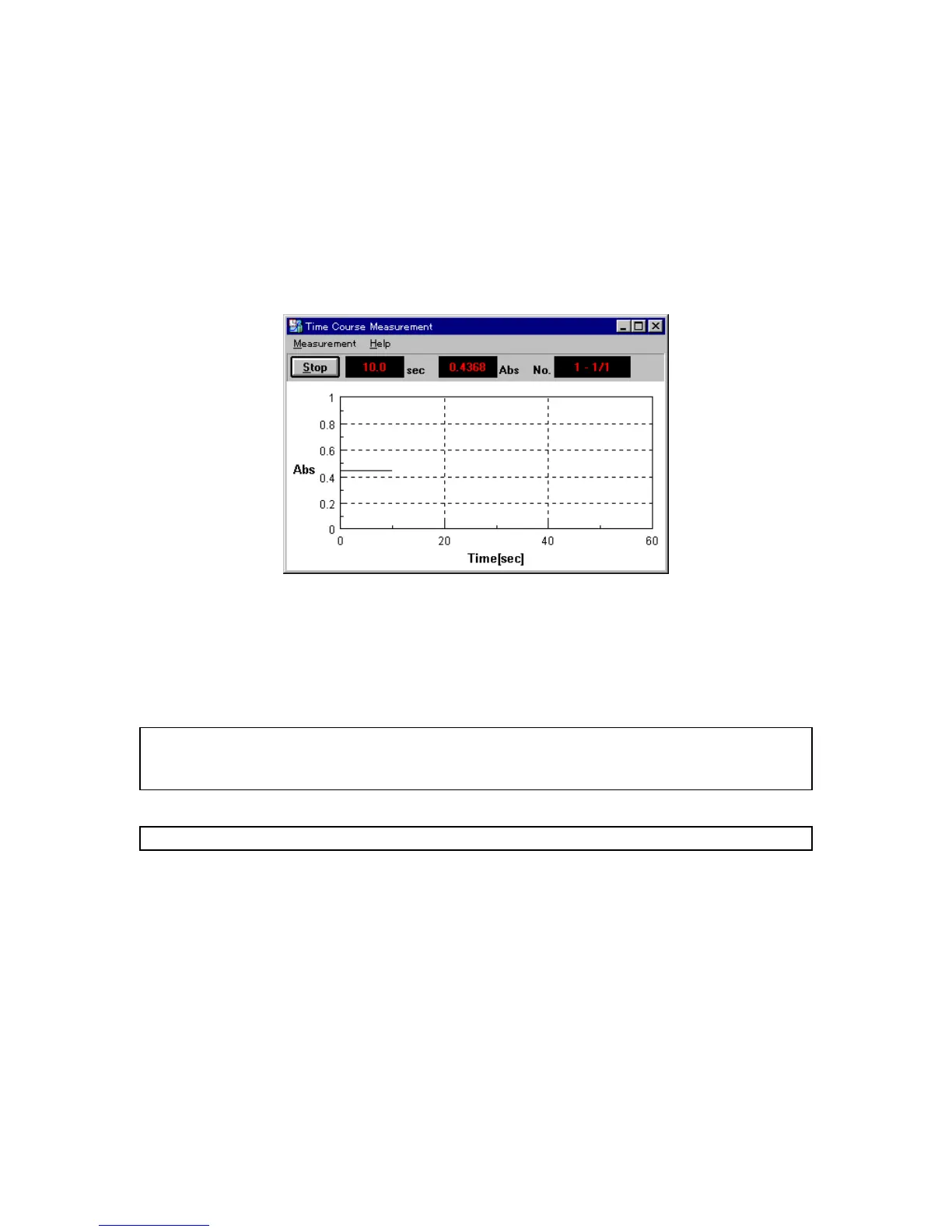
S tarts tim e course m easurem ent. C hanges are displayed in real tim e. T he vertical axis during m easurem ent
is 0 to 1 A bs in photom etric m ode, and 0 to 100 in T % m ode.
F igure 6.2 [T im e course m easurem ent] w indow
W hen m easurem ent is finished, the data is displayed again on the vertical axis set by the param eters. A t the
sam e tim e, the [S pectra A nalysis] program starts.
T o stop m easurem ent, press the <S top> button. T his displays the m easurem ent data again on the set
vertical axis and starts the spectra analysis program .
N ote 1: A fter activating spectra analysis and starting initial m easurem ent, the next view show ing the results covers
the [S pectrum V iew ], and hides it. T o save the hidden [S pectrum V iew ], save or print it. T o display the
hidden [S pectrum V iew ] again, change the application.
N ote 2: If m easurem ent in progress is interrupted, the [S pectrum V iew ] displays all data up to that point.
6.1.2 [P aram eter...]
C lick [M easurem ent] - [P aram eter...] to set and save param eters. The param eter dialog box has tw o pages:
[P aram eters] dialog box and [D ata File] dialog box. C lick the [D ata File] tab w hile the [P aram eters] dialog box is
active to activate the [D ata File] dialog box.
P aram eters are set in the [P aram eters] dialog box. Inform ation such as the filenam e for autom atically saving
m easurem ent data can be input in the [D ata File] dialog box.
6.1.2.1 [Parameter] dialog box
C lick [M easurem ent] - [P aram eter...] to display the dialog box show n below .



 To Next Page