4.2.5 [Inform ation...]
W hen the [M ethod Inform ation] w indow is in icon form , starting this function opens the original w indow
again.
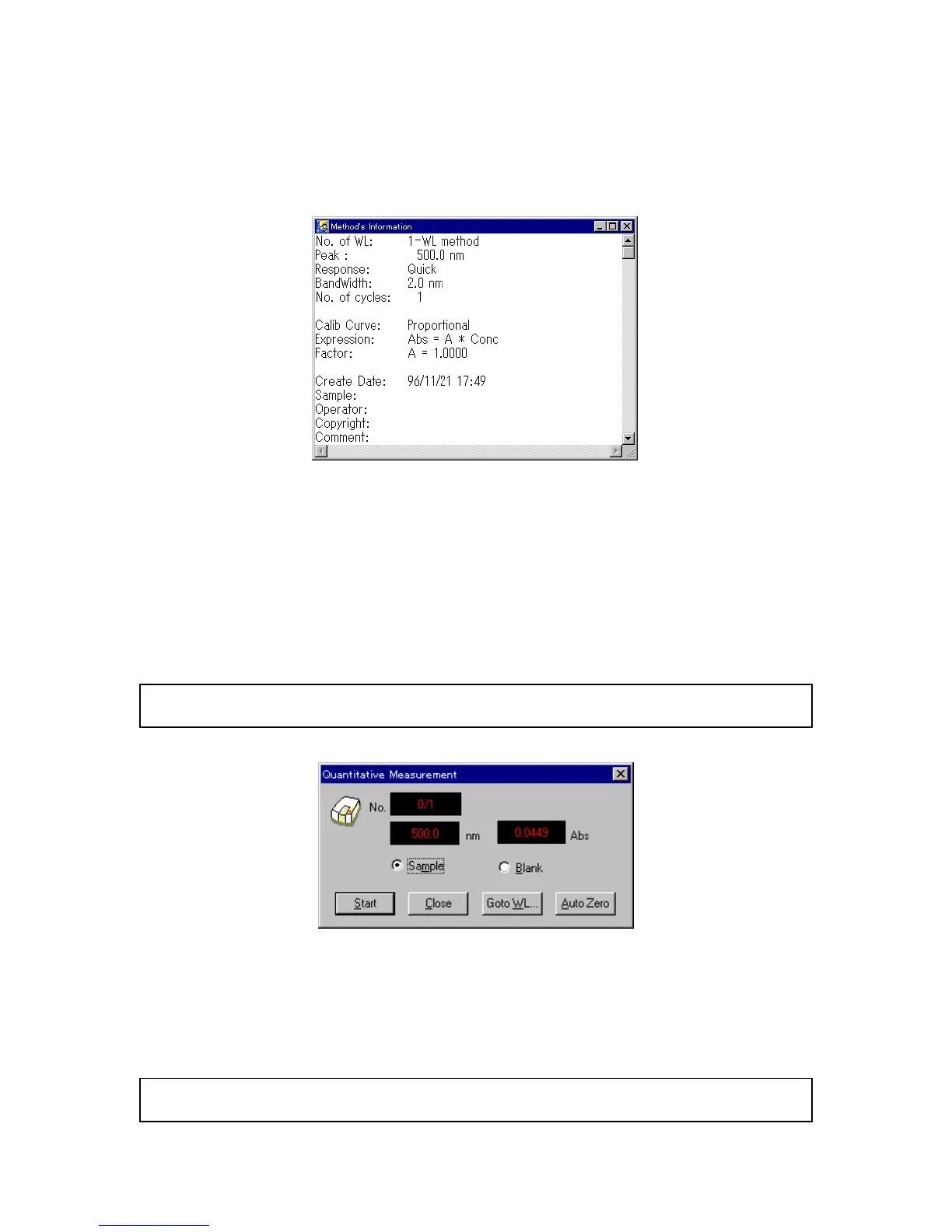
F igure 4.20 [M ethod Inform ation] w indow
4.3 [M easurem ent] m enu
4.3.1 [M easurem ent...]
U se this function to m easure a sam ple blank or unknow n sam ple. T he sam ple blank is used to correct the
absorbance of an unknow n sam ple. T he sam ple blank value cannot be applied retroactively to previously
m easured unknow n sam ples. If the sam ple blank is updated, the new value is applied only to all
subsequently m easured unknow n sam ples.
N ote: T o see the current sam ple blank value, open the [B lank C orrection] dialog box (see S ection 4.3.3 [B lank
C orrection]).
F igure 4.21 [Q uantitative M easurem ent] dialog box
[S am ple] S elect the [S am ple] option button to m easure a sam ple.
[B lank] S elect the [B lank] option button to m easure a blank.
<S tart> S tarts m easurem ent. T he <S tart> button changes to <S top> during
m easurem ent. A fter m easurem ent, the result is w ritten to the [D ata
S heet].
N ote: S tarting blank m easurem ent autom atically selects [E nabled S am ple B lank] and puts a check m ark in
the [B lank C orrection] dialog box.



 To Next Page