3.1.6 U nknow n sam ple m easurem ent
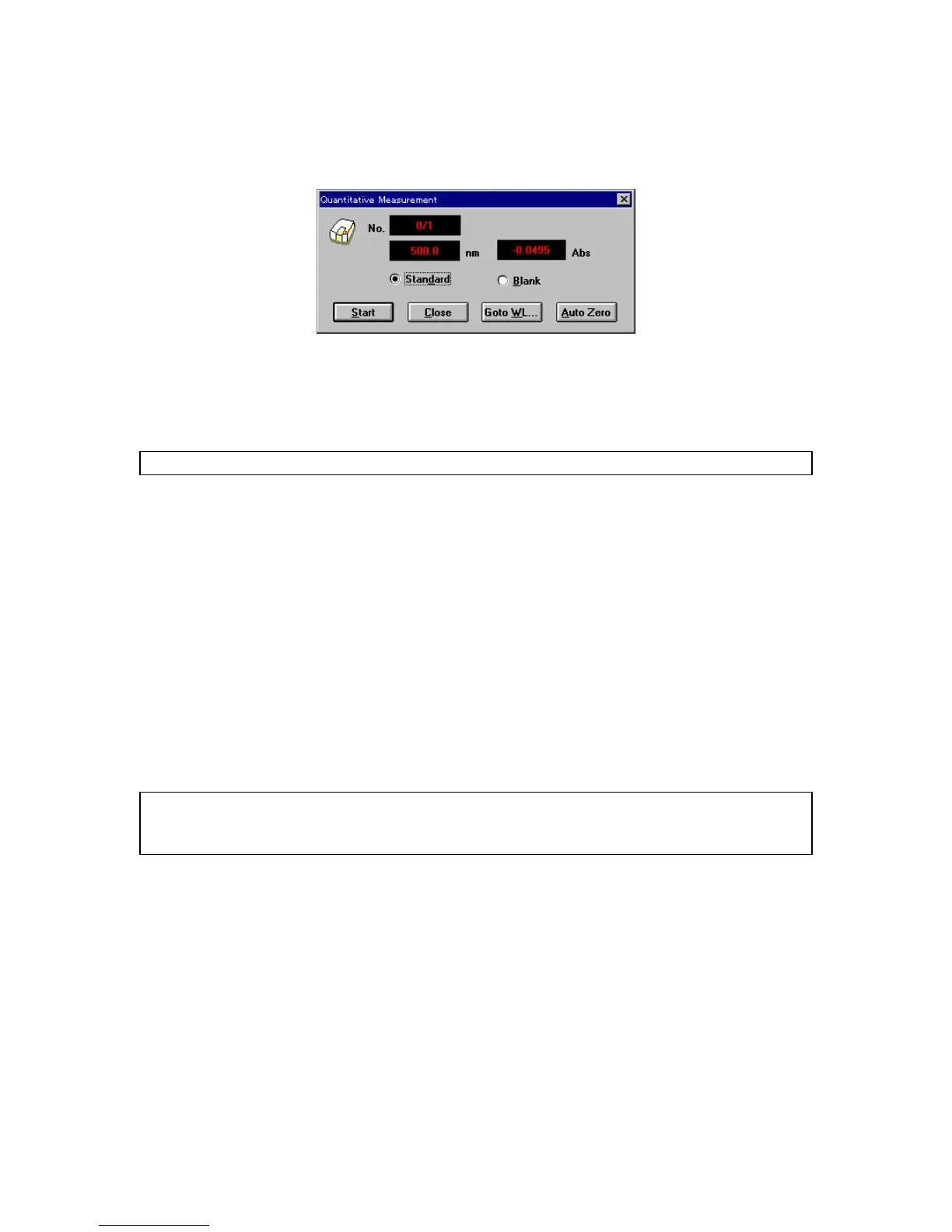
(1) C lick [M easurem ent] - [M easurem ent...]. T he follow ing dialog box appears.
F igure 3.11 [Q uantitative M easurem ent] dialog box
(2) S am ple blank m easurem ent
M easure the sam ple blank according to the follow ing procedure. If the sam ple blank is not m easured,
the standard sam ple blank value is used as the sam ple blank value.
N ote: T he sam ple blank value can be confirm ed by clicking [M easurem ent] - [B lank C orrection].
1) S elect the [B lank] option button.
2) P lace the sam ple blank in the cell holder of the sam ple cham ber.
3) C lick <S tart>. T he sam ple blank is m easured. T he results appear on the [D ata S heet].
(3) S am ple m easurem ent
1) S elect the [S am ple] option button.
2) P lace the sam ple in the cell holder
3) C lick <S tart>. T he sam ple is m easured and concentration is calculated from the calibration
curve displayed in the w indow . T he results appear on the [D ata S heet].
4) R epeat steps 2) and 3) as m any tim es as the num ber of sam ples.
N ote: T he sam ple blank is subtracted from the absorbance value of the sam ple w hen calculating concentration.
T he sam ple blank can be re-m easured during sam ple m easurem ent. T he blank value is valid for
subsequent sam ple m easurem ents.
<<R e-m easurem ent>>
T o re-m easure a sam ple, m ove the cursor to the line in the [D ata S heet] w indow . R epeat m easurem ent. The
previous data is autom atically overw ritten. F ollow ing sam ple re-m easurem ent, m easurem ent resum es at
the next sam ple num ber. In order to resum e m easurem ent at a specific sam ple num ber, do one of the
follow ing procedures.
C lose the [Q uantitative M easurem ent] dialog box before m easurem ent. C lick [M easurem ent] -
[P aram eters...] to open the [Q uantitative M easurem ent - P aram eters] dialog box. Input the sam ple
num ber.
A fter m easurem ent, rew rite the data using the data sheet m odifying function (see S ection 4.4,
“
[E dit] m enu
”
).



 To Next Page