indicating that installation has finished. C lick <O K >.
10.1.3 Installing
Spectra Manager from CD-ROM
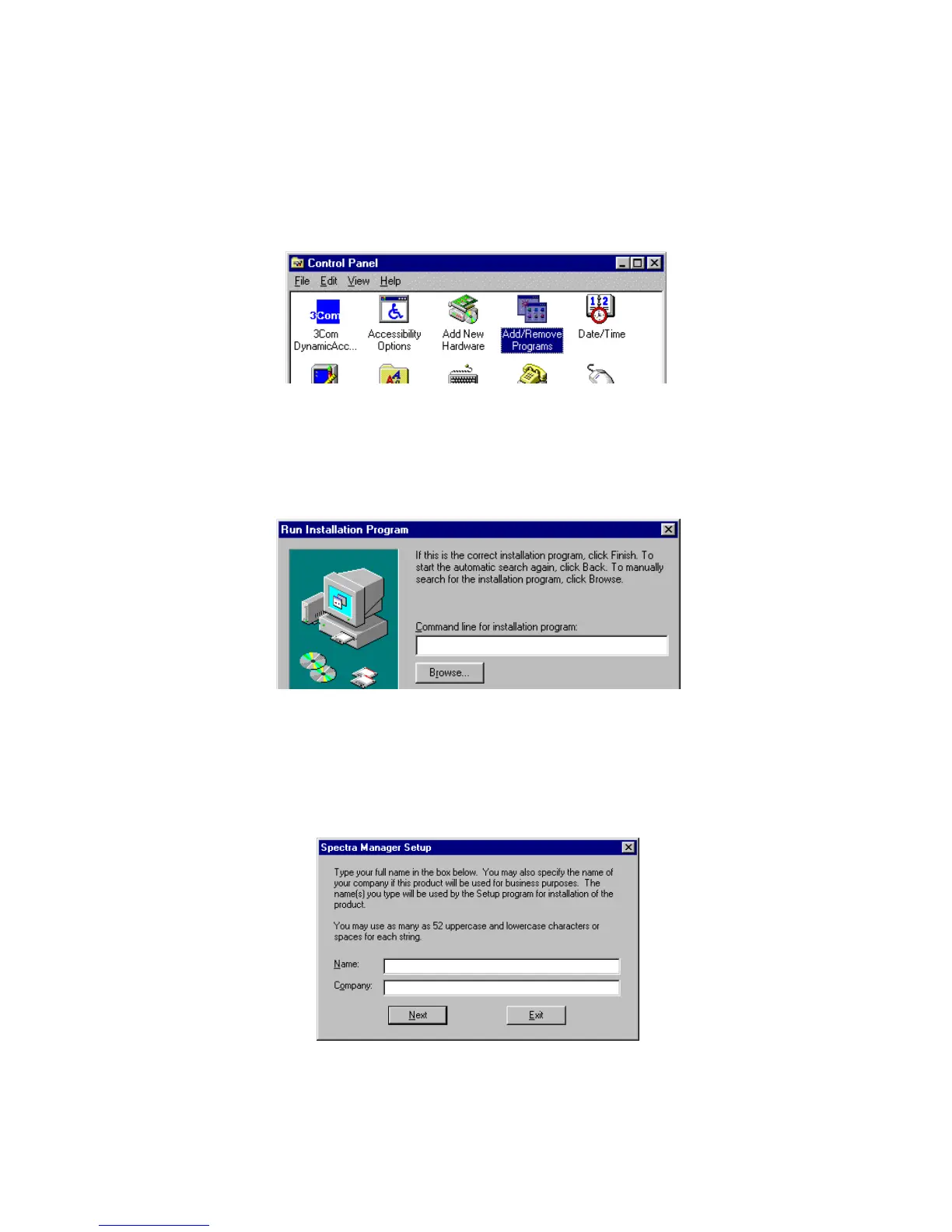
(1) O pen [C ontrol P anel], select [A dd/R em ove P rogram s] to run program .
F igure 10.14
(2) P lace the setup C D in the C D -R O M drive and click <S etup>.
(3) T he m essage " If this is the correct installation program ,…" w ill appear. H ere, click <B row se...>.
F igure 10.15
(4) S elect C D -R O M drive [S pectra M anager\D isk1\S etup], click <O K > and the setup of S pectra M anager
w ill begin. W hen "user nam e" is requested during the setup, please input com pany or personal user
nam e.
F igure 10.16
(5) W hen the setup of S pectra M anager is finished, setup of [Instrum ent driver] w ill start autom atically.



 To Next Page