O pens a saved [D ata S heet] file ([File]-[O pen...])
P rints the data from the active w indow set by [P age S etup...] ([File]-[P rint...])
4.1 [F ile] m enu
4.1.1 [N ew ...]
O pens a new [D ata S heet] display.
N ote: If an unsaved [D ata S heet] and/or [C alibrate C urve] is in the w indow w hen [N ew ...] is clicked, a m essage
appears to ask the operator w hether the data should be saved. P roceed according to the m essage.
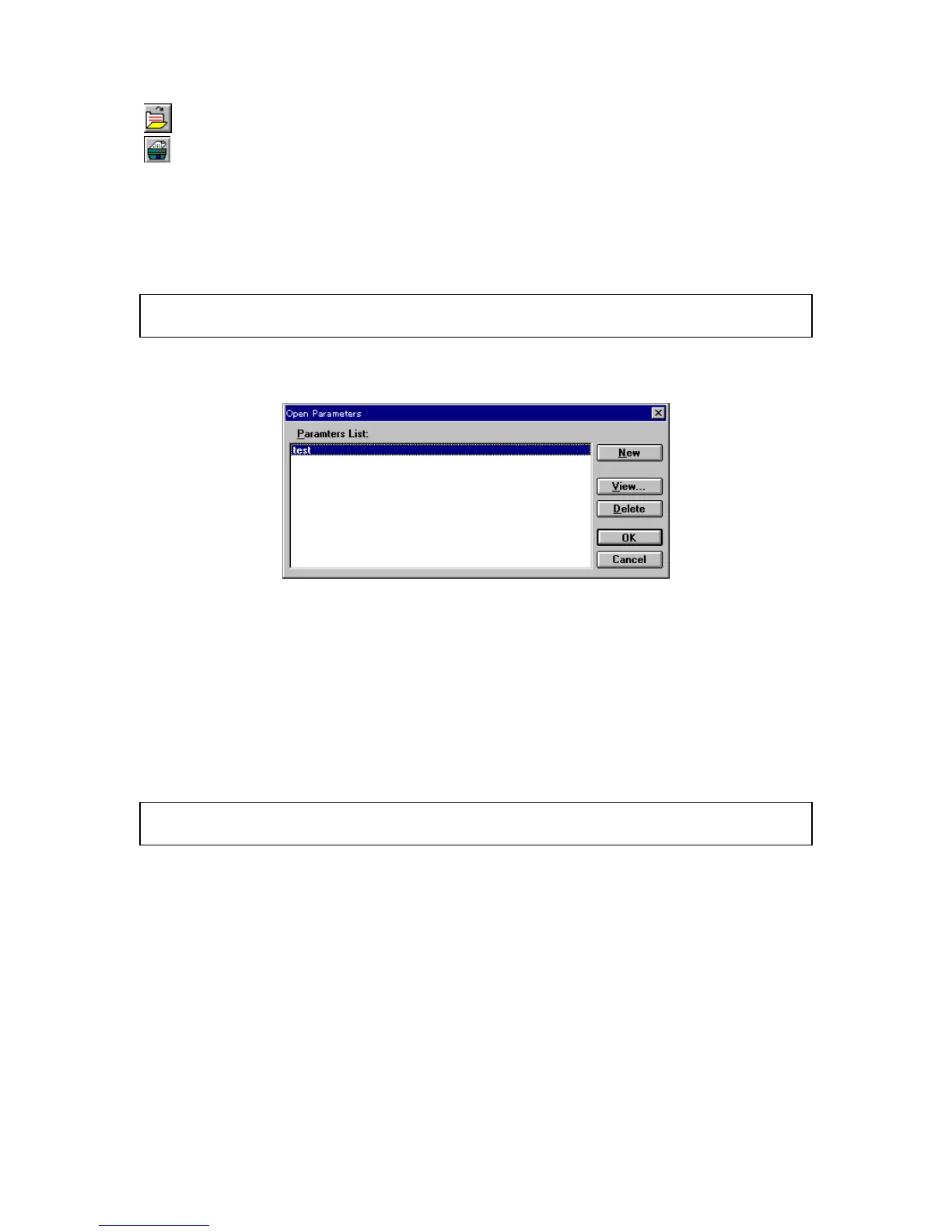
W hen [N ew ...] is clicked, the follow ing dialog box appears.
F igure 4.2 [O pen P aram eters] dialog box
[P aram eters List] Lists the available quantitative analysis m ethods.
<N ew > O pens the [Q uantitative M easurem ent-P aram eters] dialog box. A new
quantitative analysis m ethod file can be added. S ee S ection 4.2.1,
[N ew ...].
<V iew ...> D isplays details of the currently selected quantitative analysis m ethod file.
<O K > Loads the details of the currently selected quantitative analysis m ethod file,
and sim ultaneously opens the [C alibrate C urve], [M ethod Inform ation] and
[D ata S heet] w indow s.
N ote: T he [D ata S heet] w indow is the collective display of the [C alibrate C urve] and [M ethod Inform ation]
w indow s w hich appear in this w indow at all tim es.
<C ancel> C loses the dialog box w ithout changing the original param eters.
<D elete> D eletes the currently selected quantitative analysis m ethod file.
C lick <V iew ...> to open the follow ing dialog box.



 To Next Page