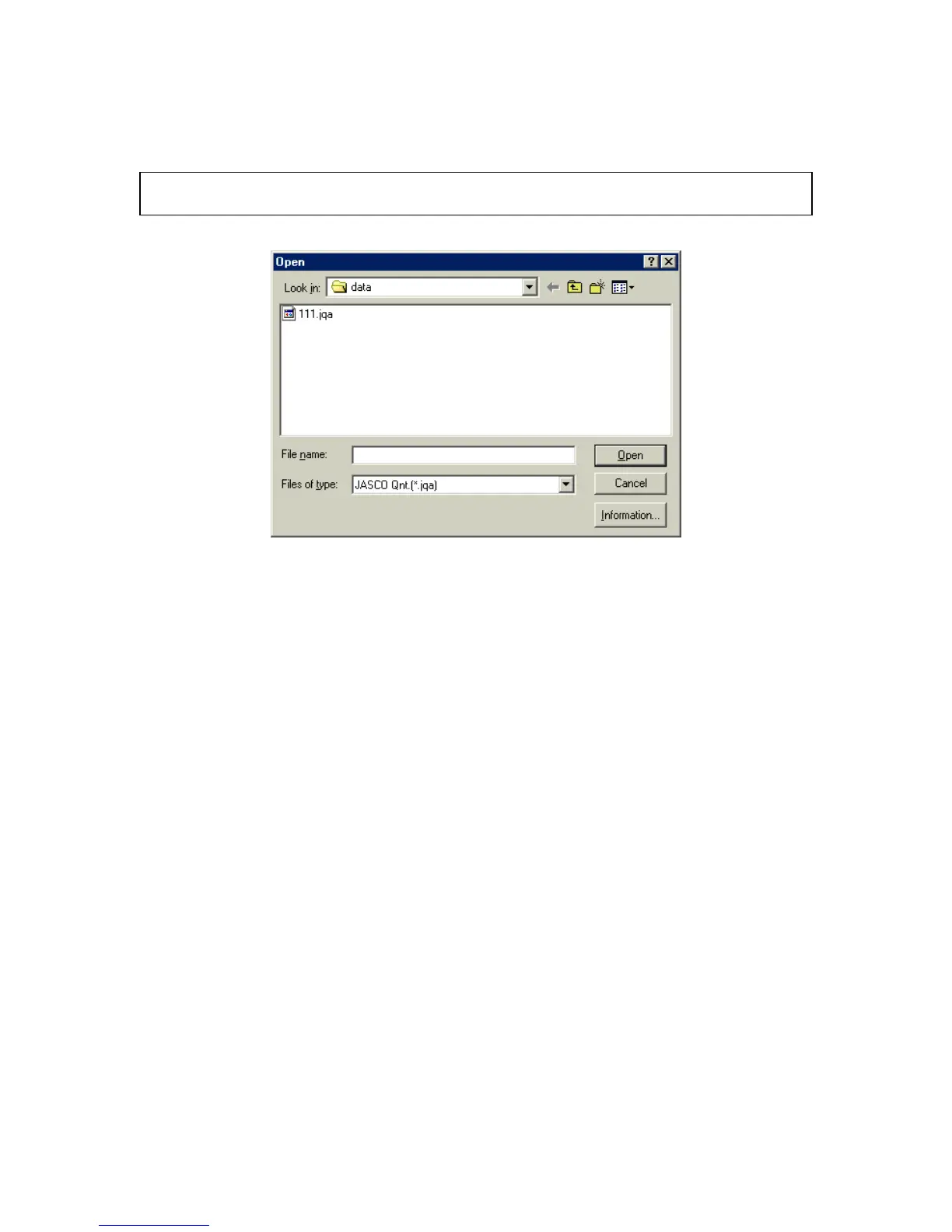
4.1.2 [O pen...]
O pens a saved [D ata S heet] file.
N ote: If an unsaved [D ata S heet] or [C alibrate C urve] is in the w indow w hen [O pen...] is clicked, a m essage
appears to ask the operator w hether the data should be saved. P roceed according to the m essage.
F igure 4.5 [O pen] dialog box
[Look in] S ets target drive or directory. A vailable drives or directory appear in the
drop-dow n list box.
F ile nam e list box S elect a filenam e.
[F ile nam e] T ext box for inputting a filenam e. T he filenam e can also be selected from
the filenam e list.
[F iles of type] O nly JA S C O JQ A is available.
<Inform ation...> D isplays inform ation about the quantitative analysis m ethod file.
4.1.3 [S ave]
S aves the active [D ata S heet] under the current filenam e. M easurem ent param eters and calibration curve
data are also saved. This function overw rites any previous data in that file.



 To Next Page