<O K > S aves param eters.
<C ancel> R eturns to the [P aram eters] dialog box w ithout saving the param eters.
<C ontents...> D isplays the param eters selected from the param eter list. U se to confirm
selections.
<D elete> D eletes set param eters from the param eters list.
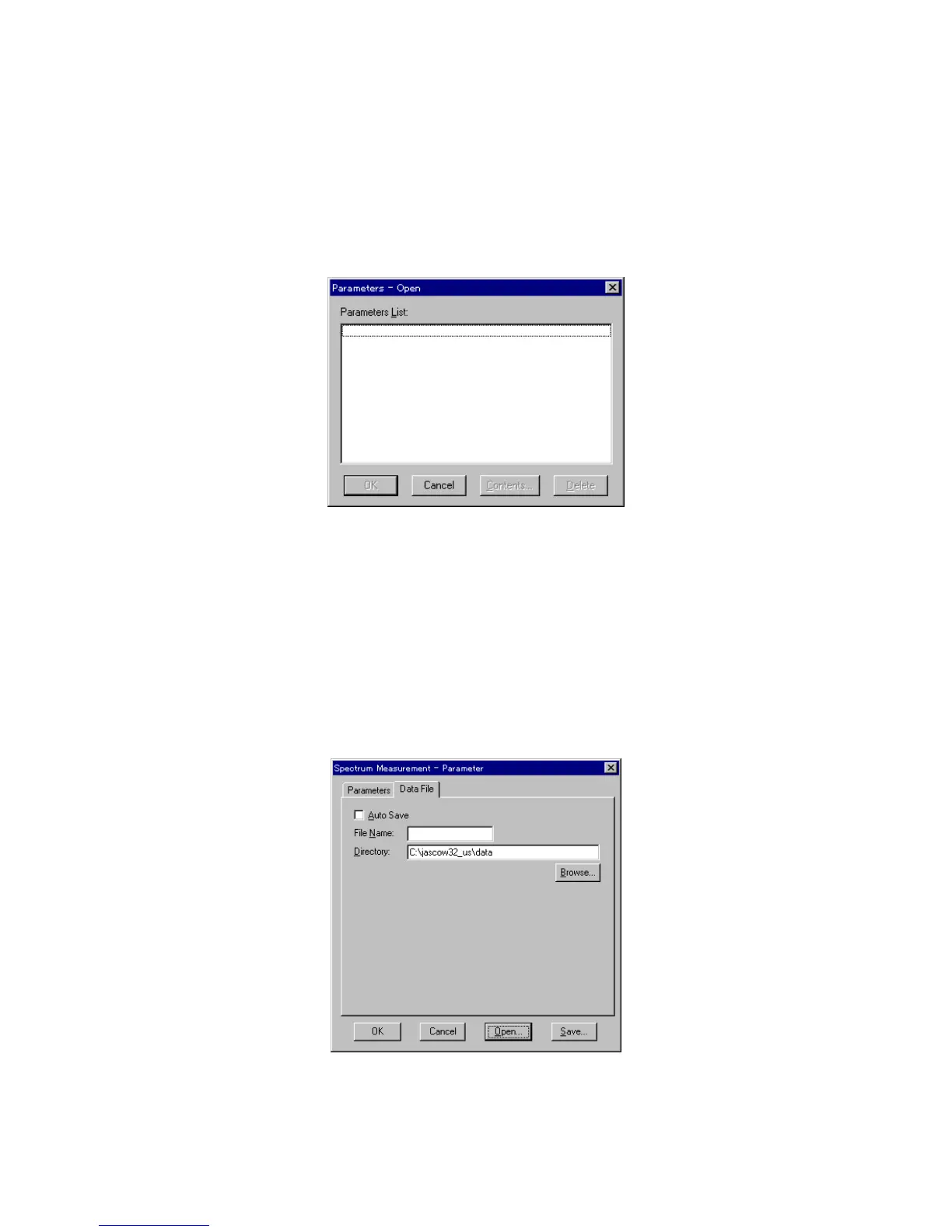
<O pen...> P reviously saved param eters in the param eter library can be selected.
C lick <O pen...> in the [P aram eters] dialog box. The dialog box show n
below appears.
F igure 5.5 [P aram eters - O pen] dialog box
[P aram eters List] Lists available saved param eters.
<O K > Loads selected param eter(s) from m em ory.
<C ancel> R eturns to the [P aram eters] dialog box w ithout loading saved param eters.
<C ontents...> D isplays selected param eters from the param eter list. U se to confirm
selections.
<D elete> D eletes selected param eters from the param eter list.
5.1.2.2 [Data File] dialog box
C lick [D ata File] in the [P aram eters] dialog box to display the dialog box show n below .
F igure 5.6 [D ata File] dialog box
[A uto S ave] W hen this check box is selected, the data from the m easured spectrum



 To Next Page