6. [Time Course Measurement]
M easures changes in a sam ple over tim e at a set w avelength.
In the [S pectra M anager] w indow , double-click [Tim e C ourse M easurem ent]. T he program starts, and the
w indow show n below opens.
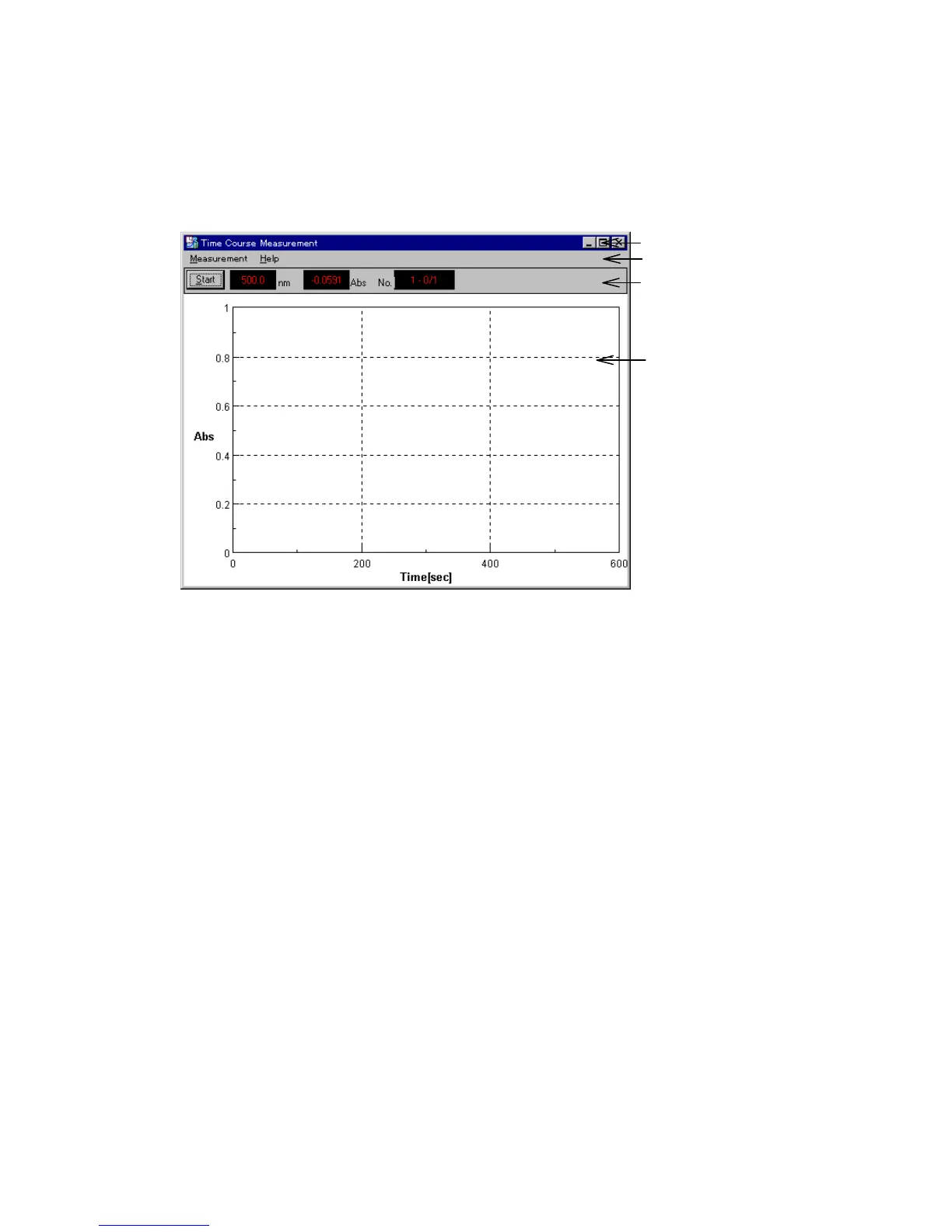
Title Bar
Menu Bar
Monitor Bar
Data display field
F igure 6.1 [Tim e C ourse M easurem ent] w indow
[Tim e C ourse M easurem ent] w indow
T itle B ar D isplays the nam e of the program . T he color changes w hen the w indow is
active.
M enu B ar C ontains the m enus of the program . E ach m enu contains a list of
com m ands.
M onitor B ar D isplays current m easurem ent values.
W avelength, photom etric value and sam ple N o. from left to right.
D ouble-clicking the w avelength display opens the [G oto W avelength]
dialog box: it is used for m oving the w avelength to an arbitrary w avelength.
D ouble-clicking the photom etric value display opens the [P aram eter]
dialog box: it is used for setting m easurem ent param eters.
D ata display field A rea in w hich data is displayed. W hen m easurem ent is finished, the data
is autom atically transferred to the [S pectra A nalysis] program .
M enu
[M easurem ent] m enu
[S tart] S tarts tim e course m easurem ent.
[P aram eter...] S et and save param eters.
[M ove W avelength...] M oves the spectrophotom eter w avelength to a set w avelength.
[A uto Zero] S ets the absorbance (or transm ittance) of the current w avelength to zero
(or 100% T for transm ittance).
[E xit] E xits the [Tim e C ourse M easurem ent] program and returns to [S pectra
M anager].



 To Next Page