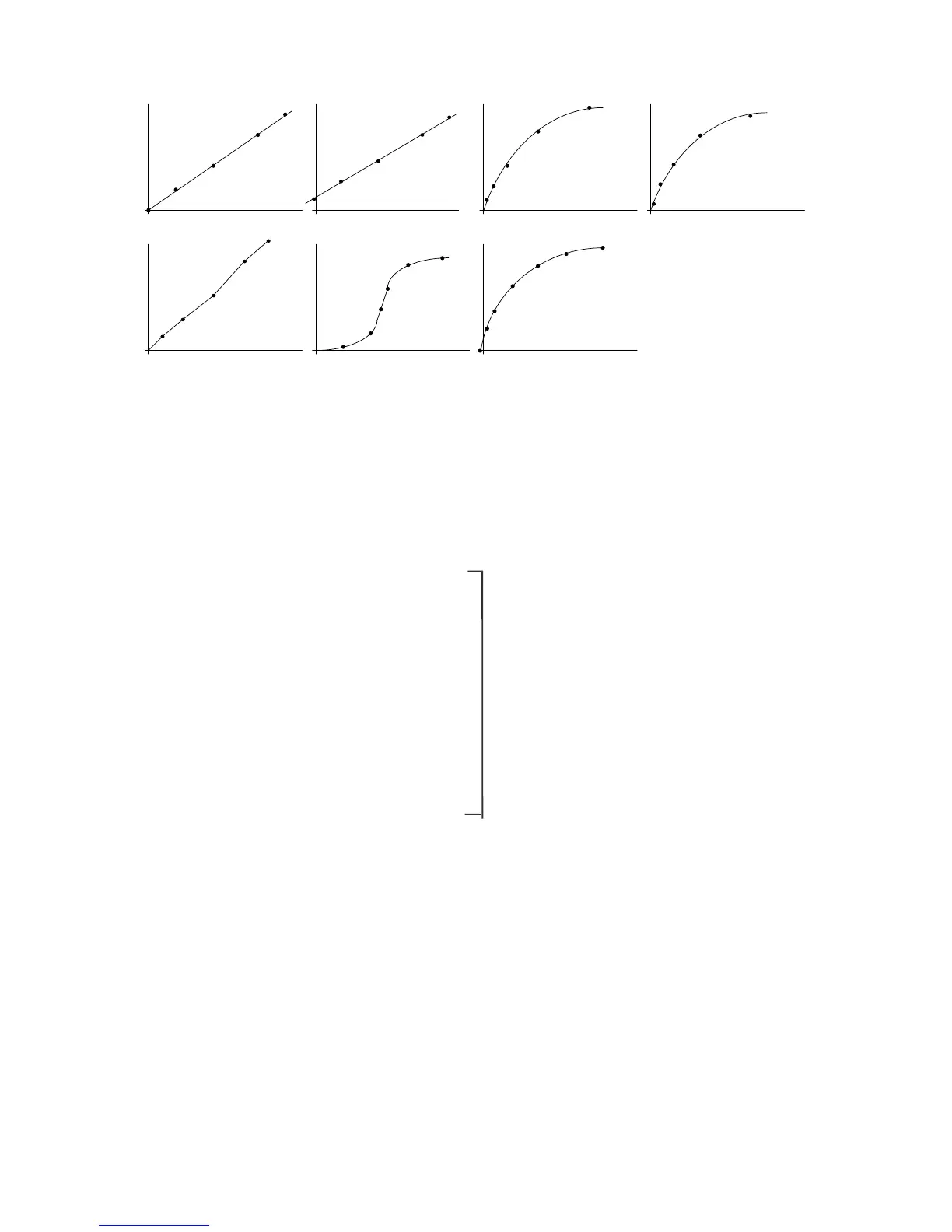
Segmented line Logistic function
Spline function
Proportional expression
Linear expression Quadratic expression
Third-order expression
F igure 3.2 C alibration curve m odes
(3) T he operator can set w hether to use standard m easurem ent data (set of concentration/absorbance)
to calculate the calibration curve.
3.1.1.2 Quantitative analysis operation
S tart quantitative analysis program S ee S ection 3.1.2
¯
C reate file
¯
S et quantitative analysis m ethod
and m easurem ent param eters
¯
S et calibration curve param eters
and input standard sam ple concentration S ee S ection 3.1.3
¯
M easure standard sam ple blank
¯
M easure standard sam ples
¯
D isplay calibration curve
¯
M odify (check and correct) calibration curve S ee S ection 3.1.4
¯
S ave calibration curve S ee S ection 3.1.5
¯
M easure unknow n sam ples S ee S ection 3.1.6
¯
S ave results S ee S ection 3.1.7
¯
P rint R esults S ee S ection 3.1.8
¯
E xit quantitative analysis program S ee S ection 3.1.9
3.1.2 P rogram startup
In the [S pectra M anager] w indow , double-click [Q uantitative A nalysis].



 To Next Page