[U se] field changes from [---] to [U se]. The cursor autom atically m oves to the next line.
N ote: T he standard blank value is not subtracted from the absorbance in the standard data display field.
4) R epeat steps 2) and 3) as m any tim es as the num ber of standard sam ples.
5) A fter standard sam ple m easurem ent, click <C lose> to close the [Q uantitative M easurem ent]
dialog box.
(10) D isplaying the calibration curve
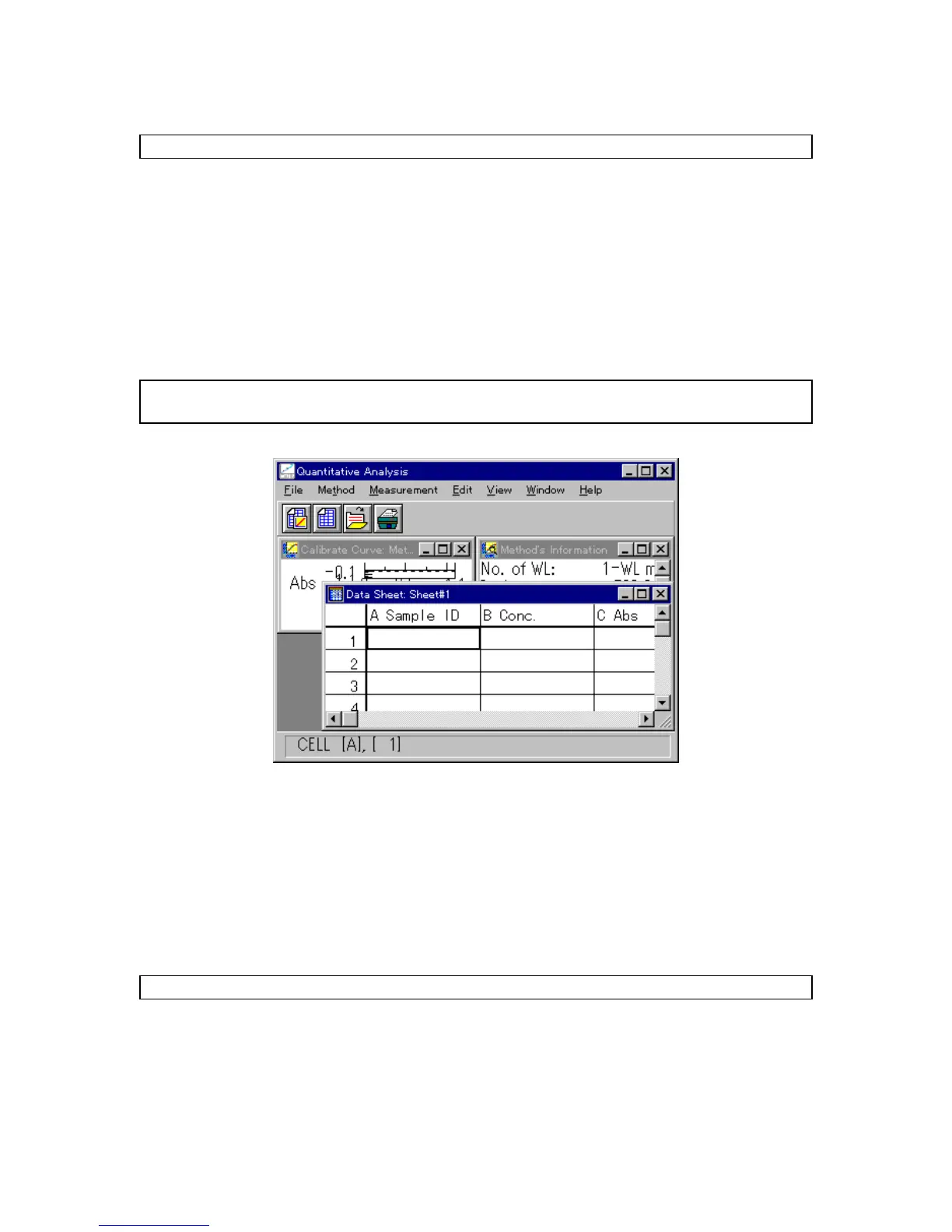
C lick <O K > in the [C alibration C urve P aram eters] dialog box. T he standard blank value is subtracted
from the absorbance value of the standard sam ple and the [C alibrate C urve] w indow opens. A t the
sam e tim e, the [M ethod Inform ation] and [D ata sheet] w indow s open.
N ote: If a calibration curve is created by clicking [M ethod] - [N ew ], only the [C alibrate C urve] and [M ethod
Inform ation] w indow s open.
F igure 3.9 [D ata S heet] w indow
3.1.4 C alibration curve m odification
C lick the title bar of the [C alibrate C urve] w indow to activate it. T he calibration curve can be confirm ed. If the
calibration curve m ust be changed, click [M ethod] - [M odify...]. T he [C alibrate C urve P aram eters] dialog box
opens (S ee Fig. 3.8).
C alibration curve param eters can be changed accordingly, and then the standard sam ple can be
re-m easured. D ata can be also invalidated rather than continuing w ith m easurem ent.
N ote: T he calibration curve cannot be m odified after m easuring an unknow n sam ple.
(1) R e-m easurem ent
1) M ove the cursor to the incorrect data line.
2) C lick <S tart...> to open the [Q uantitative M easurem ent] dialog box. R epeat standard sam ple
m easurem ent.



 To Next Page