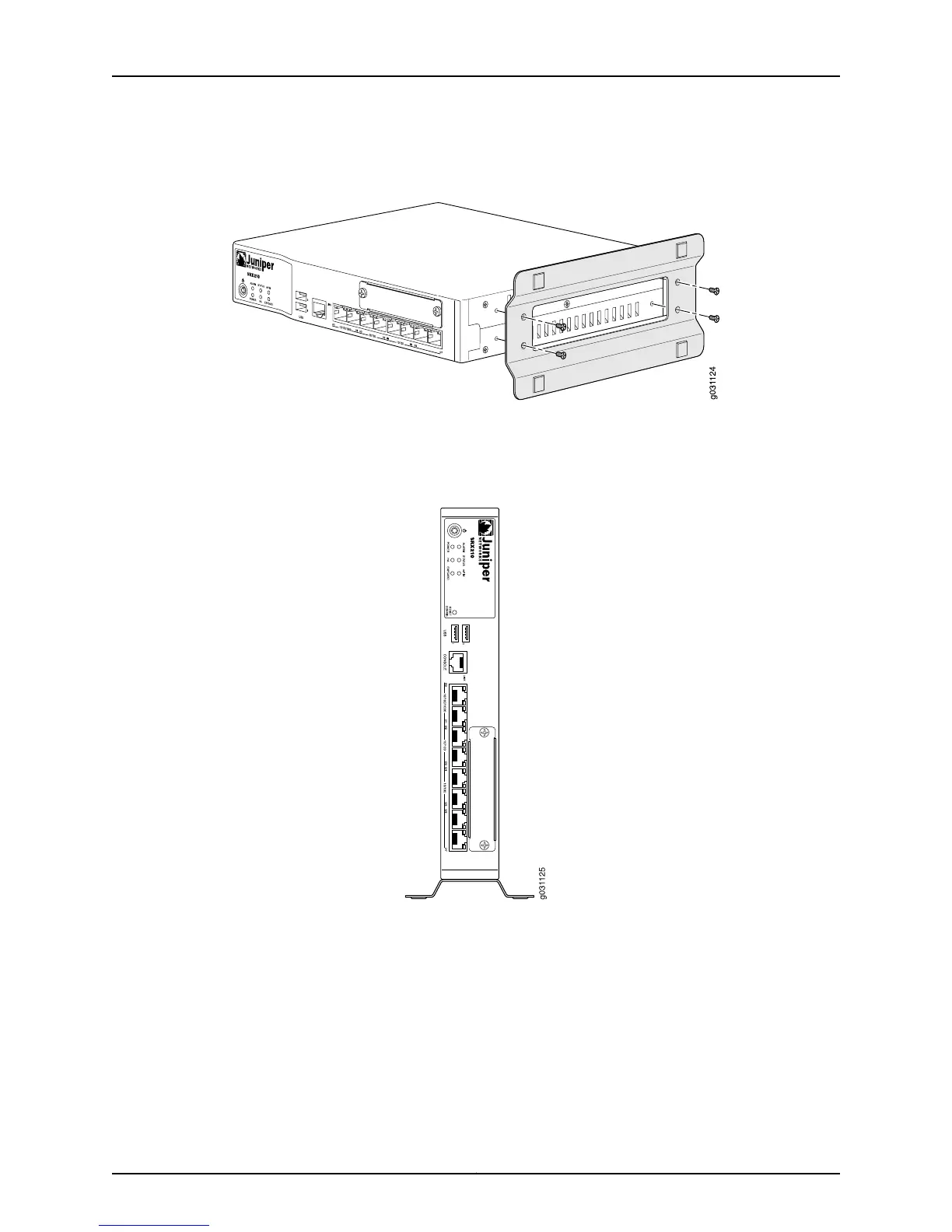
Figure 21: SRX210 Services Gateway Desk Installation — Attaching Vertical
Stand
3. Place the chassis vertically on the desk with the stand resting on the desk as shown
in Figure 22 on page 75.
Figure 22: SRX210 Services Gateway Desk Installation — Placing the
Services Gateway on Desk
Related
Documentation
SRX210 Services Gateway General Safety Guidelines and Warnings on page 127•
• Required Tools and Parts for Installing and Maintaining the SRX210 Services Gateway
on page 59
• Preparing the SRX210 Services Gateway for Desk-Mount Installation on page 67
• Installing the SRX210 Services Gateway in a Rack on page 71
• Installing the SRX210 Services Gateway on a Wall on page 76
75Copyright © 2010, Juniper Networks, Inc.
Chapter 12: Installing the SRX210 Services Gateway



 To Next Page