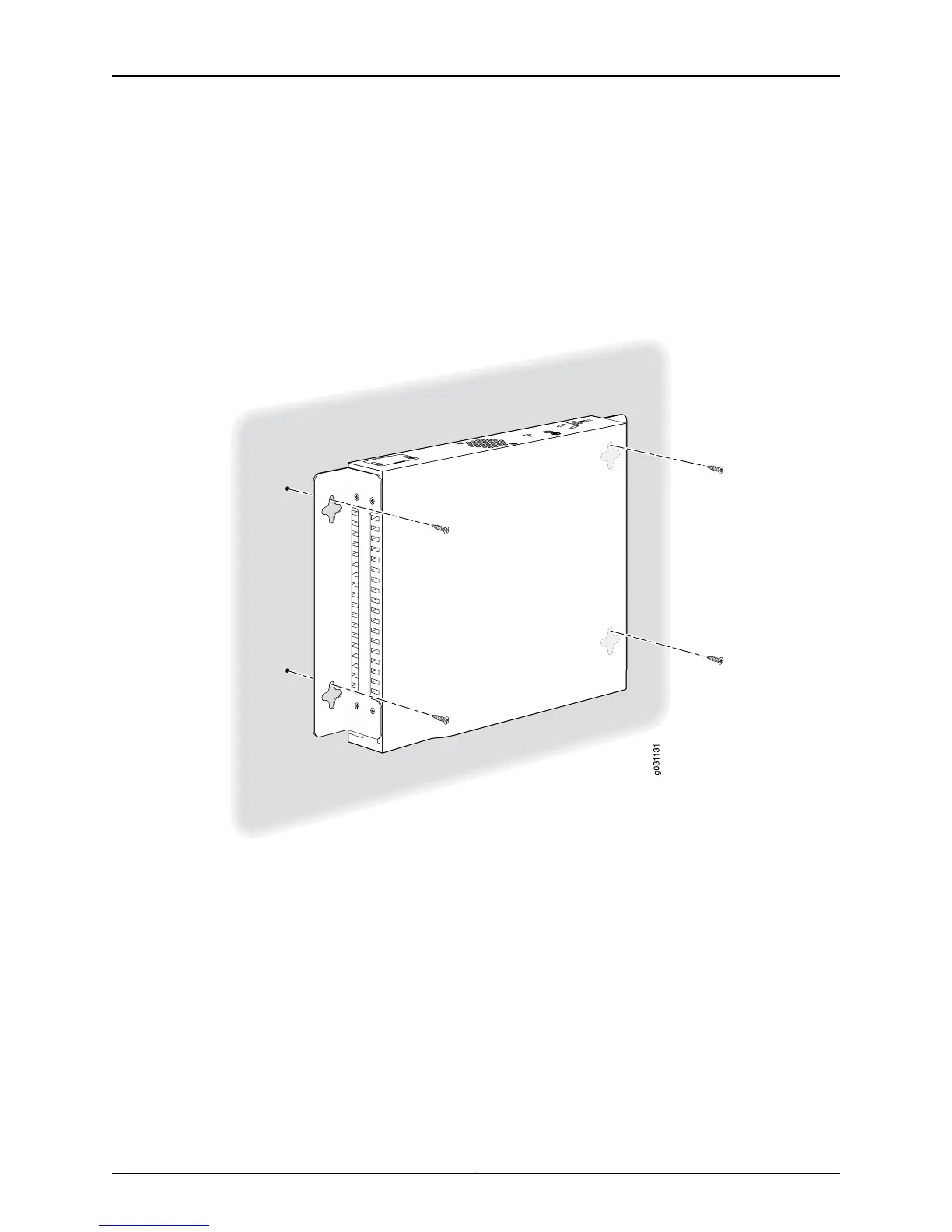
5. Have one person grasp the sides of the device, lift it, and position it on the wall.
6. Have a second person install two pairs of mounting screws through the bracket holes
on either side of the device to secure it to the wall.
7. Verify that the mounting screws on one side are aligned with the mounting screws on
the opposite side and that the device is level (see Figure 24 on page 77).
Figure 24: SRX210 Services Gateway Wall Installation — Hanging the
Services Gateway on a Wall
Related
Documentation
SRX210 Services Gateway General Safety Guidelines and Warnings on page 127•
• Required Tools and Parts for Installing and Maintaining the SRX210 Services Gateway
on page 59
• Preparing the SRX210 Services Gateway for Rack-Mount Installation on page 65
• Adjusting the Power Supply Adapter Tray for the SRX210 Services Gateway for
Rack-Mount Installation on page 70
• Installing the SRX210 Services Gateway on a Desk on page 74
• Installing the SRX210 Services Gateway on a Wall on page 76
77Copyright © 2010, Juniper Networks, Inc.
Chapter 12: Installing the SRX210 Services Gateway



 To Next Page