OPERATING THE ENGINE
3-8
Check After Starting
IMPORTANT: If any abnormality is found in the
monitor functions, immediately stop the engine and
investigate the cause of the trouble.
Check the monitor operation:
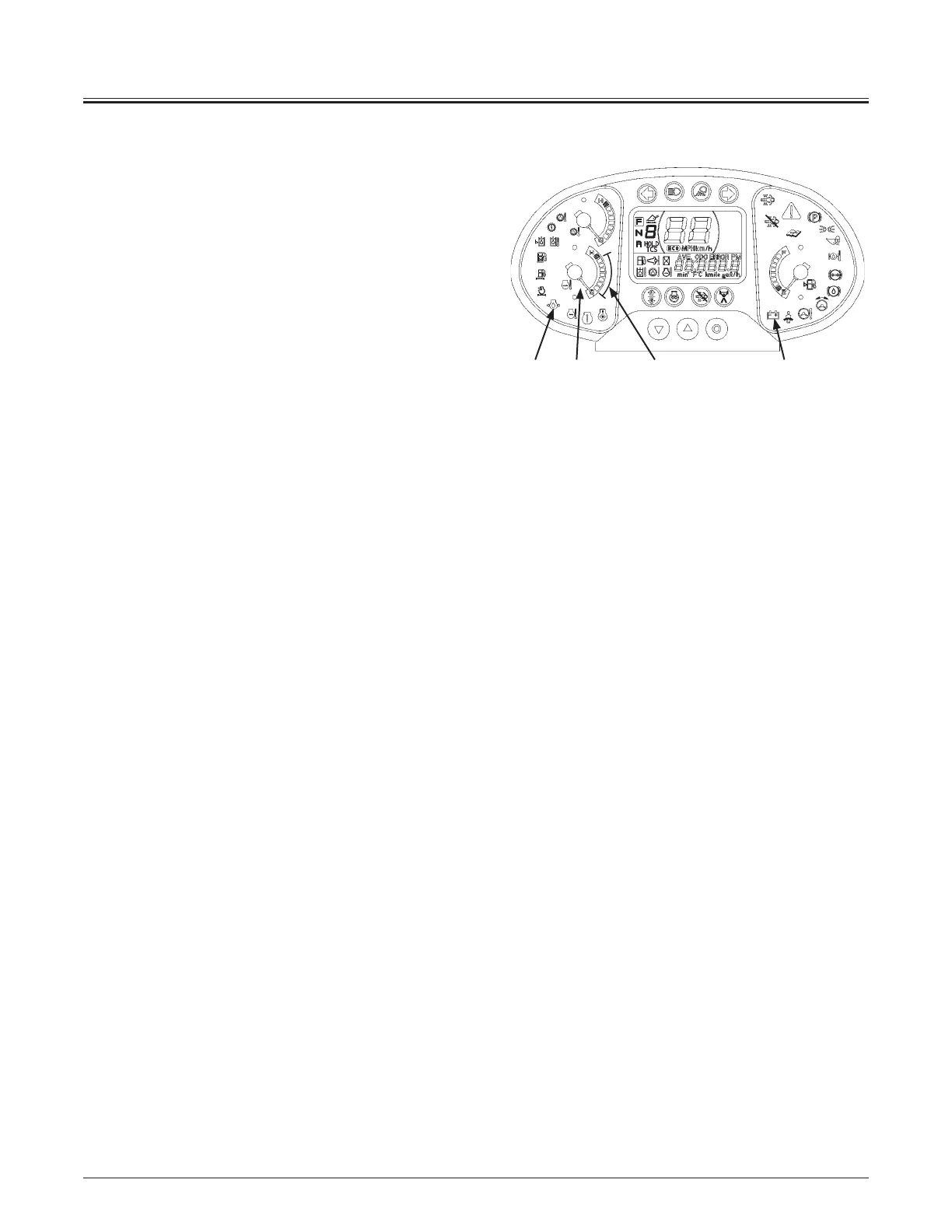
1. Check that discharge warning indicator (1) is OFF.
In case the discharge warning indicator stays ON,
immediately stop the engine. Inspect the alternator and
battery system for problems.
2. Check that low engine oil pressure indicator (2) is OFF.
In case the low engine oil pressure indicator stays ON,
immediately stop the engine. Inspect the engine oil
pressure system and the oil level.
3. Check that engine coolant temperature gauge (3) is in
the range (4).
NOTE: To check indicator bulbs and the buzzer function,
when the key switch is turned ON, monitor indicators come
ON and continue to stay ON for approx. 2 seconds.
Check engine noise and exhaust gas color:
Check that the engine noise and exhaust gas color is
normal.
NOTE: Check the exhaust gas color as follows. (After warm-
up operation, run the engine with no loads.)
Clear or light blue : Normal (Perfect combustion)
Black : Abnormal (Imperfect combustion,
abnormal DOC (diesel oxidation
catalyst), abnormal fuel system)
White : Abnormal (Oil is leaking into the
combustion chamber, abnormal
DOC, abnormal fuel system)
NOTE: White smoke may occur for several minutes after the
engine starts, this is not a malfunction.
1432
MNDB-01-008



 To Next Page