OPERATOR'S STATION
1-86
Defroster Operation
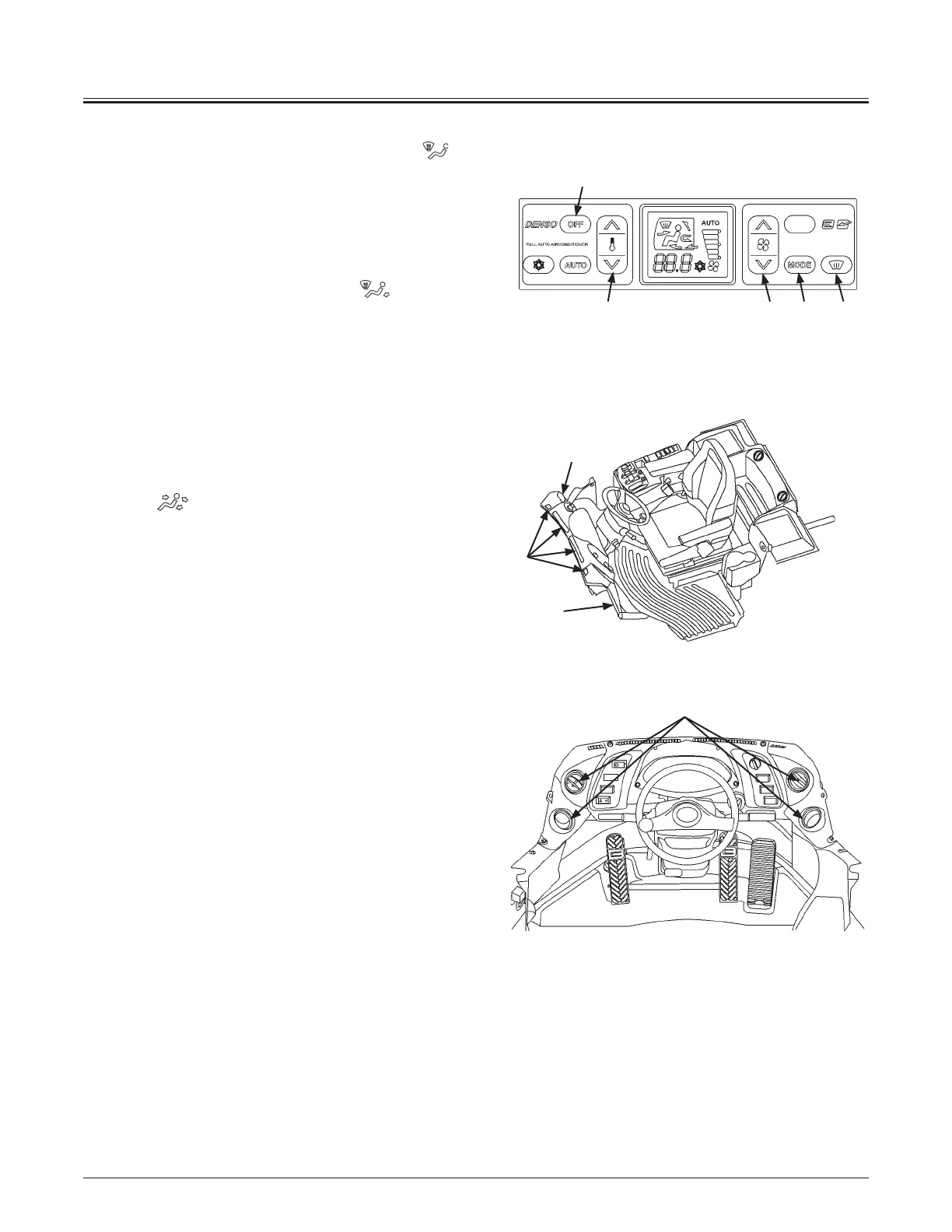
1. Press defroster switch (14) to change defroster
vent
mode; the fresh air mode and air conditioner will turn
ON.
2. Temperature in the cab can be adjusted by operating
temperature control switch (9).
3. Operate blower switch (7) to adjust flow.
4. Operate mode switch (10) to change
foot/defroster
mode.
Cool Head/Warm Feet Operation
Cool and warm air is simultaneously supplied to the head
vents and feet vents respectively.
1. Press blower switch (7) to adjust the blower speed.
2. Press MODE switch (10) to display the front and rear vent
mark
on the monitor.
Turn A/C ON by using air conditioner ON/OFF switch (6).
Control air temperature inside the cab by using temperature
control switch (9).
5
5
5
MNEC-01-035
2
MNDB-01-001
MNDB-01-011
6
9 7 10 14



 To Next Page