OPERATOR'S STATION
1-31
Keep pressing switch (1).
Remaining hours
before replacement
is displayed.
Release switch (1) to complete resetting operation.
Time display is changed four
seconds after pressing switch (1).
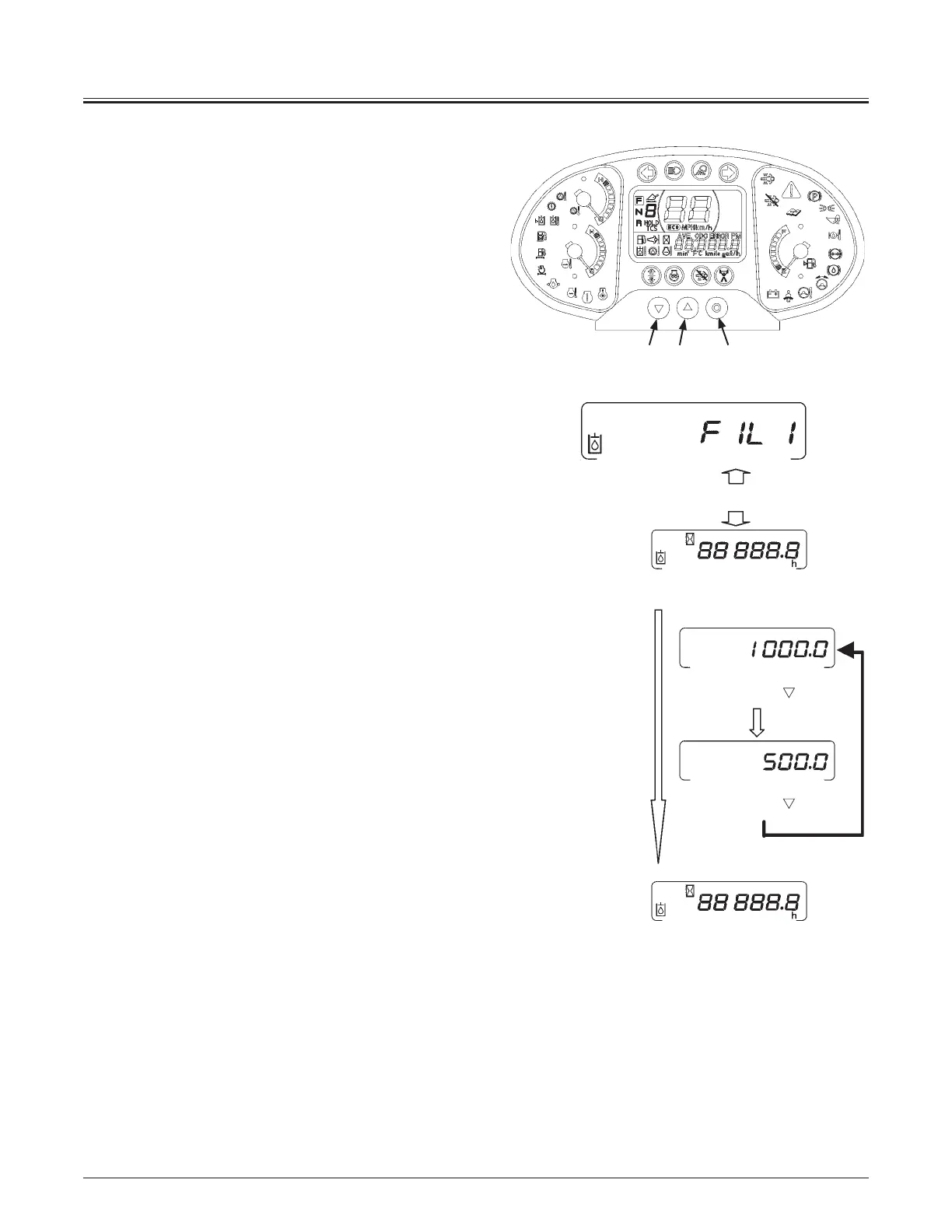
y Hydraulic oil filter 1 replacement interval hour meter
Hydraulic tank oil filter replacement intervals can be reset to
“1000.0” or “500.0”. The interval set when the machine was
shipped from the factory is “1000.0”.
While displaying the change interval hours, keep pressing
switch (1).
NOTE: When switch (1) is released, time resetting is
completed. Keep pressing switch (1) until the desired resetting
time is displayed.
Time display is changed four seconds after pressing switch
(1). While keeping switch (1) pressed, press switch (3).
Each time switch (3) is pressed, the displayed hours will
change in the order of “1000.0 J 500.0”. When the desired
time is displayed, release switch (1) to complete resetting
operation.
Alternate display
MNDB-01-008
32 1
Press button
Press button
MNDB-01-044



 To Next Page