Storing/Deleting Image Data in HDD/PC (Image Store/Delete) (continued)
10-10
5. Touch OK.
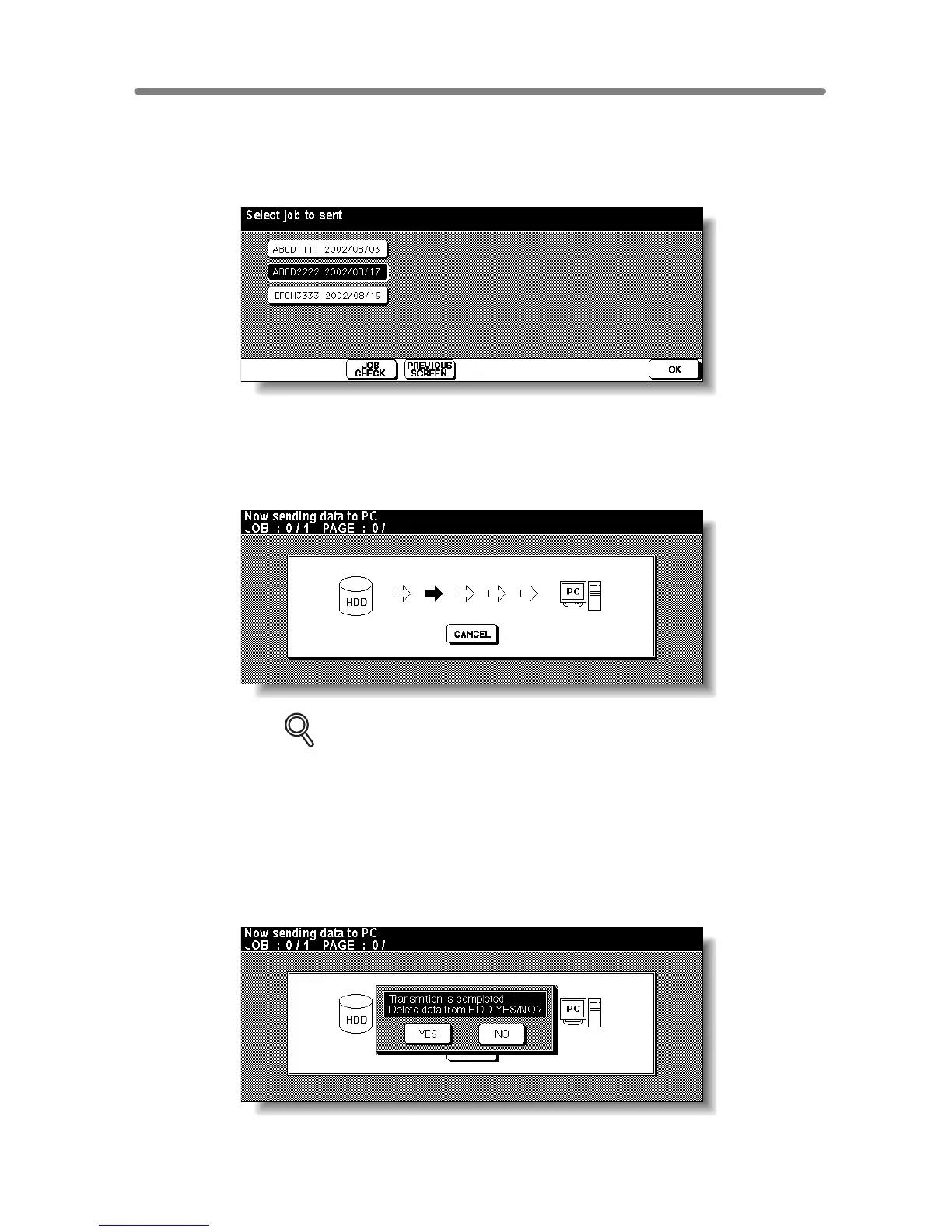
The Job Selection Screen will be displayed.
6. Touch the desired job name key to highlight it.
7. Touch OK.
At this time, the Image Data Transmitting Screen appears without the data transmission
starting, if a data transmission procedure from the PC is required.
In this case, perform the procedure on a PC. The data transmission will start.
DETAILS
• For the data transmission procedure on a PC side, refer to the instruction
of the setup application installed in the PC.
• If TRANSMIT TO SERVER is selected on the Change Data Sending Sys-
tem Screen, any operation on a PC side is not required during the data
transmission procedure but the Job Editor Server should be activated in
advance.
For detailed information, refer to the instruction of the Job Editor Server.
When the data transmission is completed, the popup menu will appear to ask whether
you delete the data from HDD.
Touch YES to delete the data from HDD, or touch NO to leave it in HDD.










 To Next Page