CHASSIS
145
REAR SIDE COVER REMOVAL
1. Follow the steps 1-4 of rear body panel removal.
!
WARNING
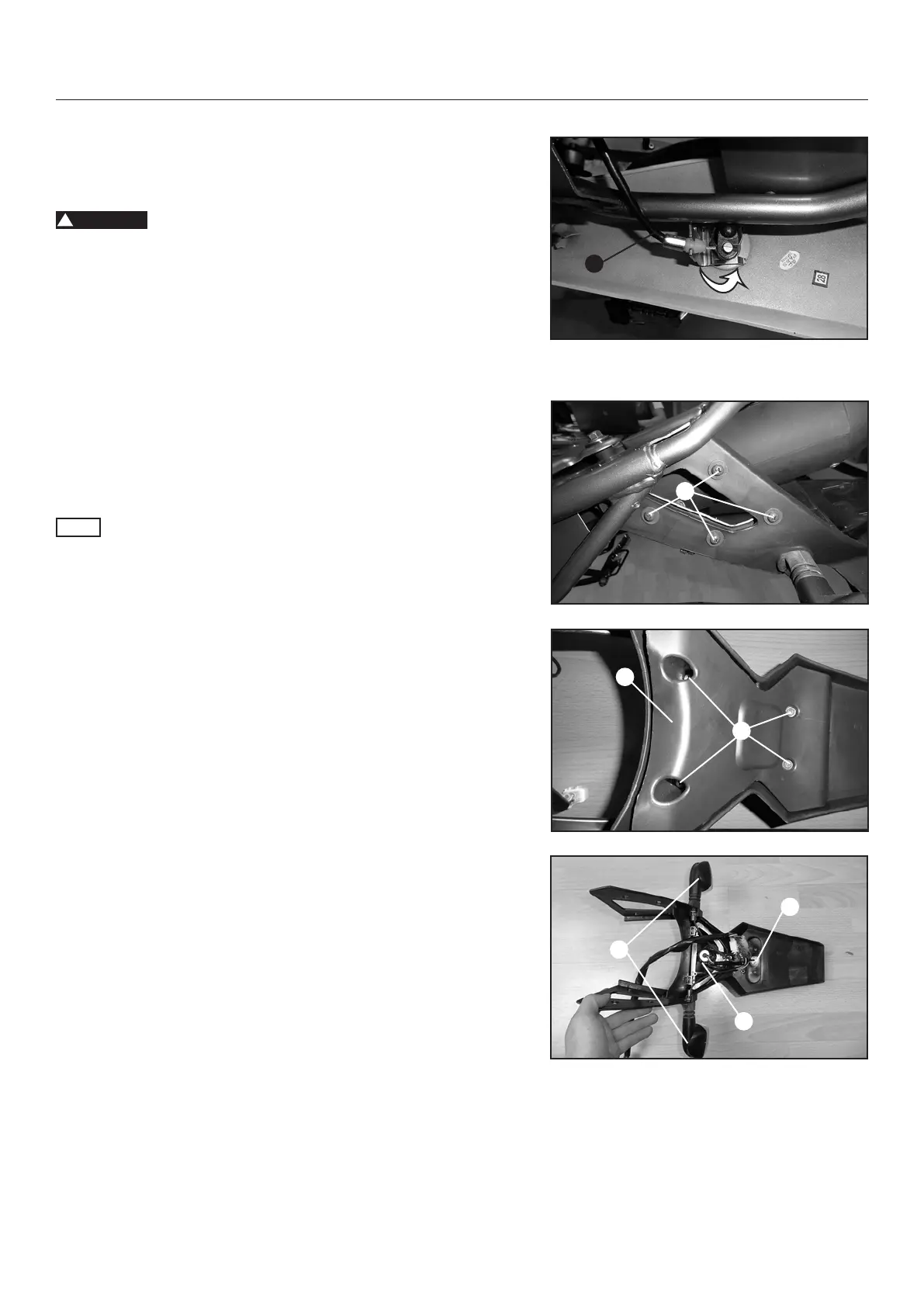
Before you remove the rear cover you must to uncouple the seat
lock from the cable. Lift the seat lock cable (1) afterwards turn it to
the right. When the cable and the slot of the seat lock are in line
you can remove the cable.
2. Follow the steps 6-7 of rear body panel removal.
3. Install the rear side covers in reverse order.
REAR FENDER REMOVAL
1. Remove the rear side cover with the rear body panel.
2. Remove the four screws (1) on the left and the four screws
on the right side.
NOTE
Only one side (left side) is illustrated.
3. Remove the four screws (2) and remove the inner rear fender
(3).
4. Remove the left and right turn signal rear (4), the rear light
(5) and the rear reector with number plate light (6).
5. Install the rear fender in reverse order.
1
2
3
4
5
6
1



 To Next Page