4. LG Network Storage Web Menu Use (for LG
Network Storage administrators)
128
3 Log in.
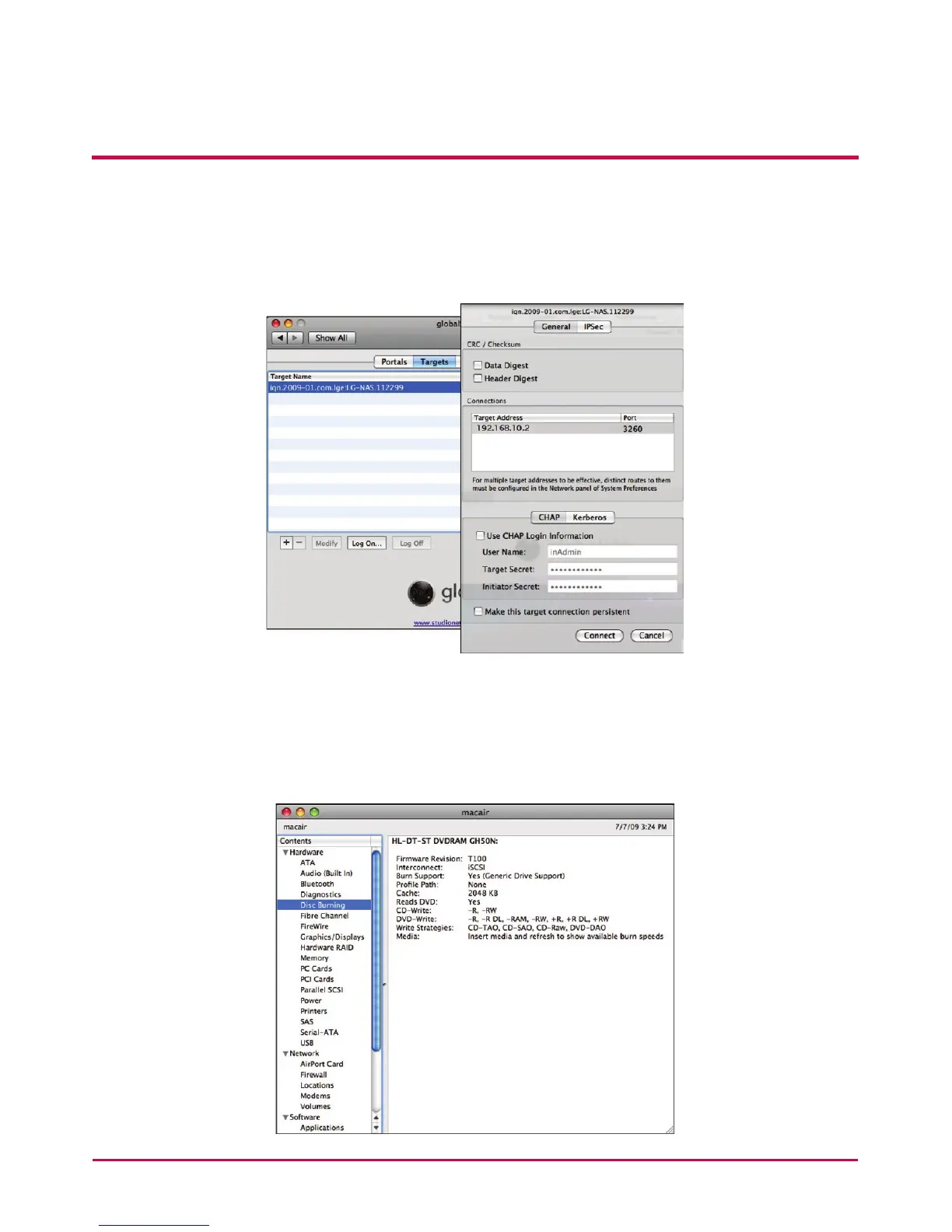
Go to globalSAN iSCSI -> Targets, select the relevant target name and click “Log
On. . . .” and then “Connect” on the pop-up window.
4 Conrm that the target is connected as follows.
Go to Utilities -> System Proler and check that “iSCSI” appears under
“Disc Burning” interconnect.



 To Next Page