4. LG Network Storage Web Menu Use (for LG
Network Storage administrators)
140
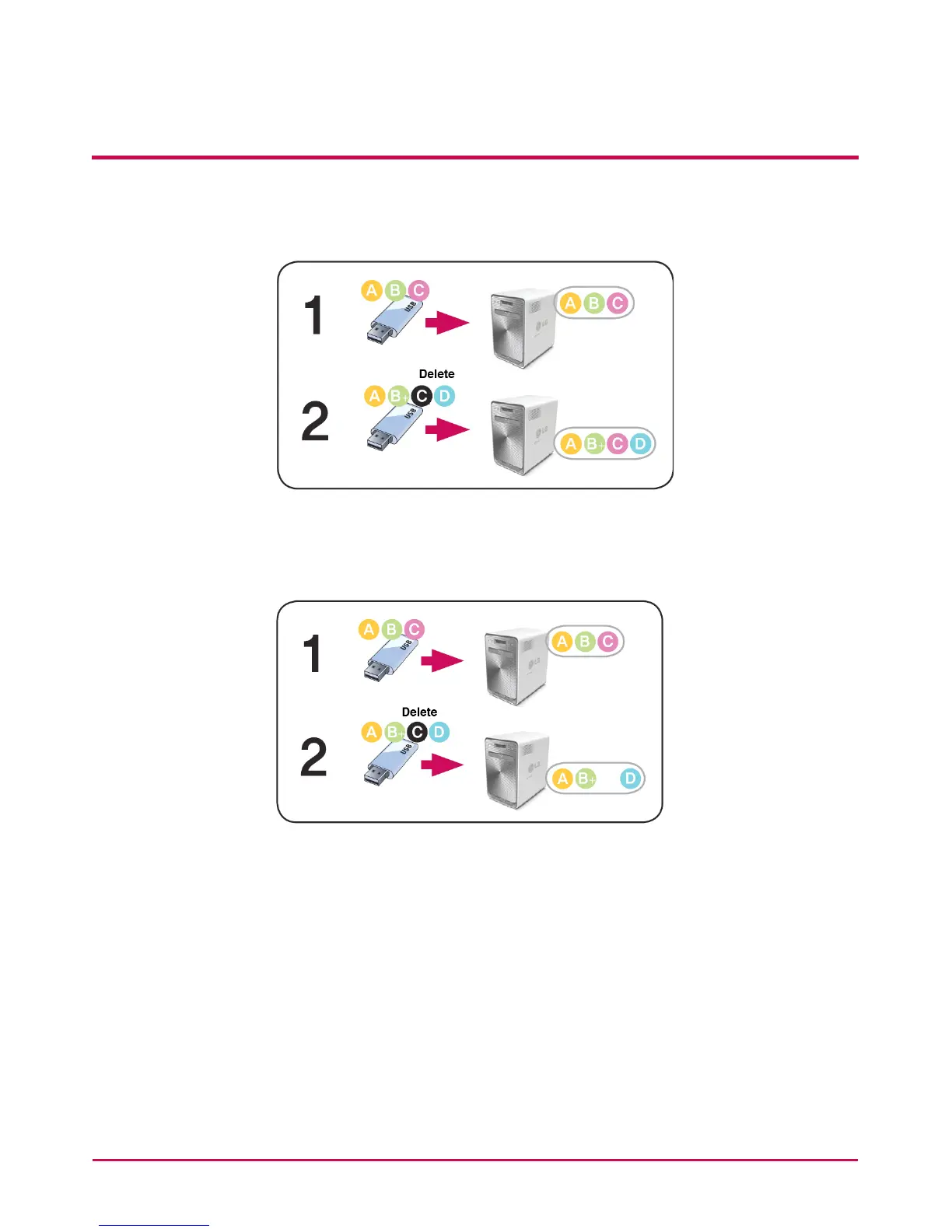
- Copy: The original data can be synchronized. The backup target basic folder name is
created from the “Device ID”. The backup is saved in the original le folder
- One: The basic function is commensurate to the ‘Copy’ option. Information deleted
from the original is also deleted from the back up dierently from the previous
version.
15 For advanced setting options, click on the ‘Open’ button.
16 The extension on the back up le can be specied. If the ‘Picture Ext’ or ‘Document Ext’
Check Boxes are selected, only les with image le extensions or text le extensions
can be backed up. Otherwise all les will be backed up.
17 The les that are not backed up can also have their extensions specied.
Temporary les etc with extensions (*.bck, *.tmp), and les that are not useful will not
be backed up.
18 Click on the ‘Save’ button to save the task.



 To Next Page