4. LG Network Storage Web Menu Use (for LG
Network Storage administrators)
78
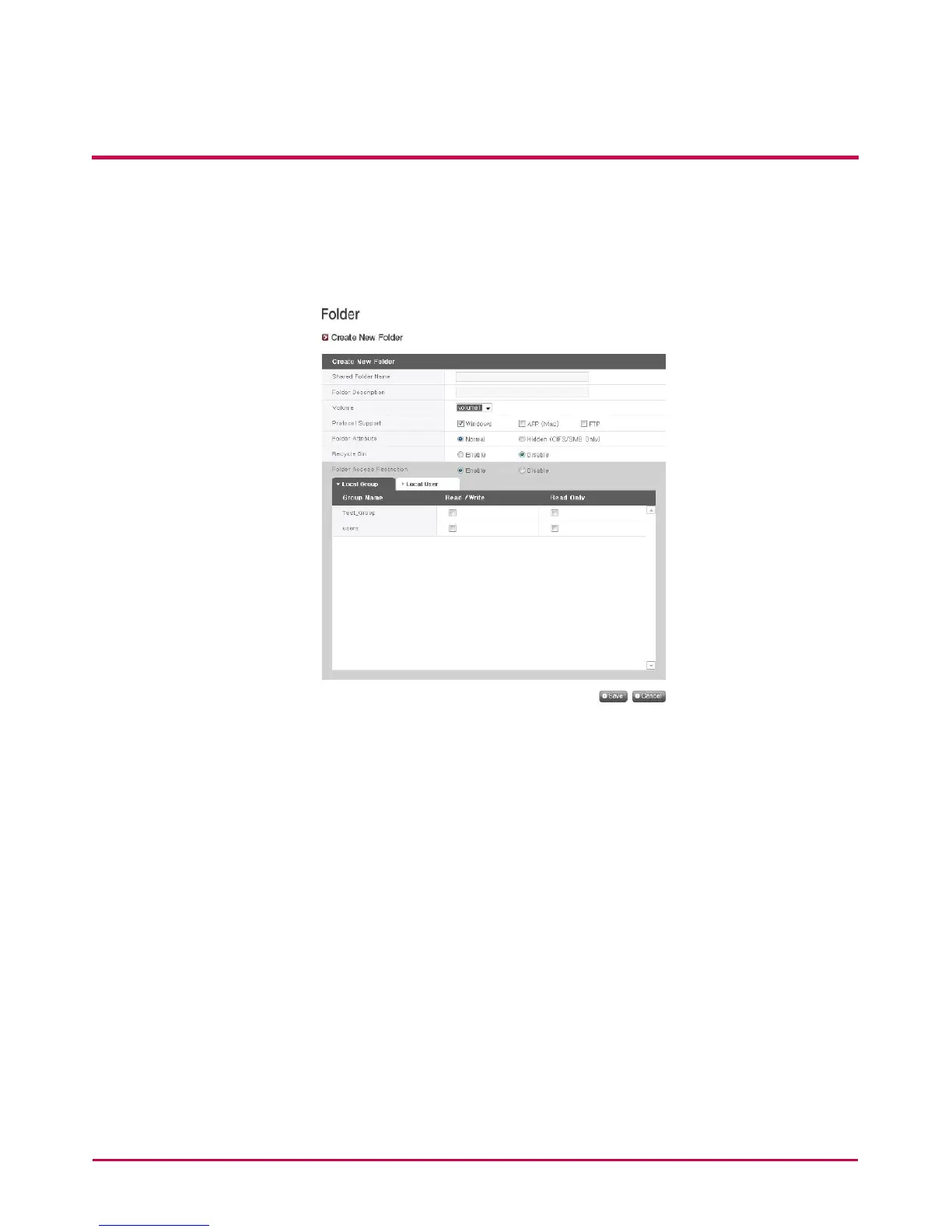
[Create New Folder]
1 Click on the ‘Add Folder’ button.
2 Enter the shared folder name.
3 Enter folder description.
4 Set the volume where the folder will be created if there is more than one.
5 Decide whether to permit folder sharing through SMB, AFP, FTP protocol.
- Windows: Activates folder sharing through SMB protocol on Windows/Mac/ Linux.
Refer to chapter 6 for connection details .
- AFP (Mac): Activates folder sharing through AFP on Mac client.
- FTP: Activates folder sharing through FTP.
6 During network search, currently shared folders can be set up not to appear.
* If ‘hidden’, such folders will not be available for sharing through AFP/FTP
7 Create a trash box within the folder.
When deleting data while the trash box is active, all the deleted les will go to ‘trash
box’ folder within the shared folder.



 To Next Page