ProtoMat S Operation
© 2011 LPKF AG HB V0.9/Mrz-11 53
6
Pos: 22 /ED_Technisc he_Dokumentation/2_Be dienungsanleitun g/Maschine/RP_Fräsb ohrplotter/Pr otoMat_S_Serie/Pr otoMat_S_Serie_II G/Kapitel_6_Bedien ung/6_02_03_Fens ter_Processing @ 0\mod_12 67196689265_2058. docx @ 6498 @ 3444444
6.2.3 Window Processing
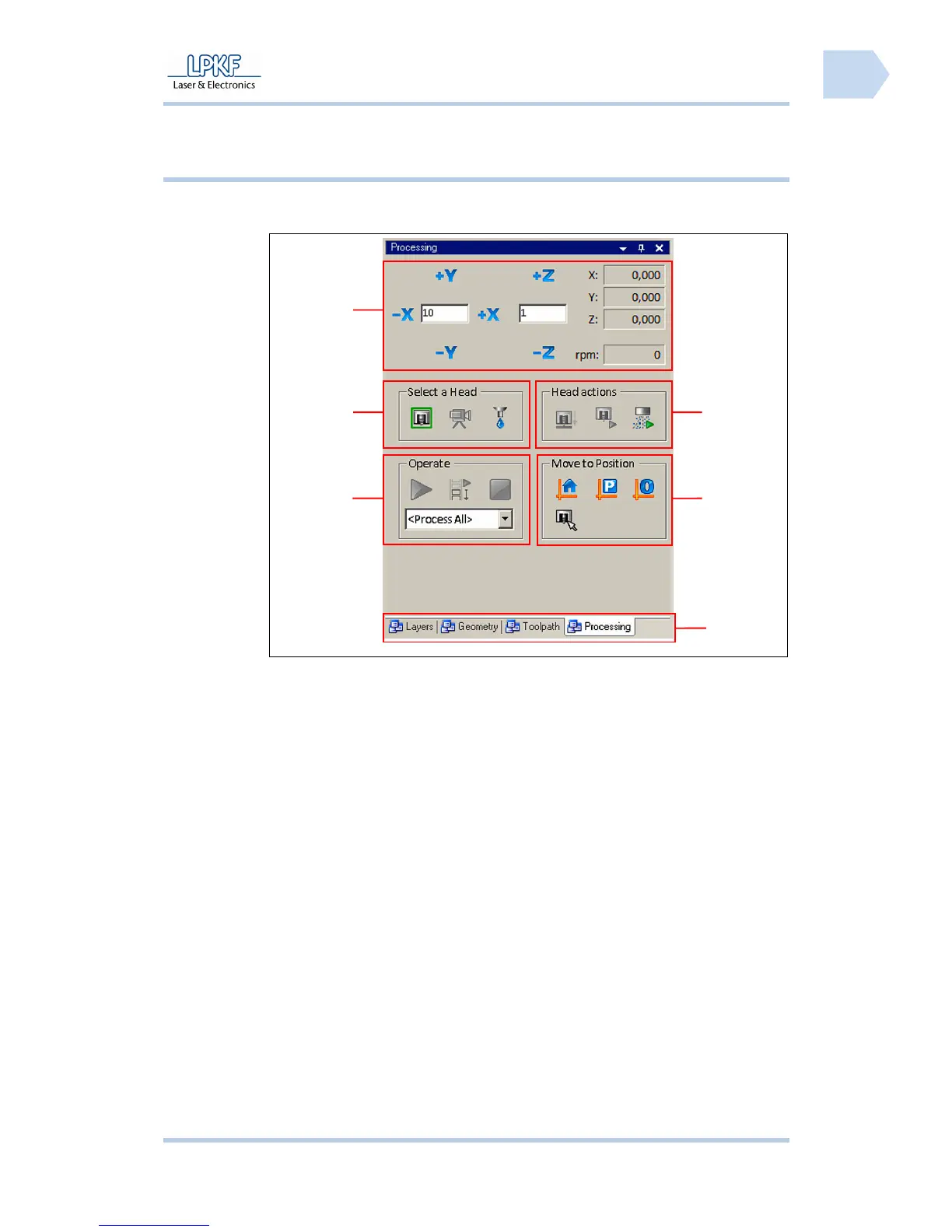
The connected circuit board plotter is controlled via the menu window
“Processing“:
Fig. 22: Window
Processing
/1/ Mill/drill head manual control functions /4/ Register
/2/ Select head /5/ Moving to determined positions
/3/ Processing functions /6/ Mill/drill head control
6
5
4
3
2
1



 To Next Page